32 English
Setup
Before Starting (Plug & Play)
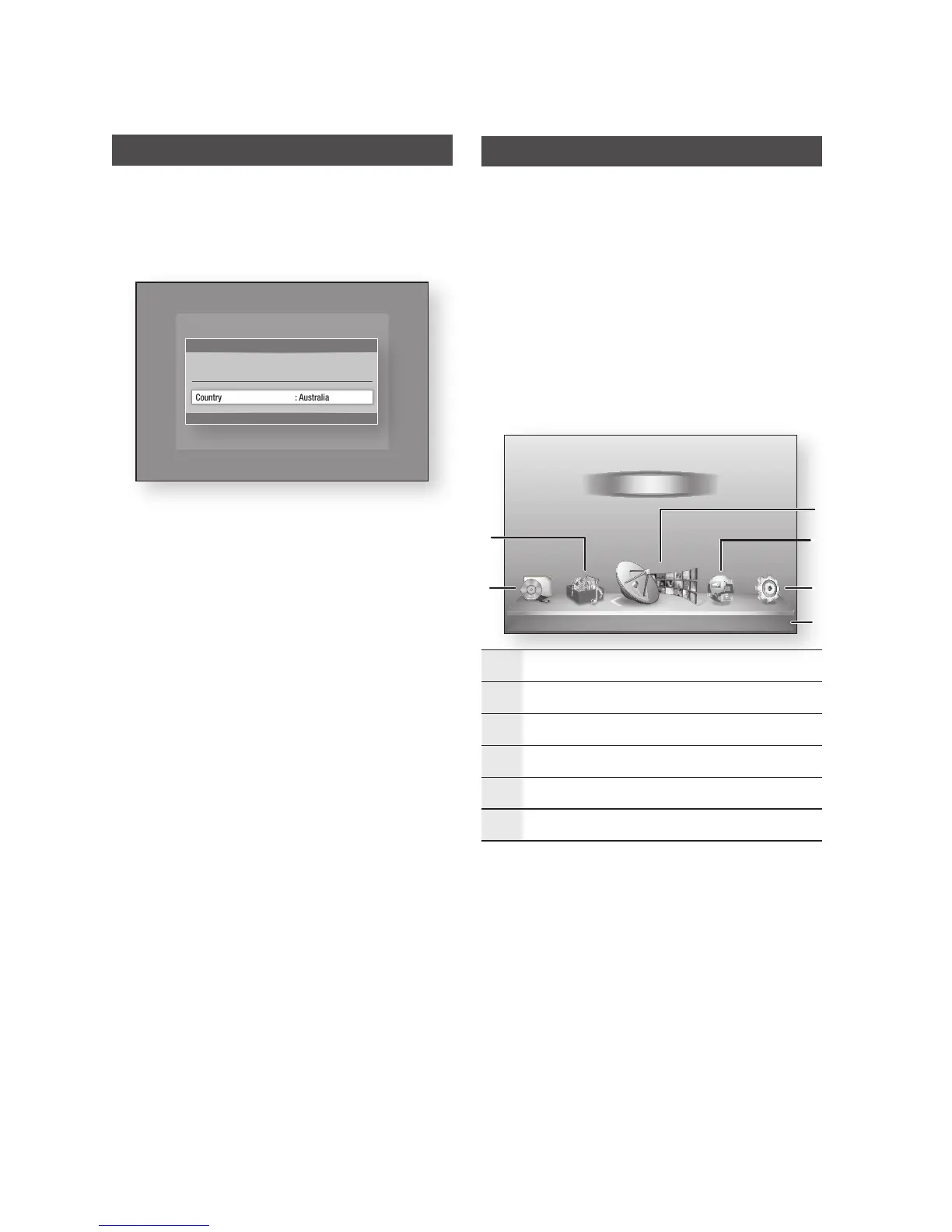
Turn on your TV after connecting the product.
When you connect the product to a TV for the
first time, product turns on automatically and
the Plug & Play screen appears.
Press the ►▲▼ buttons to select the desired
country, and then press the ENTER button.
Press the ►▲▼ buttons to select the desired
Clock Mode.
If you select Auto : Press the ENTER
button.
If you select Manual : Press the ▲▼◄
► button to set the clock, then press the
ENTER button.
Press the ENTER button to start scanning.
Press the ◄► buttons to the select the
Network Settings or Watch TV, then press
the ENTER button.
(For more information about Network settings,
please refer to pages 43~47)
NOTE
When the product is connected to the TV for the
first time, the product turns on automatically. This is
normal operation.
1.
2.
3.
•
•
4.
5.
✎
▪
Accessing the Settings Menu
Press the MENU button.
The home menu will be displayed.
Press the ◄► buttons to select the desired
home menu, and then press the ENTER button.
Press the ▲▼ buttons to select the desired
submenu, and then press the ENTER button.
Press the ▲▼ buttons to select the desired
item, and then press the ENTER button.
Press the EXIT button to exit the menu.
Home Menu
1
Selects My Devices.
2
Selects My Contents.
3
Selects Watch TV.
4
Selects Internet.
5
Selects Settings.
6
Displays the buttons available.
1.
2.
3.
4.
5.
•
Plug & Play
"
Enter
Country : Australia
Select Country.
►
d
WPS(PBC)
My Devices Internet Settings
Guide
Schedule Manager
Channel List
Channel Manager
My Contents
Watch TV
5
6
1
4
3
2











 To Next Page