English 71
08 Advanced Functions
Edit the Recorded Title
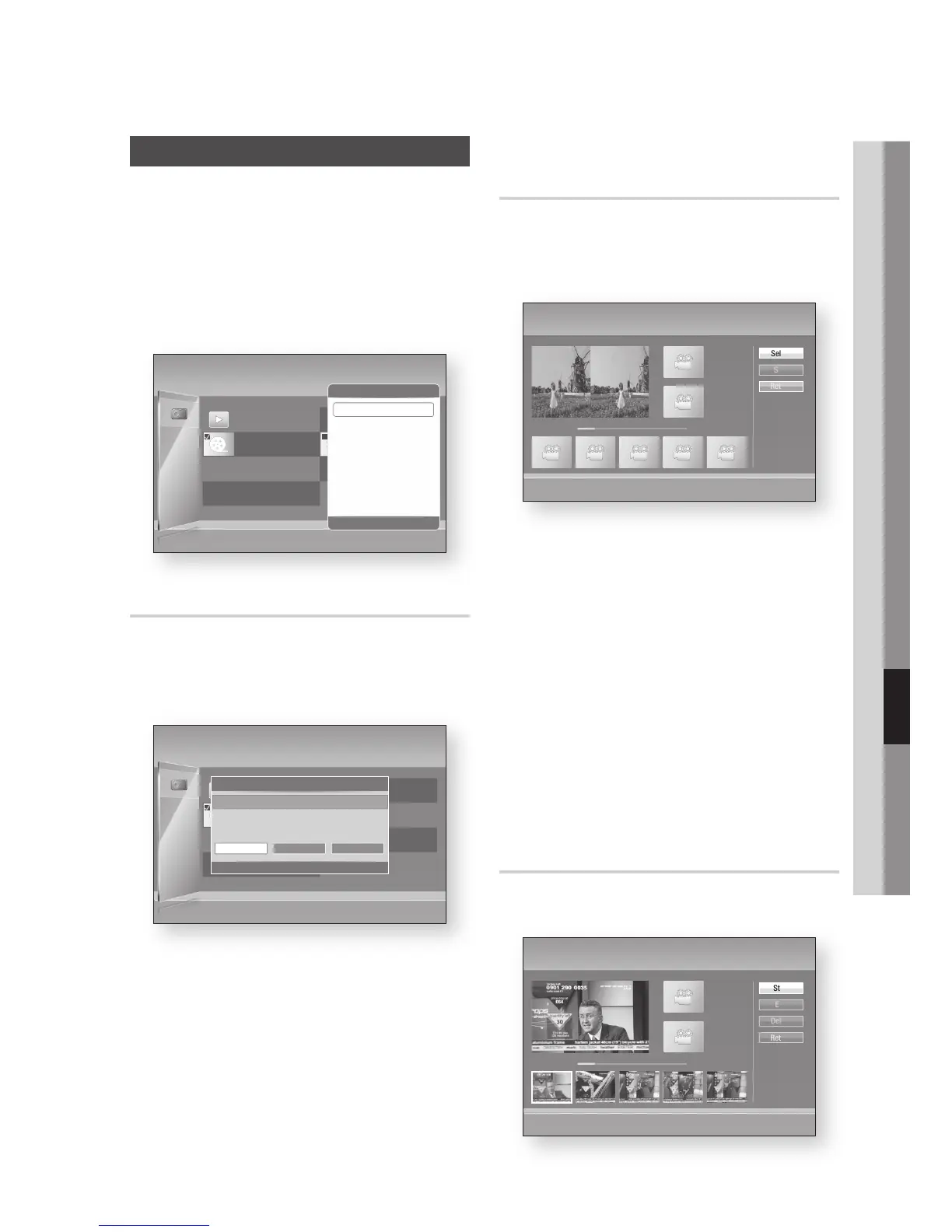
In the Recorded TV screen, press the
YELLOW (C) button to display check box.
Press the ENTER button to select the desired
title you want to edit.
Press the TOOLS button.
Press the ▲▼ buttons to select the Edit, then
press the ENTER button.
Renaming a Recorded Title
Follow Steps 1 through 4 in the ‘Edit the Recorded
Title’.
Press the ◄► buttons to select the Rename,
then press the ENTER button.
Select the desired characters using the ▲▼◄
► buttons, then press the ENTER button.
Press the ▲▼◄► buttons to select Done,
then press the ENTER button.
1.
2.
3.
4.
1.
2.
3.
Splitting a Section of a Title (Divide
into two)
Follow Steps 1 through 4 in the ‘Edit the Recorded
Title’.
Press the ◄► buttons to select the Split,
then press the ENTER button.
Using the playback-related buttons, move to
a point for splitting and then press the ENTER
button.
Press the ENTER button to select Split.
Press the ◄► buttons to select Yes, then
press the ENTER button.
The split title is divided into two, and the
following titles will be shifted down by one.
Press the ENTER button to select OK.
NOTE
The minimum length of split section should be longer
than 10 seconds.
Splitting a Section of a Title
(Partial Delete)
Press the ◄► buttons to select the Partial
Delete, then press the ENTER button.
1.
2.
3.
4.
5.
✎
▪
1.
No title
xx.xxx.xxxx xx:xx:xx
1/1 Page
Recorded TV | HDD
Play Mode
d
Sorting
/
Tools
'
Return
N
(x)
No title
xx.xxx.xxxx xx:xx:xx
1 file selected. Title
Tools
"
Enter
'
Return
Play Selected File
Select Group
Deselect All
Lock/Unlock
Delete
Edit
Detailed Information
Part 1
00:00:00
Split | No title
+
( )
Playback Controls
[ ]
Scene Search
<
Jump
>
Move
"
Enter
Select
Split
Return
00:00:22 / 00:04:37
+
Part 2
00:00:00
Play
No title
xx.xxx.xxxx xx:xx:xx
1/1 Page
Recorded TV | HDD
Play Mode
d
Sorting
/
Tools
'
Return
N
(x)
No title
xx.xxx.xxxx xx:xx:xx
1 file selected Title
No title
Edit
<
Move
"
Enter
'
Return
Select Edit Features
Rename
Split Partial Delete
Part 1
00:00:00
Partial Delete | No title
+
( )
Playback Controls
[ ]
Scene Search
<
Jump
>
Move
"
Enter
Start
End
Delete
Return
Part 2
00:00:00
00:00:33 / 00:08:21
+
Play











 To Next Page