System
Security
This function works in conjunction with Blu-ray Disc/
DVDs that have been assigned an age rating or numeric
rating that indicates the maturity level of the content.
These numbers help you control the types of Blu-
ray Disc/DVDs that your family can watch. When you
access this function, the security screen appears.
Enter the your Security password.
(The default password is 0000.)
DTV Channel Lock : You can lock some channels
using the Channel Lock function so that children
cannot watch them.
DTV Program Rating Lock : This function works
in conjunction with DTV that have been assigned a
rating, which helps you control the types of DTV that
your family watches. Select the rating level you want
to set.
BD Parental Rating : Prevent playback of Blu-ray
Discs with specific age ratings unless a password is
entered.
DVD Parental Rating : Prevent playback of DVDs
with specific numerical ratings unless a password is
entered.
A larger number indicates that the programme is
intended for adult use only.
Change PIN : Change the 4-digit password used to
access security functions.
`
If you forgot your password
1. Press the HOME Button to move to the Home
screen.
2. Remove any disc or USB storage device.
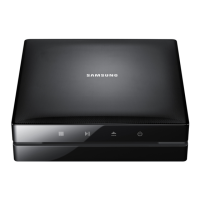
3. Press and hold the
@
button on the front panel
for 5 seconds or more.
All settings will revert to the factory settings.
| NOTE |
\
Password : Enter the desired 4-digit password using the
number buttons.
- France, Italy : You can not set the password to "0000".
Please choose other numbers.
- Others : Default password is set to 0000.
|
30 English
02230J-BD-E8900-EN-ENG.indd 30 2012-04-13 오후 2:53:19



 To Next Page