Controlling with your mobile device
Use your mobile device to view files stored in
your computer, played by BD-HDD Combo. (Only
available with Samsung mobile devices supporting
AllShare functionality.)
You can get detailed instructions for using AllShare
from the Samsung.com website.
| NOTE |
\
Once the connection is established, you can not only play
the video content but also transfer data between devices
using the Allshare feature.
For more information, refer to pages 48~50.
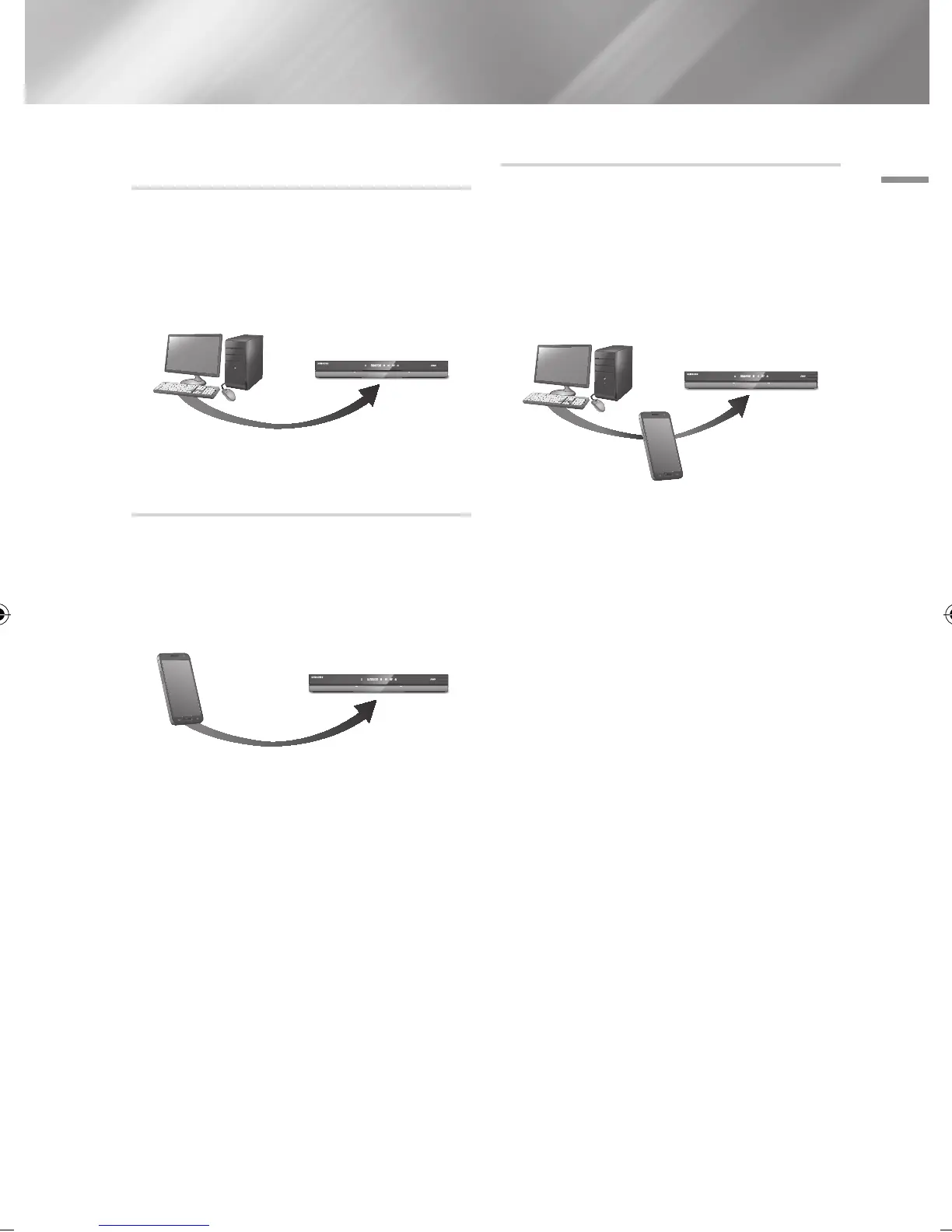
Playing content located in your PC on
the BD-HDD Combo
You can view shared files of your computer on
your BD-HDD Combo.
You can get detailed instructions for using AllShare
from the Samsung.com website.
Playing content located in your Mobile
device on the BD-HDD Combo
You can view shared files of your Mobile device to
your BD-HDD Combo.
You can get detailed instructions for using AllShare
from the Samsung.com website.
AllShare Play Connection
PC BD-HDD Combo
Play back
PC's files
Mobile device
BD-HDD Combo
Play back Mobile
device's files
AllShare Play
Connection
Control PC's files to
BD-HDD Combo
PC
Mobile device
BD-HDD Combo
Play back
PC's files
English 43
|
02230J-BD-E8900-EN-ENG.indd 43 2012-04-13 오후 2:53:26



 To Next Page