1
8
: Stores the Teletext pages.
2
4
: Displays the teletext on the upper half of the
screen in double-size. To move the text to the lower
half of the screen, press it again. For normal display,
press it once again.
3
9
: Holds the display at the current page, in the
case that there are several secondary pages that
follow automaticially. To undo, press it again.
4
Colour buttons (red, green, yellow, blue) : If the
FASTEXT system is used by the broadcasting
company, the different topics on a Teletext page are
colour-coded and can be selected by pressing the
coloured buttons. Press the colour corresponding to
the topic of your choice. A new colourcoded page
is displayed. Items can be selected in the same
way. To display the previous or next page, press the
corresponding coloured button.
5
1
: Displays the available sub-page.
6
2
: Displays the next Teletext page.
7
3
: Displays the previous Teletext page.
8
6
: Displays the index (contents) page at any time
while you are viewing Teletext.
9
0
: Selects the Teletext mode (LIST/ FLOF). If
pressed during LIST mode, switches the mode to
List savemode. In List save mode, you can save a
Teletext page into a list using the 8(store) button.
0
5
: Displays the hidden text (answers to quiz
games, for example). To display the normal screen,
press it again.
!
7
: Shrinks the Teletext display to overlap with the
current broadcast.
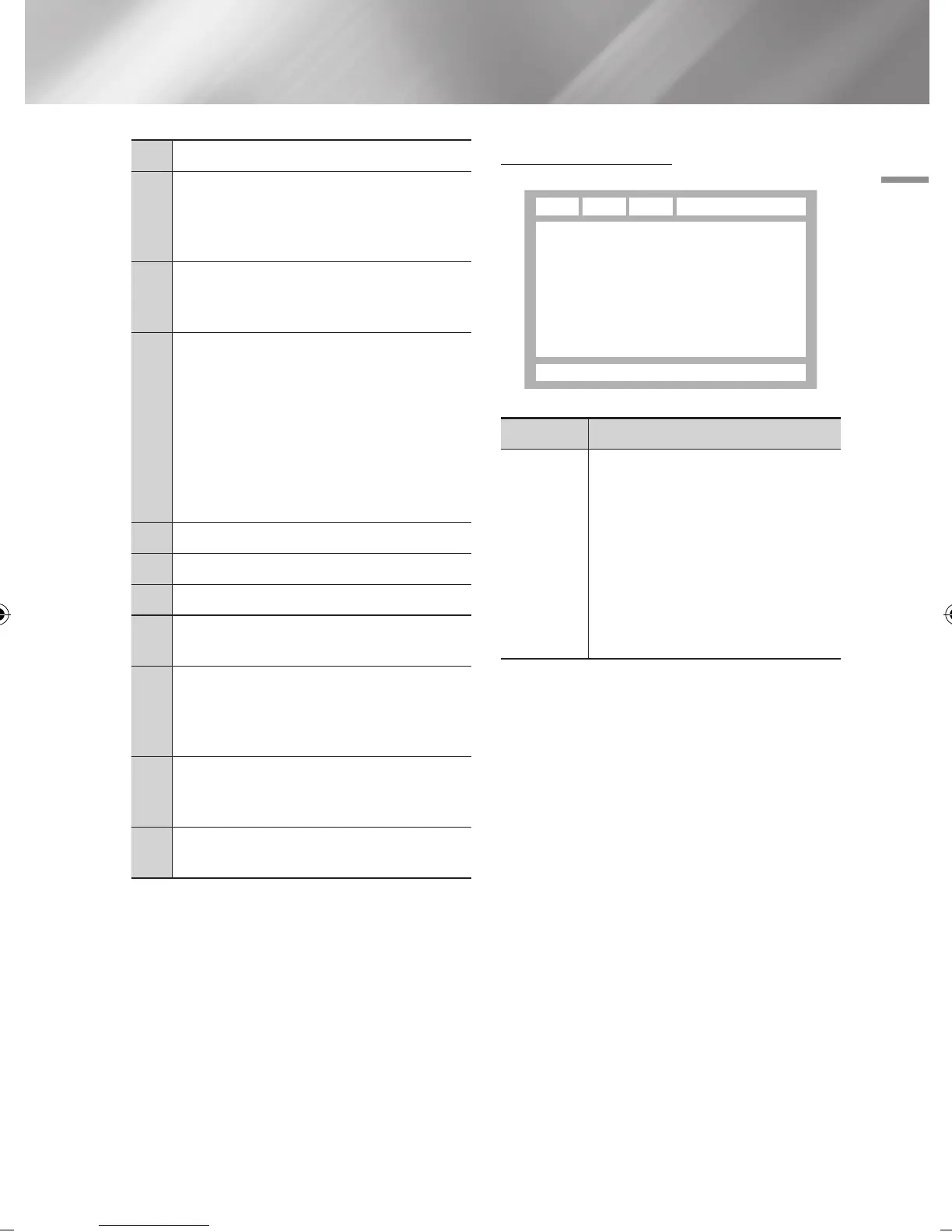
Typical Teletext page
Part Contents
A
Selected page number.
B
Broadcasting channel identity.
C
Current page number or search indications.
D
Date and time.
E
Text.
F
Status information. FASTEXT information.
| NOTE |
\
Teletext TTX/MIX control is available only when the DTV
programme support teletext signal.
E
F
DA B C
English 55
|
02230J-BD-E8900-EN-ENG.indd 55 2012-04-13 오후 2:53:33



 To Next Page