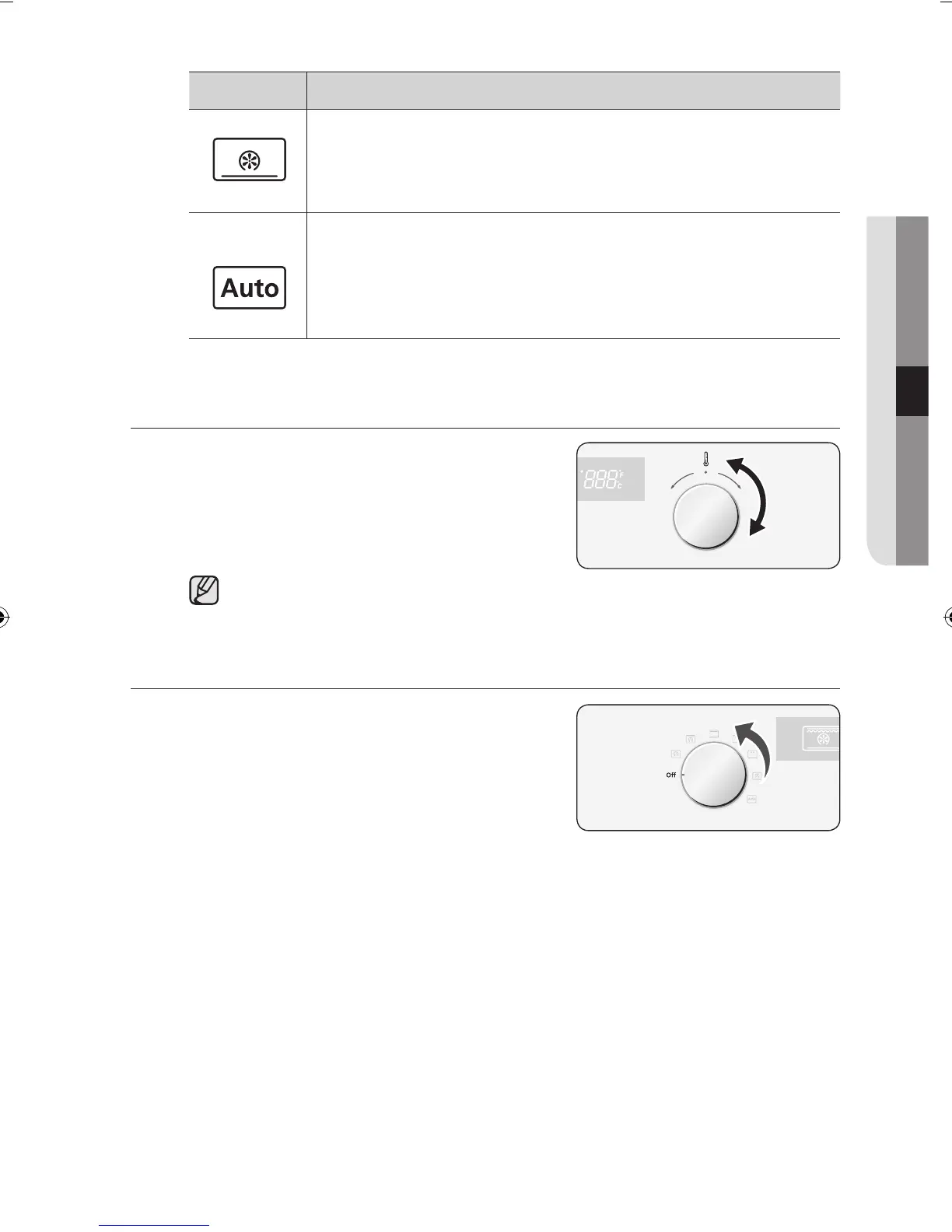
Mode Description
Bottom Heat + Convection
The bottom heating element and back wall heating element
provide hot air which is circulated by the fans. This mode is ideal
for baking food such as quiches, pizza, bread and cheesecakes.
Auto Menu Programmes
You can select 15 auto menu programmes for baking, roasting
and cooking. The mode, cooking time and temperatures are
pre- programmed for your convenience. You simply select the
item and appropriate serving option.
SETTING THE OVEN TEMPERATURE
1 Turn the Time / Temp Control Knob to
adjust the temperature in increments of 5
°C.
40 °C – 250 °C
40 °C – 300 °C (Large & Small Grill)
The temperature may be adjusted during cooking.
SWITCHING THE OVEN OFF
To switch the oven off, turn the Cooking
Function Select Knob
to the “Off” position.



 To Next Page