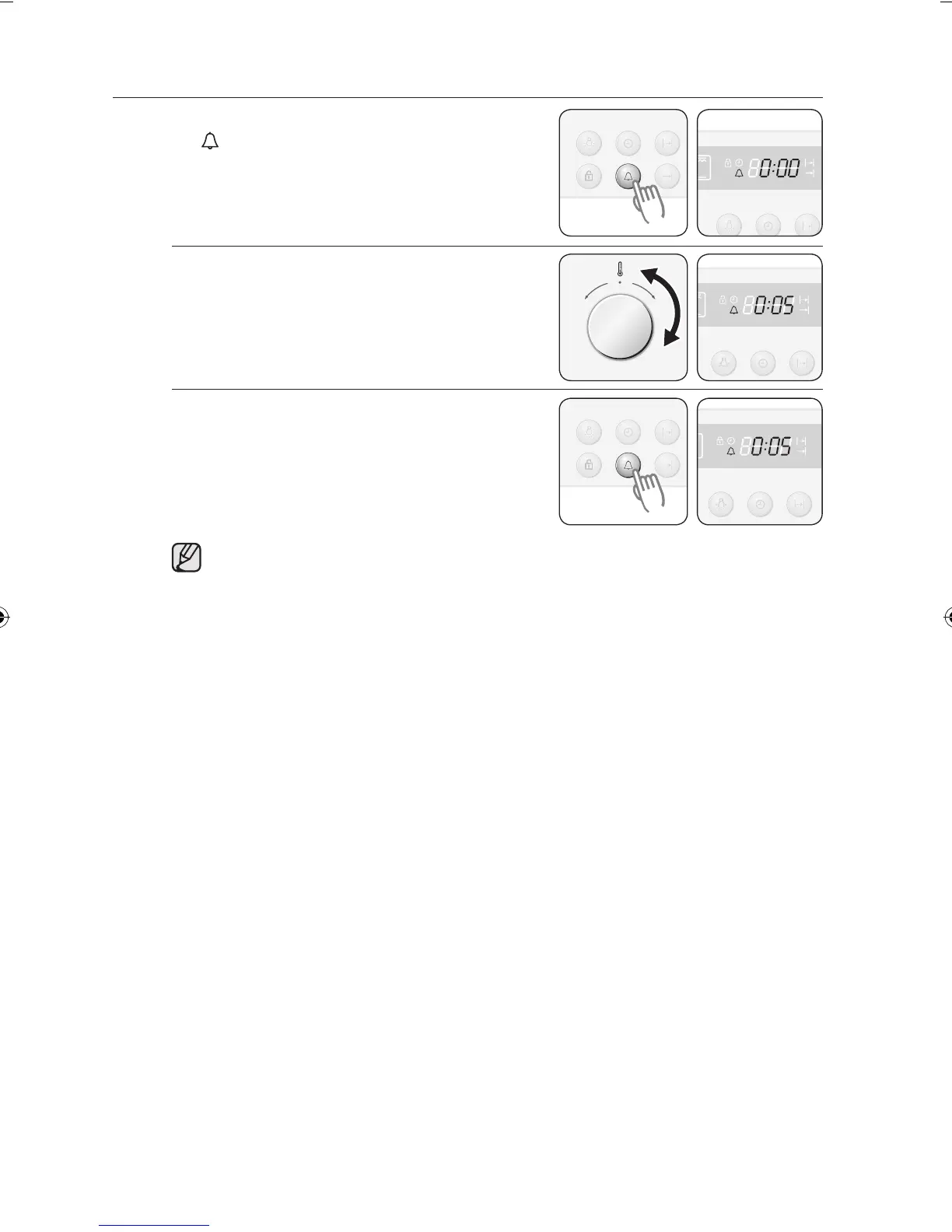
KITCHEN TIMER
1 Press the Kitchen Timer button once. “
” flashes.
2 Turn the Time / Temp Control Knob to
set the desired time.
Example: 5 minutes
3 Press the Kitchen Timer button to start
the kitchen timer. When the set time has
elapsed, an audible signal sounds.
Press and hold the Kitchen Timer button for 2 seconds each to cancel the
timer.



 To Next Page