EasyManua.ls Logo

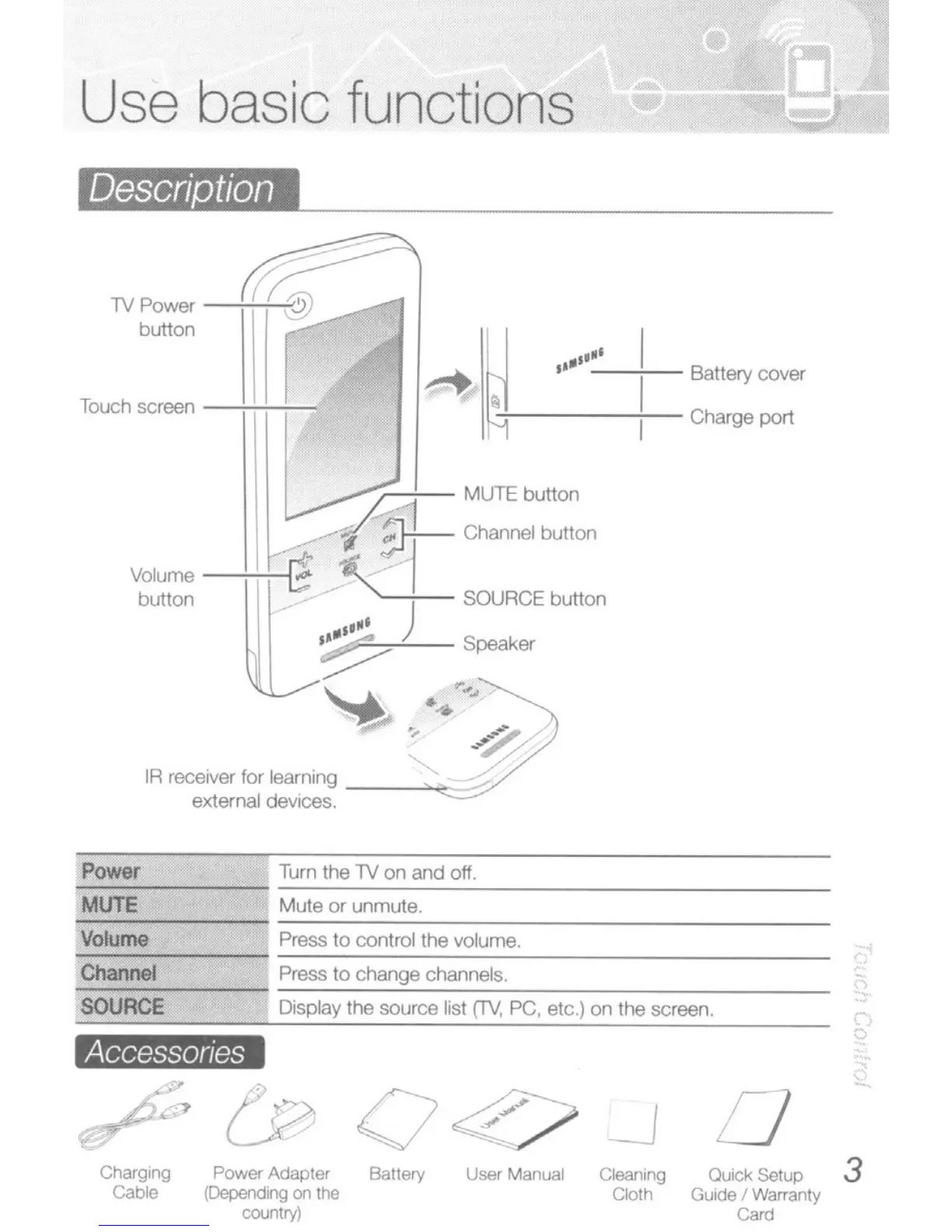
Samsung C700 - Use Basic Functions; Remote Description and Accessories

Samsung C700
38 pages
Print Icon
To Next Page IconTo Next Page
To Previous Page IconTo Previous Page
Loading...
Use basic functions
IiBIllII
--------------
1V Power
-':''';'''''''''1
button _
Touch
screen
-+r+-f--,.
,
..
-
,.-
--;--
Battery
cover
,....~
113----+-
Charge port
MUTE button
f
SJ+-
j
Channel button
Volume
-+-Hrt
~'I
button
I;
-
~)
SOURCE
button
".-
I'"
-- Speaker
~
'-l.../"
~
"_
...
l:'"
"
-9:
IR
recerver
for
learning
~""'~/:/
external
dev1ces.
Power
Turn
the
lV
on
and
off
.
..,.,:-,::':----
MUTE Mute or unmute.
.,.,-----
Volume
Press
to
conlrollhe
volume.
'":c-----
,;C:;h::an:;;:neo:l:-
__
-'
Press
to
change channels.
SOURCE Display the source list
(TV,
PC, etc.) on the screen.
Accessories
,
t;J~
:J
./-..,.,
V
_J
C/la<gong
Power Adapter
Bat1ery
User Manual Cleanong
0uicI<
sen."
3
Cable
(DependIng
on
me
Cloth GuIde !
Warranty
oooo"Yl
Can!

Related product manuals