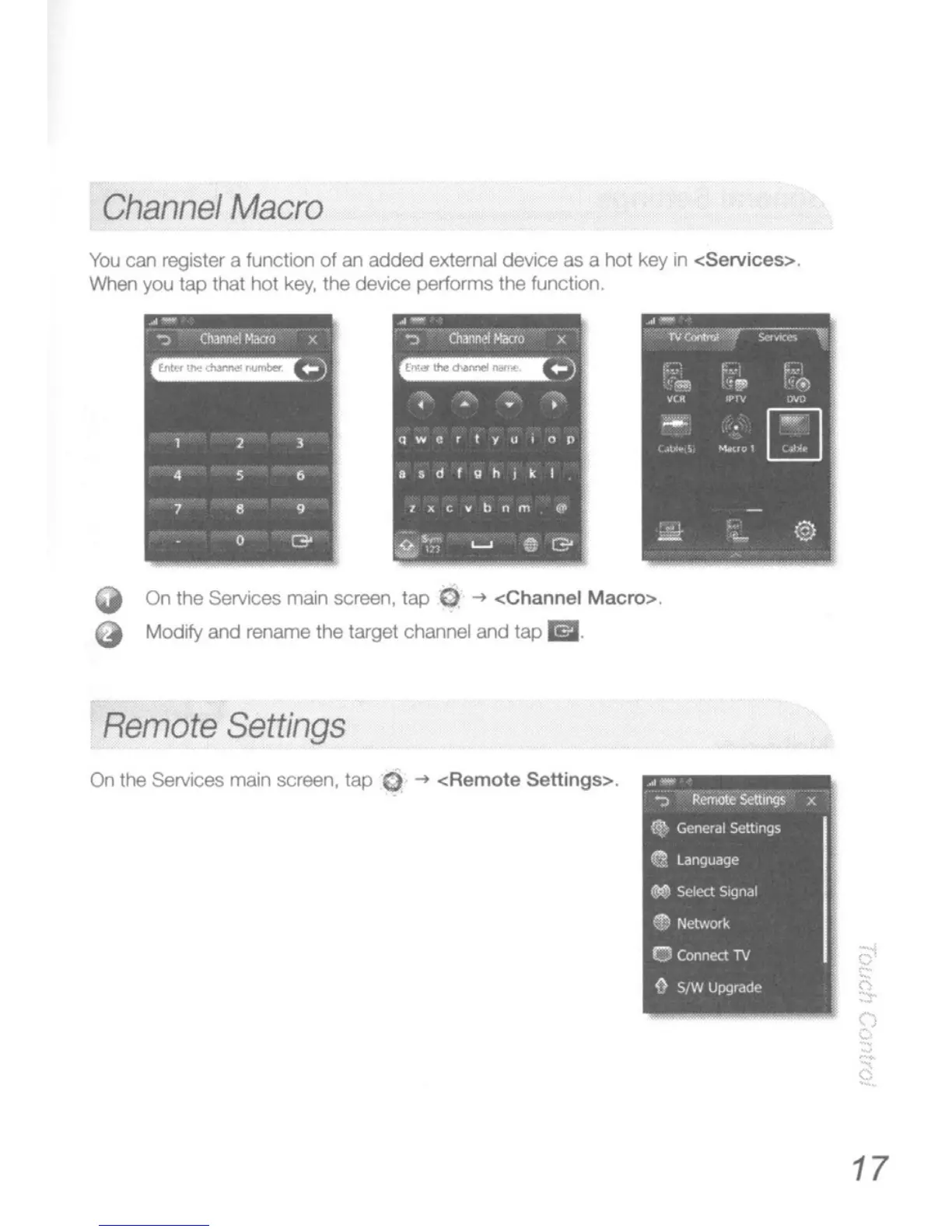
Channel
Macro
You
can register a function
of
an
added
external device as a hot key
in
<Services>.
Vv'hen
you
tap
that hot key, the device performs the function.
Q On the Services main screen, tap G
-t
<Channel Macro>.
Q
Modify
and rename the target channel and
lap
1iJ.
Remote
Settings
On
the Services main screen, lap 0
-t
<Remote
Settings>.
.-
":I""
Reiootl!
Seltlnl)5
~
x
f'e
General Settings
a.
language
..
Select
Signal
• Network
a Connect
TV
{}
SfW
Upgrade
17





 To Next Page