EasyManua.ls Logo

Samsung C700 - TV Control Menu Navigation; Number and Menu Keys

Samsung C700
38 pages
Print Icon
To Next Page IconTo Next Page
To Previous Page IconTo Previous Page
Loading...
1V
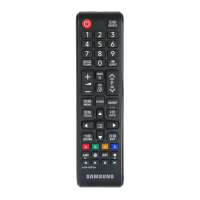
control menu
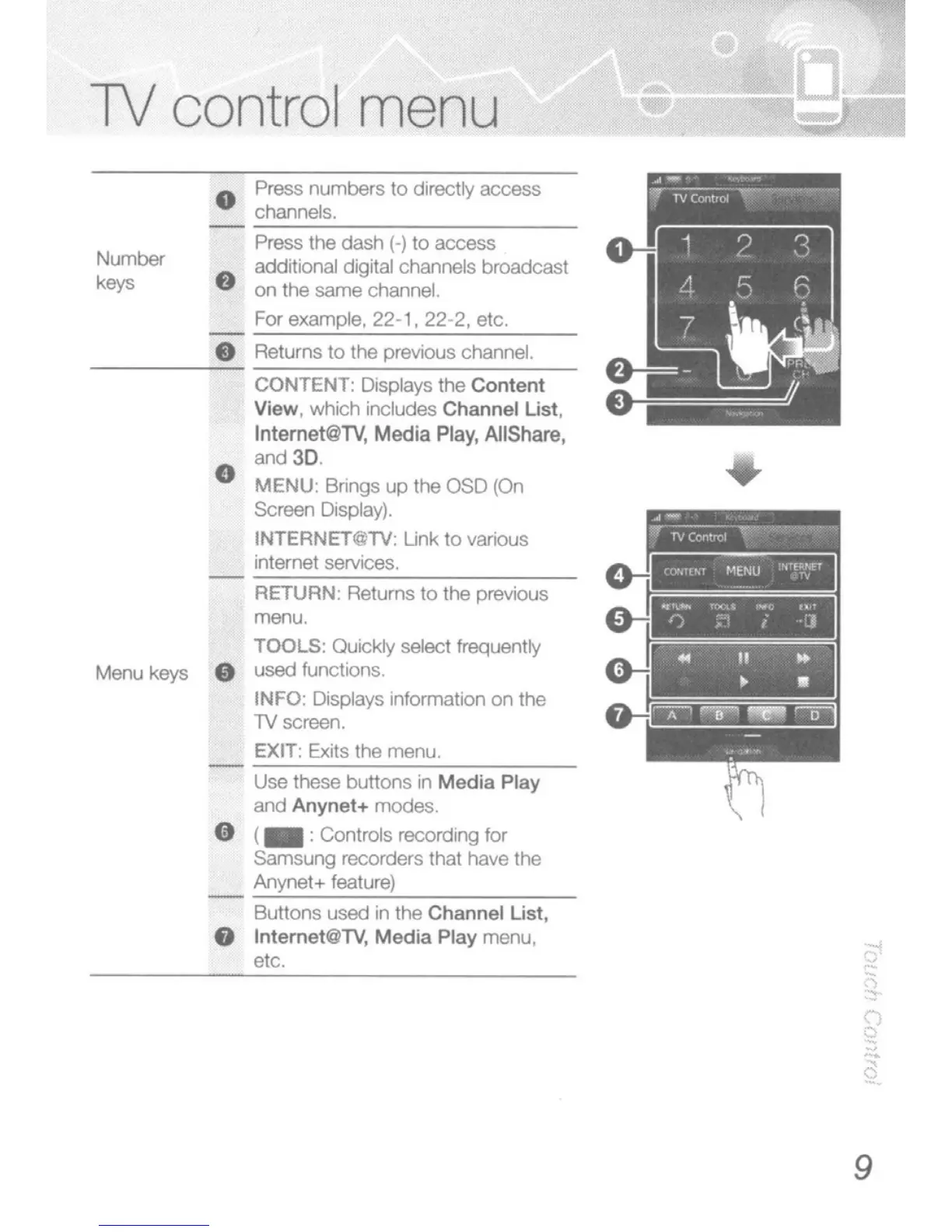
Returns to the previOus channel.
-----=-
CONTENT: DlspIays
the
Content
Vk!w,
which
indudes
Channel List,
Intemel@TV,
Media
Play,
A1IShare,
and
3D
e
MENU
Bnngs
up
the OSD (On
SCreen
DIsplay).
INTERNET@TV;
Link
to
various
internet
services.
Number
keys
Mero keys
o Press
numbers
to
directly
access
channels.
Press the
dash
(-)
to
access
8 addrtional digital channels broadcast
on
the same channel
For example,
22·
1,
22·2,
etc.
RETURN'
Returns
to
the previous
menu
TOOLS: au""dy select trequently
used functions,
INFO:
DIsplays Information
on
the
lV
screen.
EXIT: Exits the menu.
Use
these
buttons
in
Media
Play
and Anynet+ modes.
G (_ :Controls recording for
Samsung
recorders that have the
Anynal+
feature)
Buttons
used
in
the
Channel
List,
8 Internet@TV,
Media
Play menu,
etc.
9

Related product manuals