7
Note: Auto login should only be used in separate systems without overlaps.
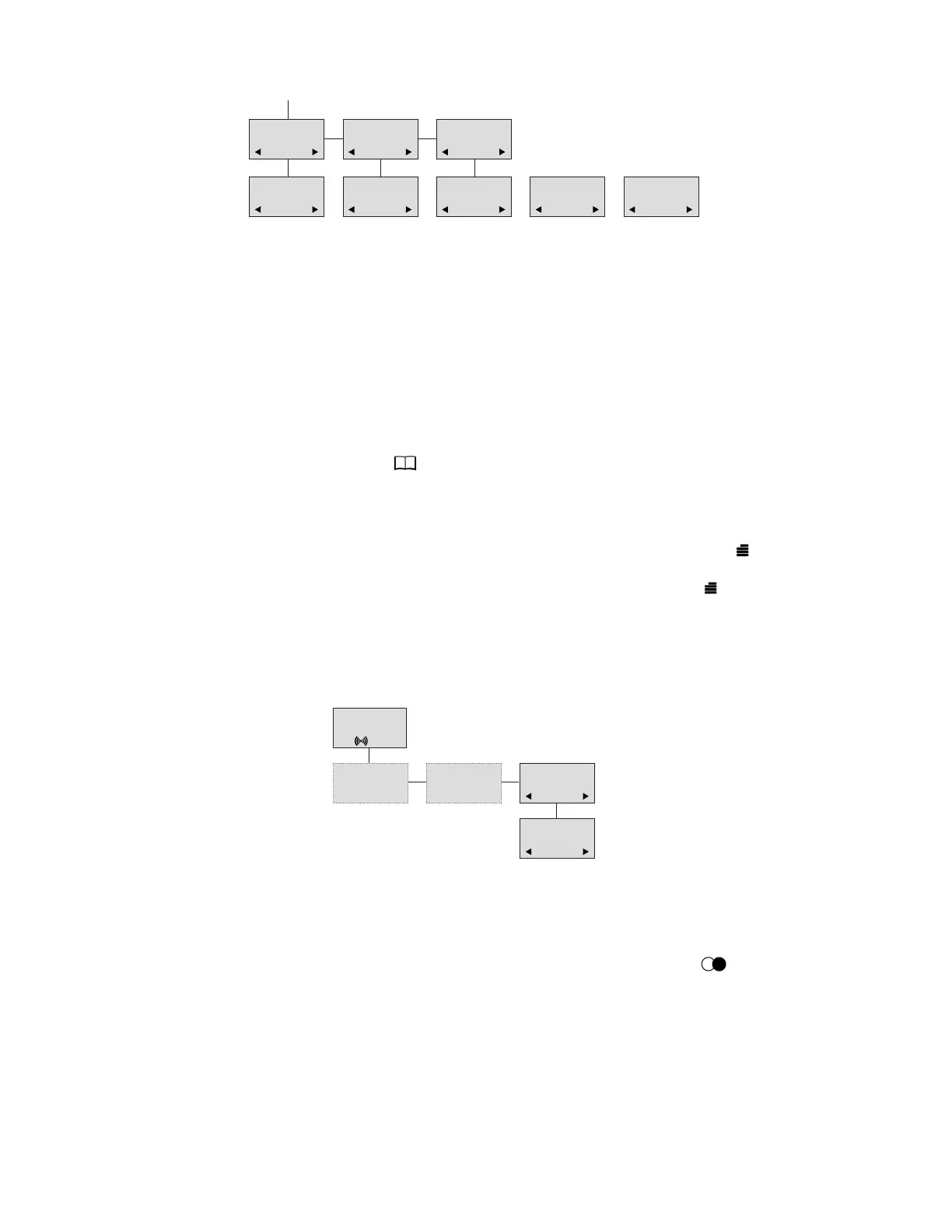
8.5.4 Remove subscription
Subscriptions can be removed from the system in use and from the nine other systems (if con-
nected). Removing a subscription requires a password. The password is factory set at 0000. If
the system in use is removed, it is necessary either to select one of the remaining systems or to
subscribe to a new one. If one of the systems not chosen is removed, the handset remains con-
nected to the system in use.
8.5.5 Change startup text
The startup text is predefined as ”Samsung” as factory default. This can be changed using the
following procedure: Press (OK), enter the new startup text and press (OK). You can
enter up to 24 characters.
8.6 Battery capacity
In the Battery Menu it is possible to see the remaining battery capacity. To read the correct ca-
pacity, the handset has to be removed from the charger for at least one hour. Press “ ” and use
the > or < keys to reach the Battery Menu. Press “OK” to enter the menu, and you see the current
status of the battery capacity. Press “OK” to return to the menu system or press “ ” to quit.
The indication on the display is not necessarily an exact reflection of the remaining speech time,
but only an indication of the voltage on the battery.
8.7 Redial
The handset has a maximum of 10 redial numbers and 10 Caller IDs placed in the same stack.
Each number is represented once. Enter the redial menu by pressing ”< ” ( /C) from the
standby text. Repeated presses of the “<” button scroll backward through dialled numbers and
CLIP numbers (from newest to oldest). Pressing “>” scrolls in the opposite direction. It is also
possible to reach the redial menu in the main menu. Numbers are named “REDIAL”, ”CLIP” or
with the name.
The LED will flash slowly if a new number (unanswered call) has arrived in the CLIP stack. If no
number (no CLIP) is represented by a call only the LED will flash slowly afterwards.
MENU
SELECT LOGIN
SUBSCRIPTION
CREATE
SUBSCRIPTION
REMOVE
SELECT LOGIN
SYSTEM 1
123456789015
SELECT LOGIN
SYSTEM 2A
123456789012
SELECT LOGIN
SYSTEM 3
123456789013
SELECT LOGIN
SYSTEM 4
123456789014
SELECT LOGIN
AUTO
4 4 4 4
MENU
BATTERY
BATTERY
CAPACITY
❚❚❚❚❚
D5000 Handset User Guide
Samsung DECT



 To Next Page