10
Forward a mail
Open the mail by pressing the R key followed by the
OK key. Press the OK key again and use the < > keys to
find the forward feature. Press the
OK key twice and you are then able to write the number of the receiver. Con-
firm with the
OK key.
Delete all mail
Open the mail stack by pressing the R key followed by the
OK key. Press the OK key again and use the < > keys
to find the delete feature. Press the
OK key and all mails are deleted.
Delete a mail
Open the mail by pressing the R key followed by the
OK key. Press the OK key again and use the < > keys to
find the delete feature. Press the
OK key and the mail is deleted.
Lock/unlock a mail
Open the mail by pressing the R key followed by the
OK key. Press the OK key again and use the < > keys to
find the lock/unlock feature. Press the
OK key and the mail is locked/unlocked.
Write a mail
To write a new mail, press the R (mail) key, confirm with the
OK key and write your message. To send the mail
press the
OK key, type the number of the receiver and confirm with the OK key. If one or more mails are stored
do as follows: Press the R (mail) key followed by the > key and confirm with the
OK key; write your message.
Press the
OK key, type the number of the receiver and confirm with the OK key. The message is sent.
Note
If the sent message is not received, you will see a message in the display.
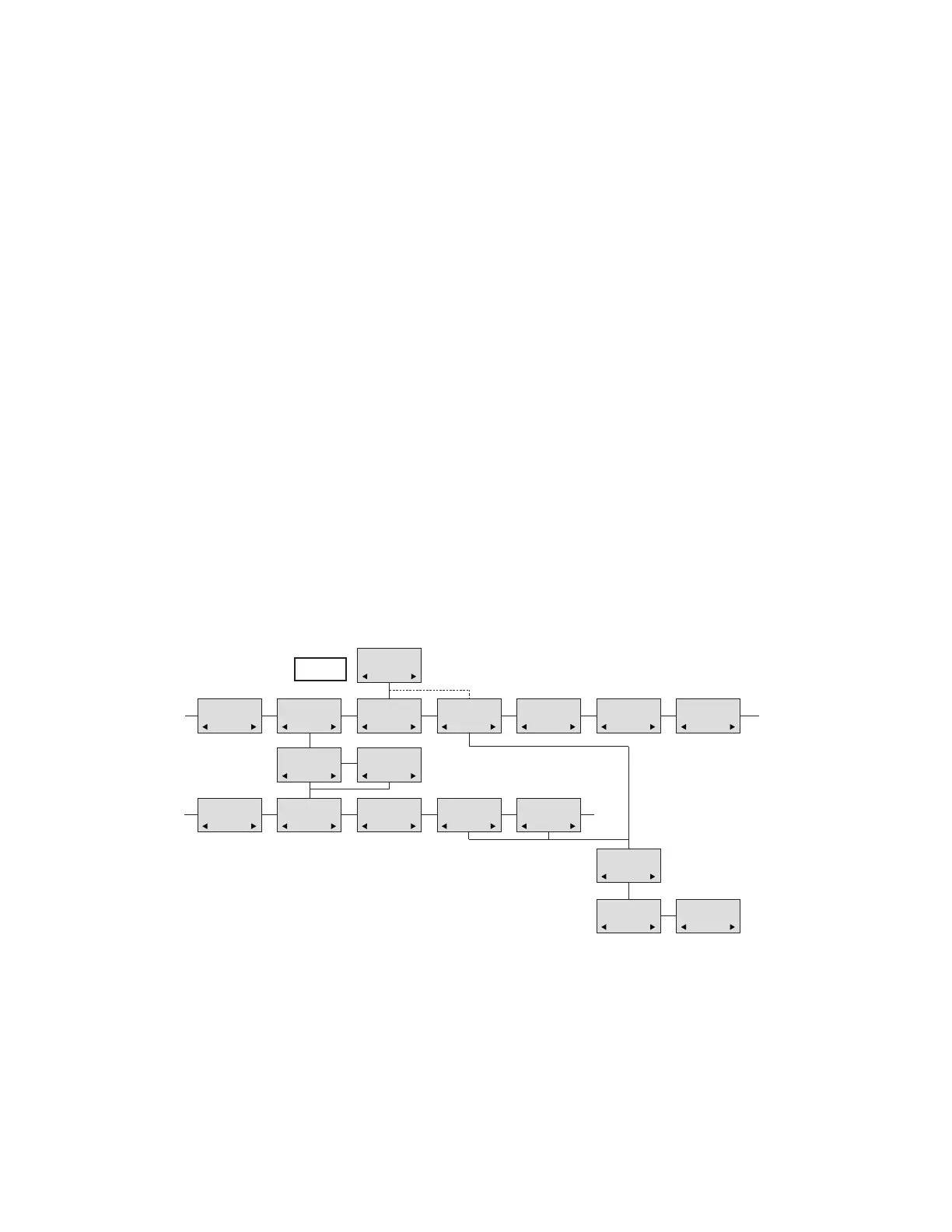
Menu structure
N25-01 04.38
308
Temp 45° ..
L26-01 14.32
319
Hello, its me..
N28-01 15.46
236
FIRE ALARM..
WRITE NEW
MAIL?
√19-01 09.56
htj@samsung-telecom
I am working..
√20-01 10.13
319
Call me..
N
206
Meet me at 9 ..
Hello it’s me.
Yo can meet me
at 15
o’clock if you
want to.
DELETE
MAIL?
SENDER:
319
(UN)LOCK
MAIL?
REPLY
MAIL?
FORWARD
MAIL?
- - - -
PHONENO:
236
E-MAIL:
htj@samsung-telecom
MAIL
SAMSUNG
D5000 Handset User Guide
Samsung DECT



 To Next Page