28 _ Troubleshooting
4-4. SYMPTOMS, DIAGNOSES AND ACTIONS
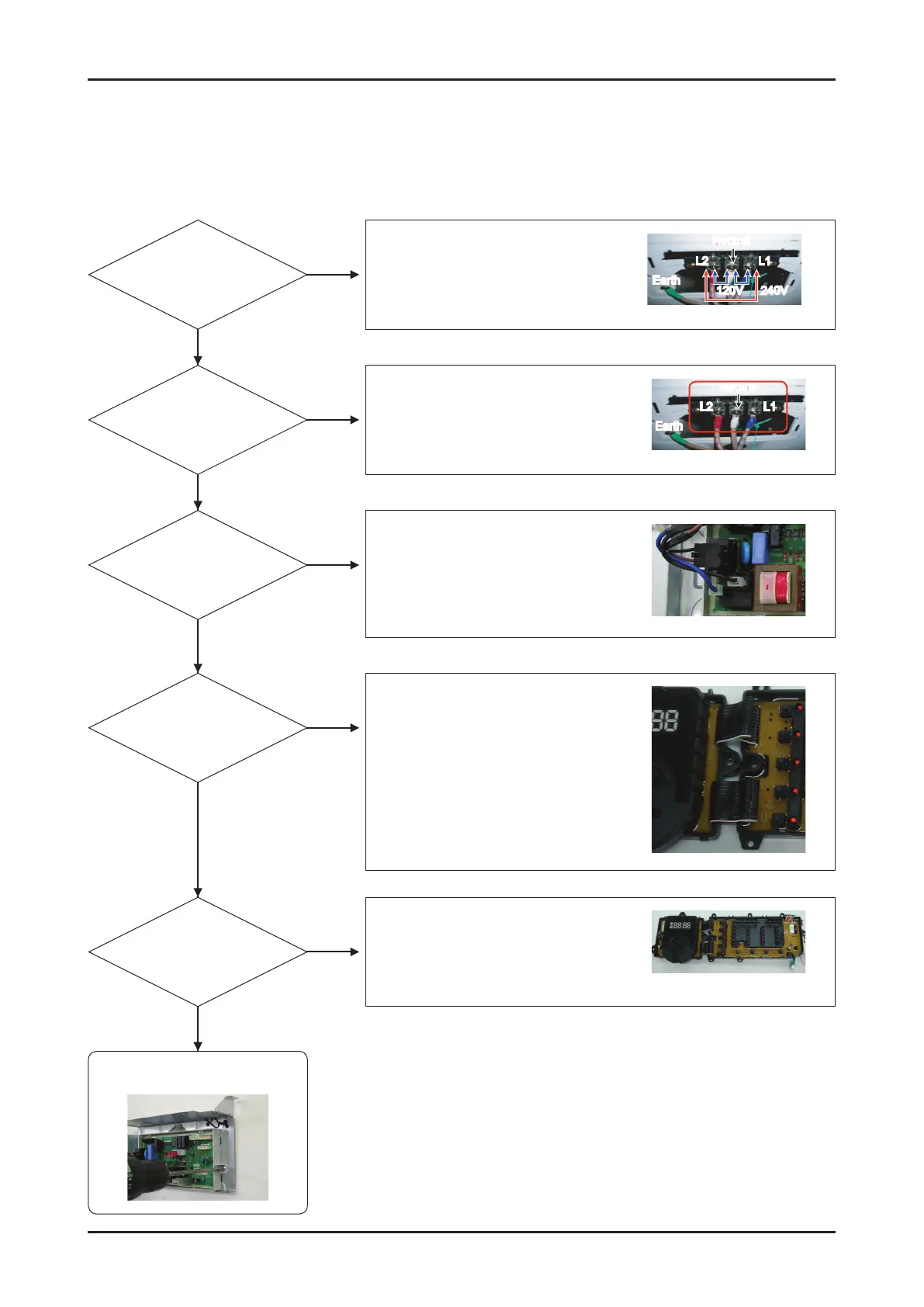
■ The power does not work.
The problem is in the main PCB
assembly. Please replace it.
Set the input AC voltage.
(Check AC 120/240V)
Neutral
Earth
L2 L1
120V 240V
Directly connect the terminal block.
(Connect in the order of Live 2, Neutral,
Live 1)
Neutral
Earth
L2 L1
Connect the housing.
(Check 120V for AC power)
Check the flat wire.
Replace the sub PCB.
(Check DC power, signal and key)
Is the input AC
voltage normal?
Yes
No
Is the sub PCB
normal?
Yes
No
Is the terminal block
connection normal?
Yes
No
Is the housing
connection normal?
Yes
No
Is the flat wire
among the main
sub PCBs in good
condition?
Yes
No












 To Next Page