Basics
27
Apps screen
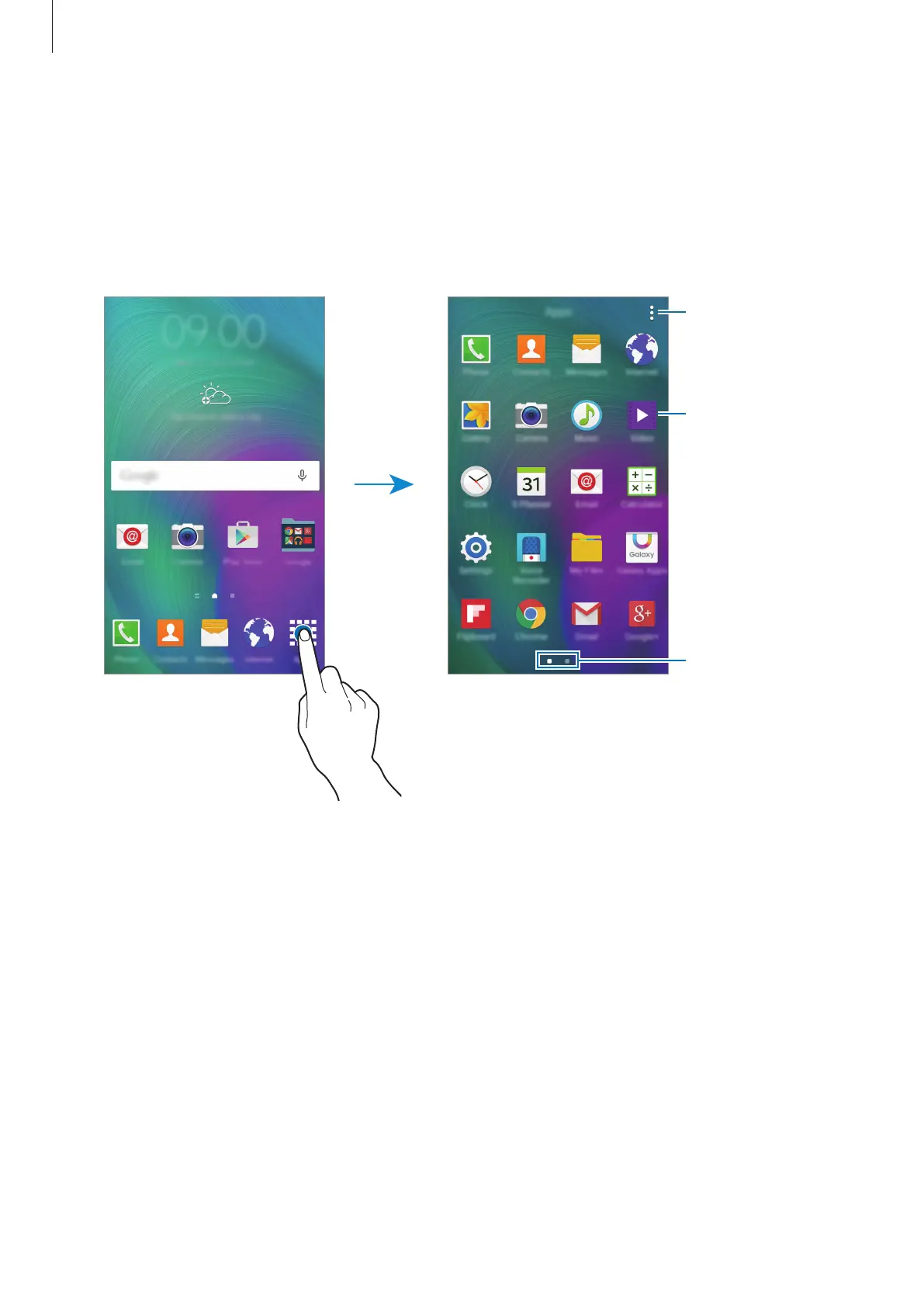
The Apps screen displays icons for all apps, including newly installed apps.
On the Home screen, tap
Apps
to open the Apps screen. To view other panels, scroll left or
right, or select a screen indicator at the bottom of the screen. To customise the Apps screen,
refer to Managing the Apps screen.
Access additional
options.
An app
Screen indicators







 To Next Page