Motions & usability features
46
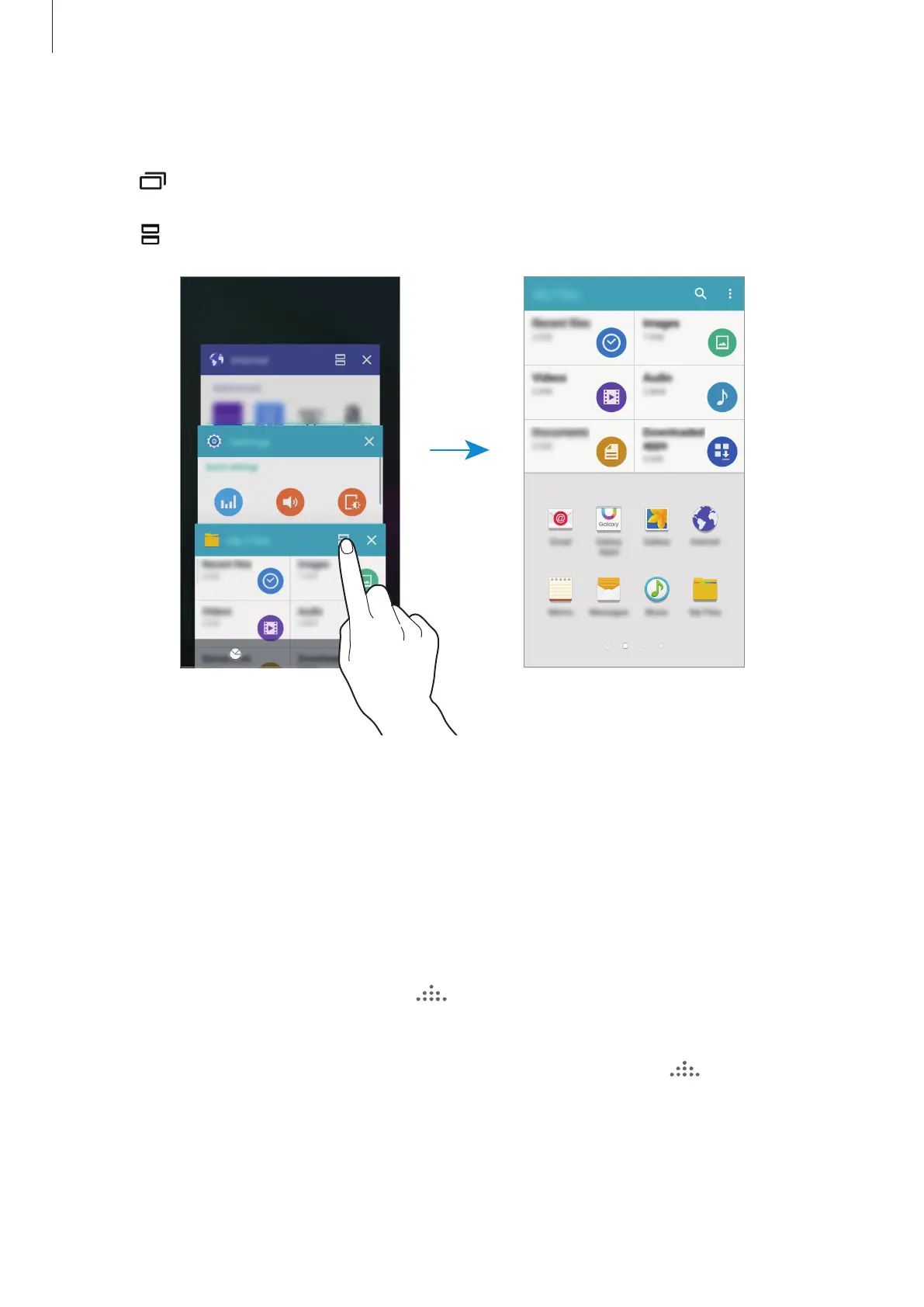
Launching Multi window from the list of recent apps
1
Tap .
2
Tap to launch an app in Multi window.
3
Select another app to launch in Multi window.
Creating a Multi window combination
Use this feature to save the combination of the currently-running Multi window apps.
1
Launch two apps in a split-screen Multi window.
2
Open the Multi window tray and tap
→
Create
.
The Multi window combination is added at the top of the Multi window tray.
To delete Multi window combinations, open the Multi window tray, tap
→
Edit
, select a
Multi window combination, and then tap
DELETE
.









 To Next Page