Motions & usability features
47
Adjusting the window size
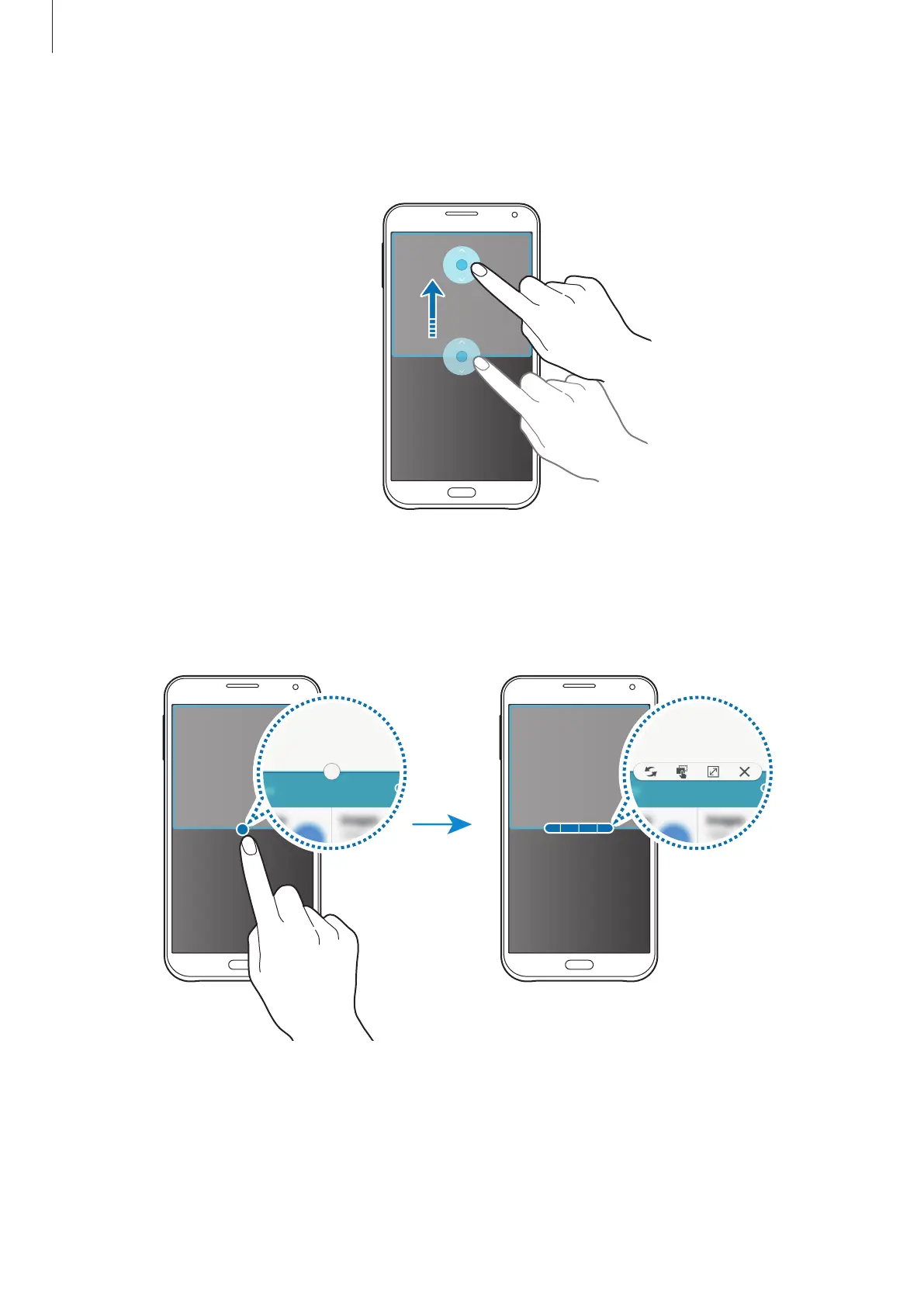
Drag the circle between the app windows up or down to adjust the size of the windows.
Using Multi window options
When you use Multi window apps, select the app window and a blue frame will appear
around it. Tap the circle between the app windows to access the following options:














 To Next Page