14
PRECHECK!
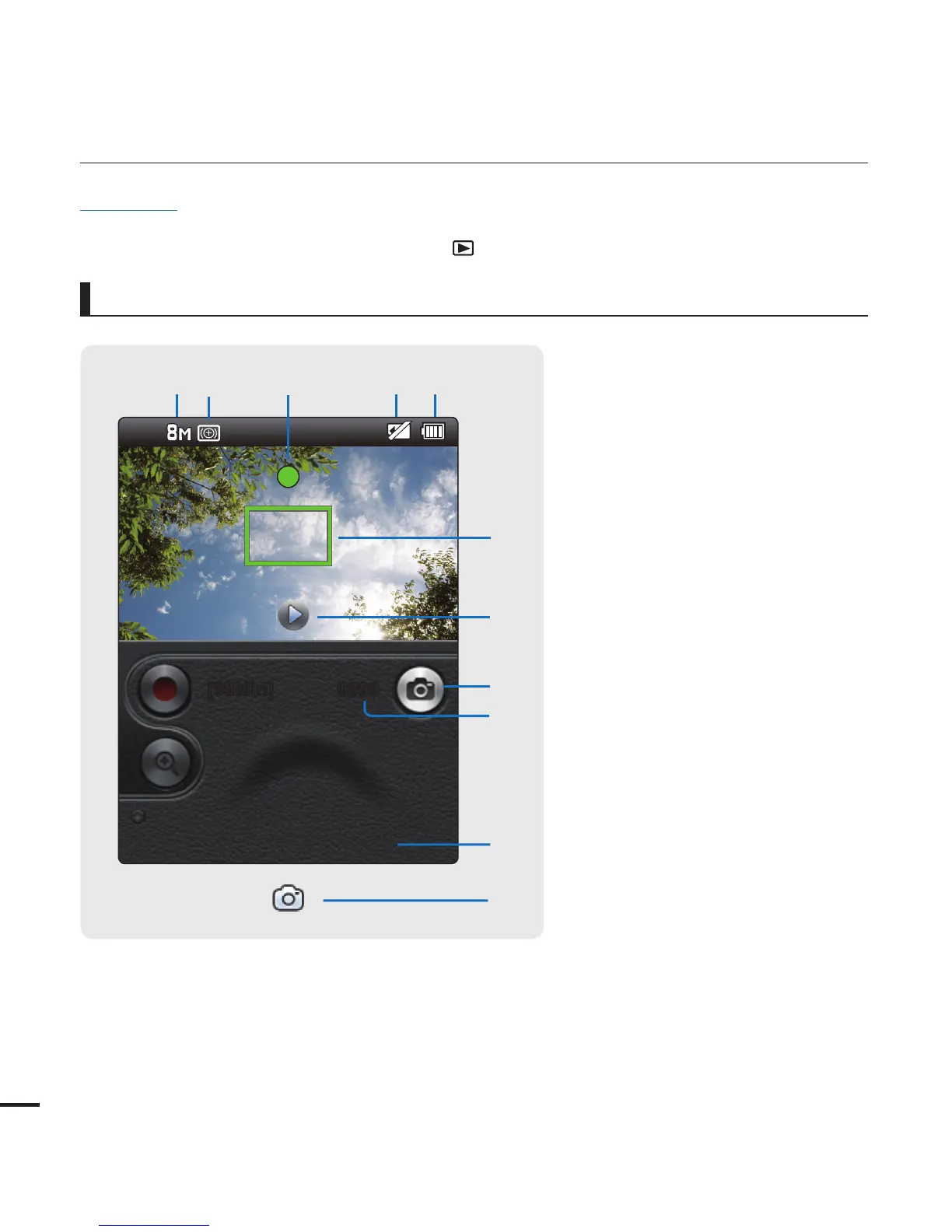
This On Screen Display (OSD) is shown only when the camcorder is in Photo Record mode.
Select the Record mode by pressing the Mode (
) button.
¬
page 23
•
•
getting to know the camcorder
1 Photo resolution
2 Smart Filter
3 Half shutter
4 Storage media (Memory card)
5 Battery info.
(remaining battery level)
6 Auto focus frame
7 Quick view/shutter display
8 Photo tab
9 Photo counter (total number of
recordable photos)
10 Date/Time display
Photo Record mode
9999
+"/
[99Min]
12 3
5
4
6
7
8
9
7
0









 To Next Page