46
Smart Filter
By applying special effects, you can add fun and character to an image.
You can apply various fi lter effects to create unique images.
PRECHECK!
Select the Record mode by pressing the Mode ( ) button.
¬
page 23
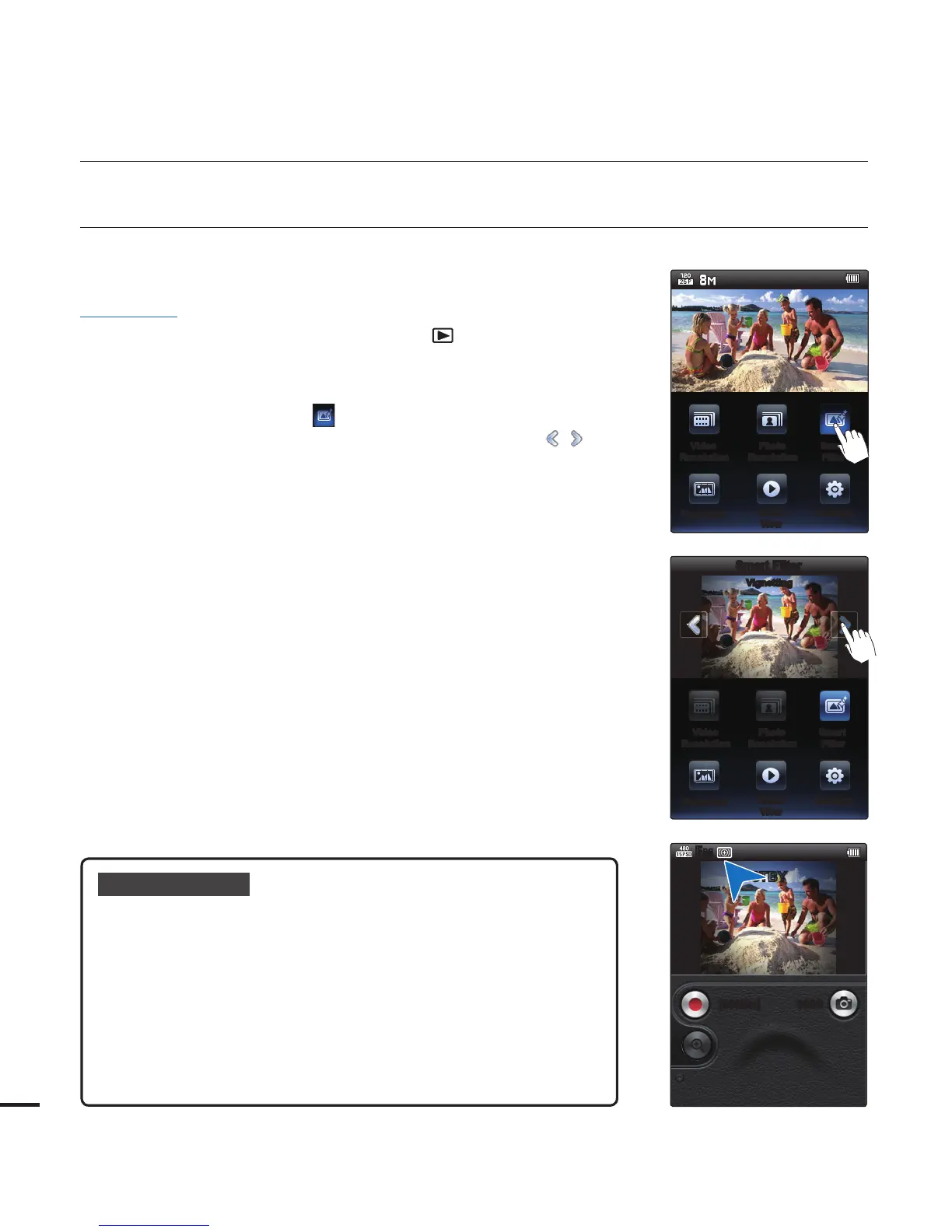
1. Press the MENU button.
2. Touch the "Smart Filter
."
You can move to the desired item by touching the
/ tab.
Touch the desired submenu item.
3. Press the MENU button to exit the menu.
•
•
Submenu items
Normal: Without any smart fi lter effect, the camcorder displays a
normal, natural image during recording or playback.
Miniature: Make a photo of a life-size location or an object look
like a miniature scale Image. Blurring parts of the photo
makes the scene seem much smaller than it actually is.
Vignetting: Apply the retro-looking colours, high contrast, and
strong vignette effect of lomo cameras.
Sketch: Sketch effect mimics a pencil sketch.
Defog: Expressly emphasize blue tones for the sky and refl ective
objects such as show windows.
•
•
•
•
•
advanced recording
Video
Resolution
Photo
Resolution
Smart
Filter
SettingsQuick
View
Panorama
Video
Resolution
Photo
Resolution
Smart
Filter
SettingsQuick
View
Panorama
Smart Filter
Vignetting
5M
[99Min] 9999
STBY









 To Next Page