2-5 Air Filter Installation
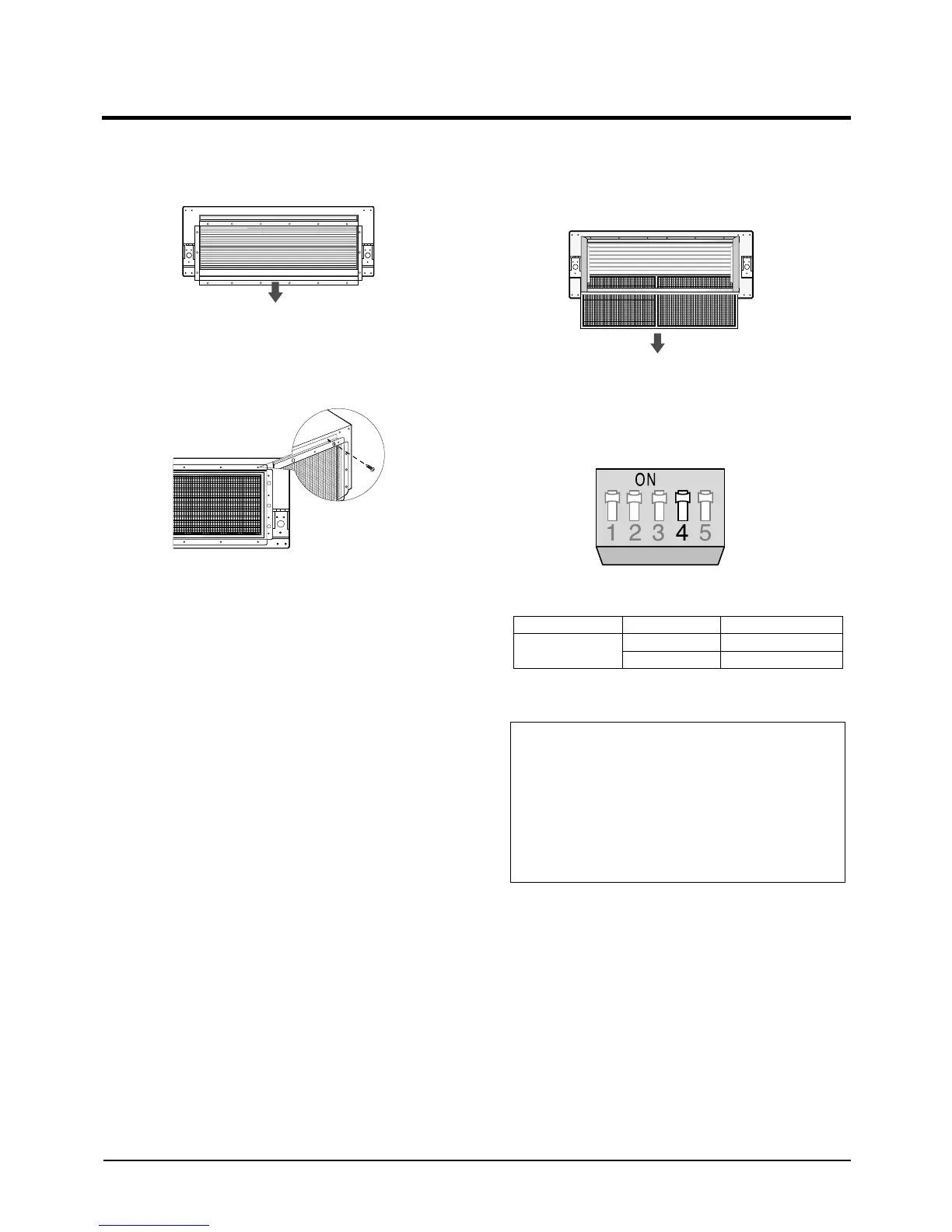
1. Remove the air inlet duct flange.
2. Attach the air filter kit to the air inlet side of
indoor unit.
3. To clean the air filter, remove the fixing bracket
on the base of air filter kit, then pull out the
filter.
Note: Setting Up Filter Cleaning Cycle
• Adjust the DIP switch(SW2) in the main PCB to
the desired position referring the table below.
Samsung Electronics
2-5
Switch No.
4
Switch Position
ON
OFF
Filter Cleaning Cycle
1,000 hours
2,000 hours
Caution :
•The optional kits must be installed by an installation
specialist.
•Before installing the optional kits, ensure that you have
turned off the main power.
•The optional air filter has to be cleaned only by an
authorized person or service agent.
2-00216A(1)-PR 5/19/01 10:05 AM Page 2-5



 To Next Page