14
For more details on configuring your phone’s settings, see
“Changing Your Settings” on page 85.
Application Icons
The Application menu provides quick access to the items you use
most frequently.
The following table contains a description of each application. If
the application is already described in another section of this user
manual, then a cross reference to that particular section is
provided.
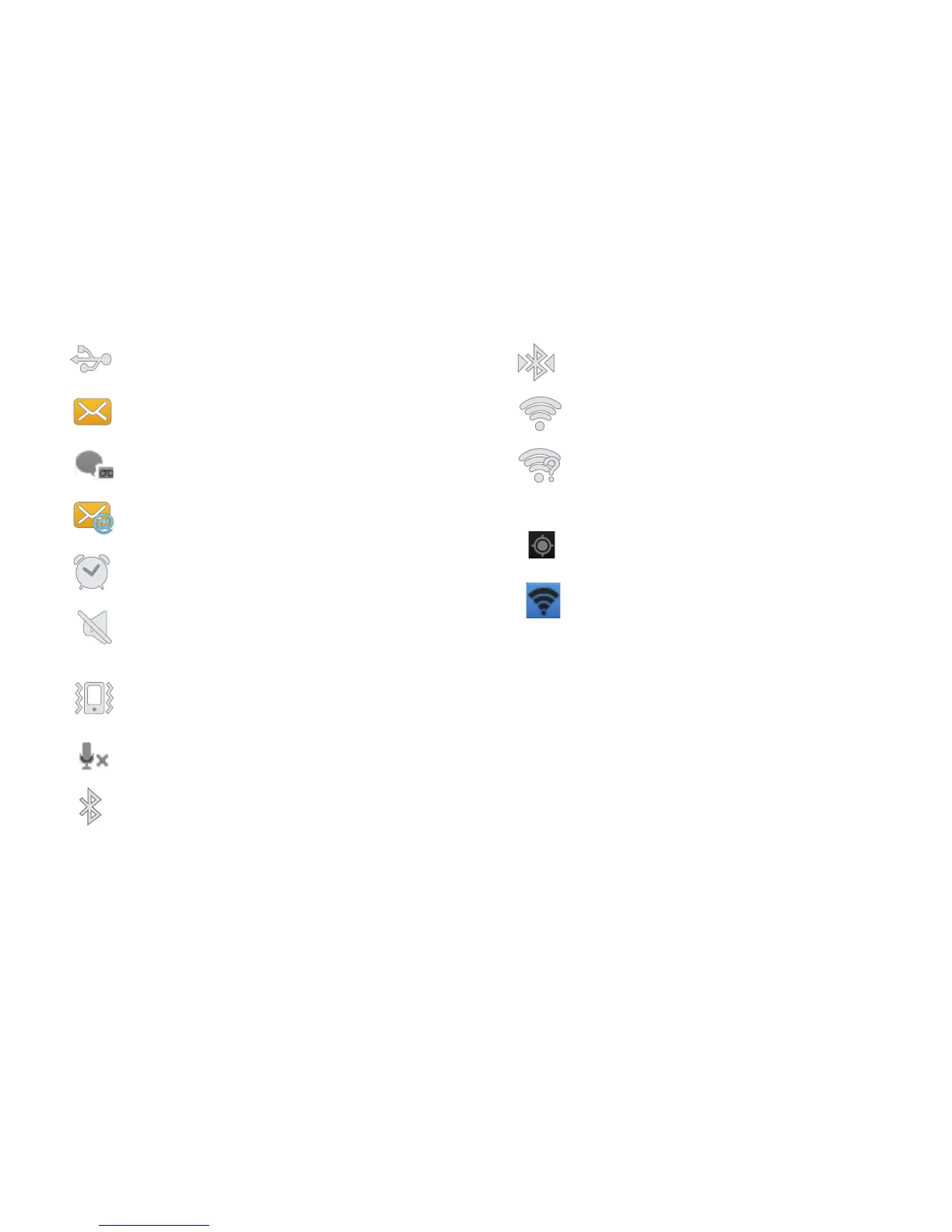
Displays when the phone is connected to a computer via
a supported USB cable connection.
Displays when a new text or multimedia message is
received.
Displays when a new voice mail is received.
Displays when Email is received.
Displays when you set an alarm to ring at a specified time.
For more information, refer to “Alarm” on page 124.
Displays when the Sound profile is set to Silent mode
and Vibrate is set to Never or Only when not in silent
mode.
Displays when the Sound profile is set to Silent mode
and Vibrate is set to Always or Only in silent mode.
Displays when you activate the Mute feature during an
active call.
Displays when Bluetooth is activated.
Displays when a Bluetooth device has been paired
with the phone.
Displays when Wi-Fi is connected, active, and
communicating with a Wireless Access Point (WAP).
Displays when Wi-Fi is active but there is a
communication issue with the target Wireless Access
Point (WAP).
Displays when GPS is active (blinks).
Displays when Mobile AP has been activated. For more
information, refer to “Mobile AP settings” on page 87.












 To Next Page