Call Functions 33
Dialer, touch and hold the speed dial number.
Making a Call from the Address Book
You can store phone numbers that you use regularly on the SIM
card or in the phone’s memory. These entries are collectively
called the Address Book.
For further details about the Address Book feature, see “Finding
an Address Book Entry” on page 52.
Answering a Call
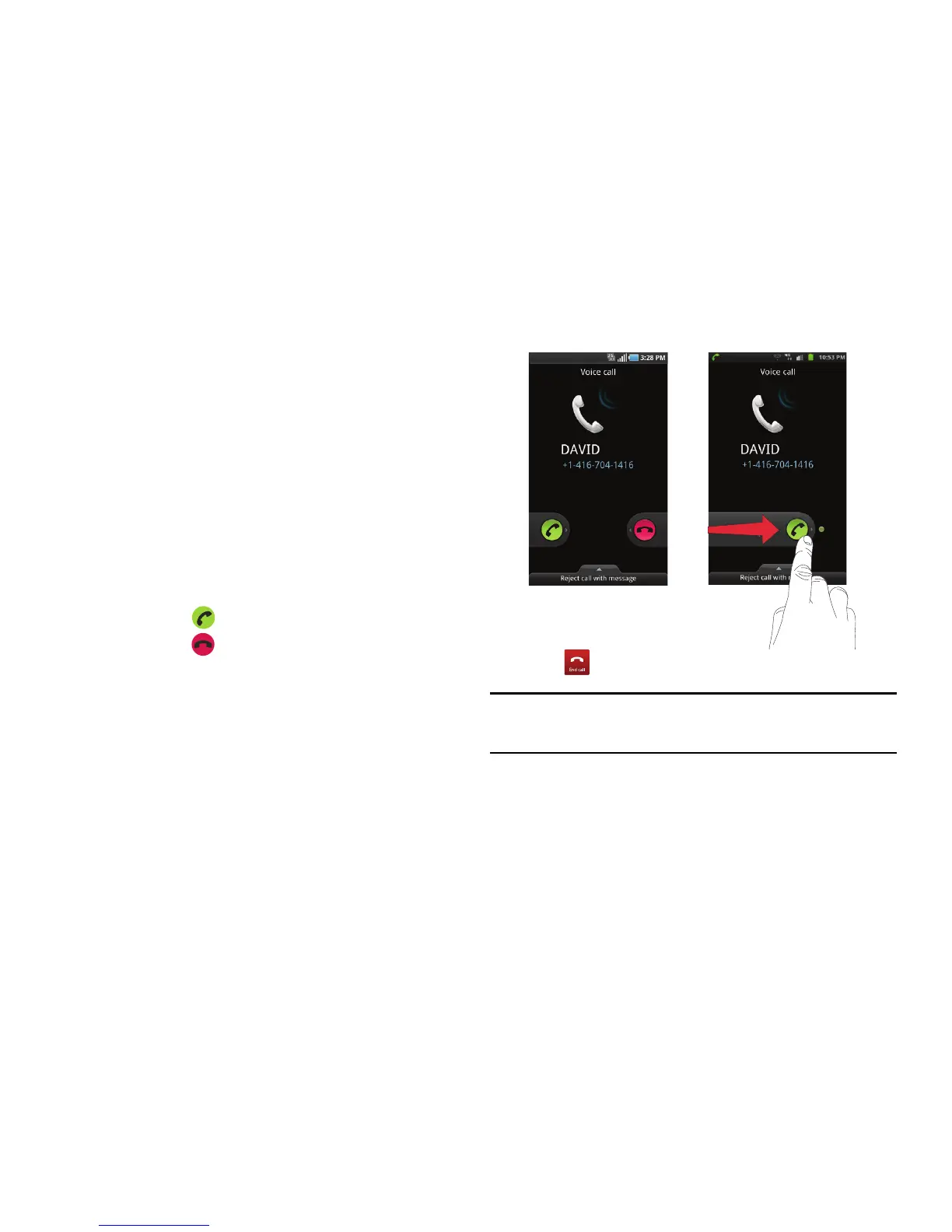
When a call is received, the phone rings and displays the caller’s
phone number, or name if stored in the Address Book.
1. At the incoming call screen:
•
Touch and slide
to the right to answer the call.
•
Touch and slide
to the left to reject the call and send it
to your voicemail.
•
Touch and slide the
Reject call with message
tab upward and tap
a predefined text message to send to the caller.
–
Sorry, I am busy. Call back later
–
I am in a meeting
–
I am in class now
–
I am at the cinema
–
I am driving
2. Tap to end the call.
Note:
You can answer a call while using the Address Book or other menu
feature. After ending the call, the phone returns to the previously active
function screen.












 To Next Page