66
6.
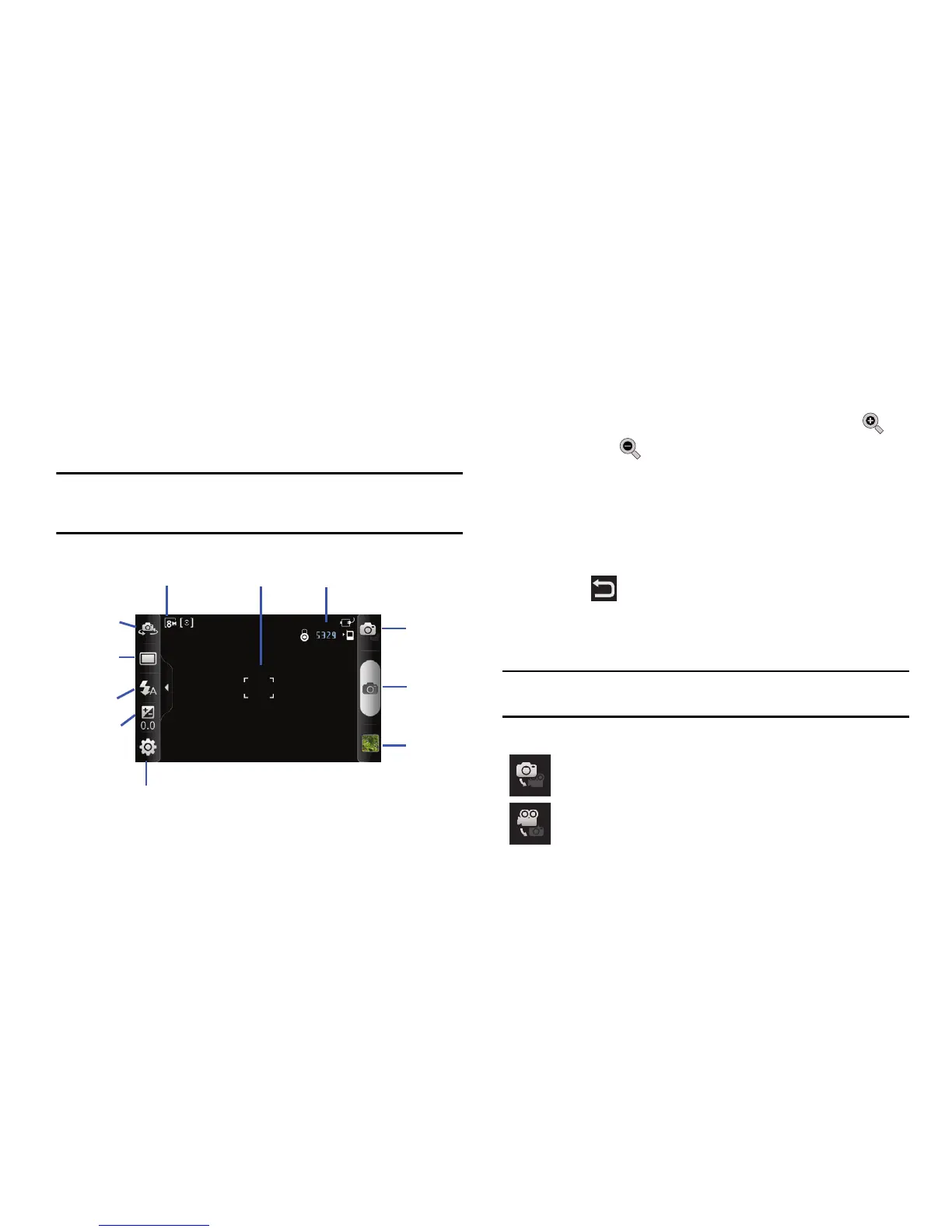
Press the Camera key until the shutter sounds. (The picture
is automatically stored within your designated storage
location. If no microSD is installed, all pictures are stored on
the Phone.) For more information, refer to “Camera
Options” on page 66.
Note:
The number of JPEG pictures remaining on the selected media appears
in the upper-right of the screen. This is an approximate number of total
pictures that can be taken at the current image size.
7. To view the photo you have just taken, tap the thumbnail
image of the photo at the lower right corner of the screen
(see Image Viewer in the diagram above).
8. While viewing a picture, after you have taken it, tap to
zoom in or to zoom out.
– or –
Place two fingers on the screen and move them apart or
together to zoom in or out.You can magnify the picture up
to x4.
9. Press to return to the viewfinder.
Camera Options
Options are represented by icons across both sides of the screen.
Note:
The options disappear after a few seconds. Tap the screen to make
them reappear.
Camera / Camcorder Mode
: allows you to take a photo or
video. Once you change the mode, the corresponding
indicator appears at the top left of the display.












 To Next Page