Entering Text 43
Changing the Text Input Mode - Keypad
There are two main keypad layout keys that will change the on-
screen keys within the QWERTY keypad.
The available Text Input modes are:
Sym
and
ABC
.
Note:
When in
ABC
mode, the
Sym
button will appear. When in
Sym
mode, the
Abc
/
ABC
/
abc
button will appear.
Using Abc Mode
1. If desired, rotate your phone counterclockwise to a
Landscape orientation.
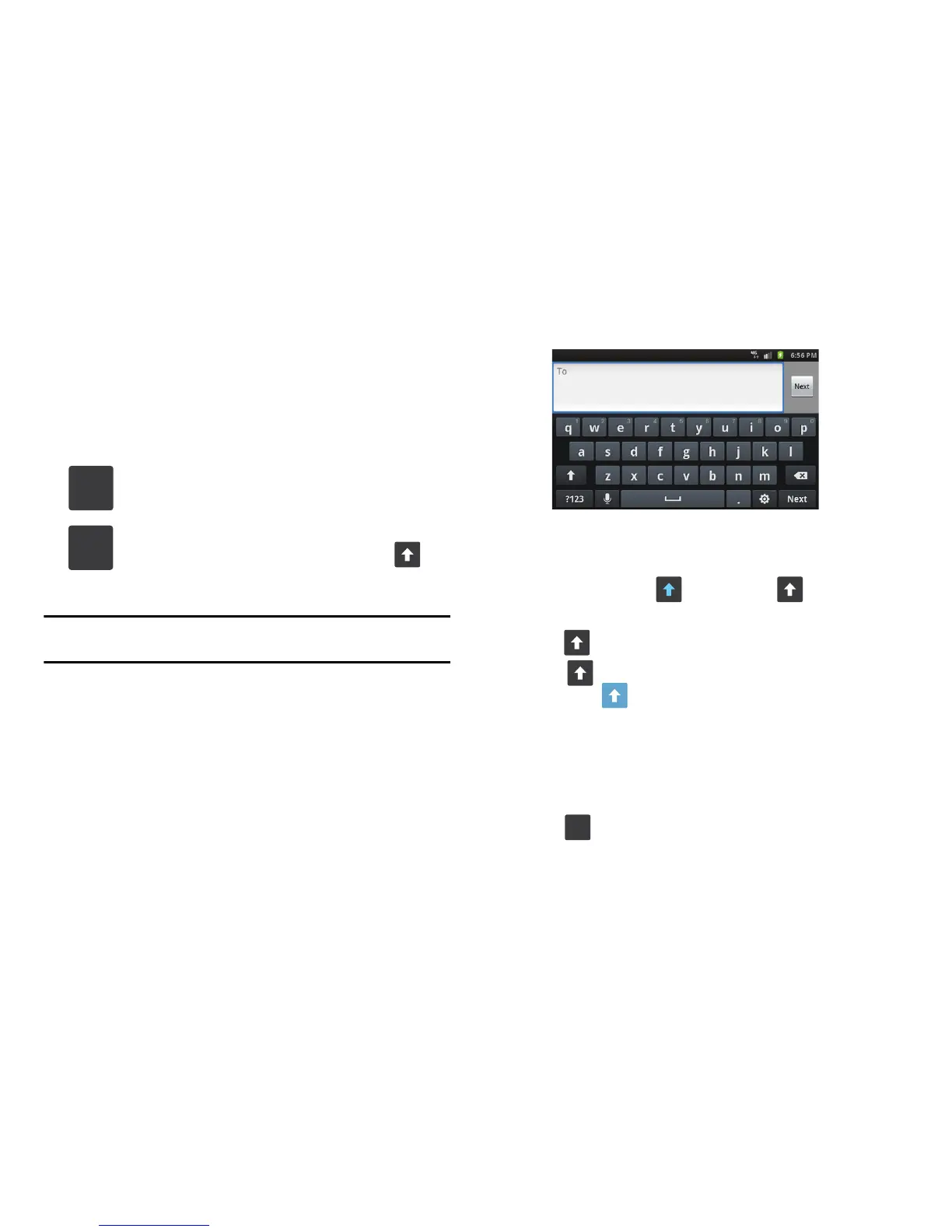
2. The following screen displays:
3. Tap the desired alphabetic characters.
4. The screen initially opens in Abc mode. After typing the first
letter, the shift key ( ) will change to and following
letters will be lowercase.
5. Tap to input another upper-case letter or press and
hold to switch to ABC mode. The shift key will
change to in ABC mode. All following letters will be
uppercase until you tap the shift key again.
Using Symbol/Numeric Mode
Use Symbol/Numeric Mode to add numbers, symbols, or
emoticons. In either portrait or landscape orientation:
1. Tap at the bottom of the screen. The following
keyboard displays:
Symbol/Numeric Mode
: activates the number, symbol,
and emoticon keys.
ABC Mode
: activates the default alphabet keys. Can
also be set to
ABC
or
abc
by using the shift ( ) key.











 To Next Page