20
5.
Tap
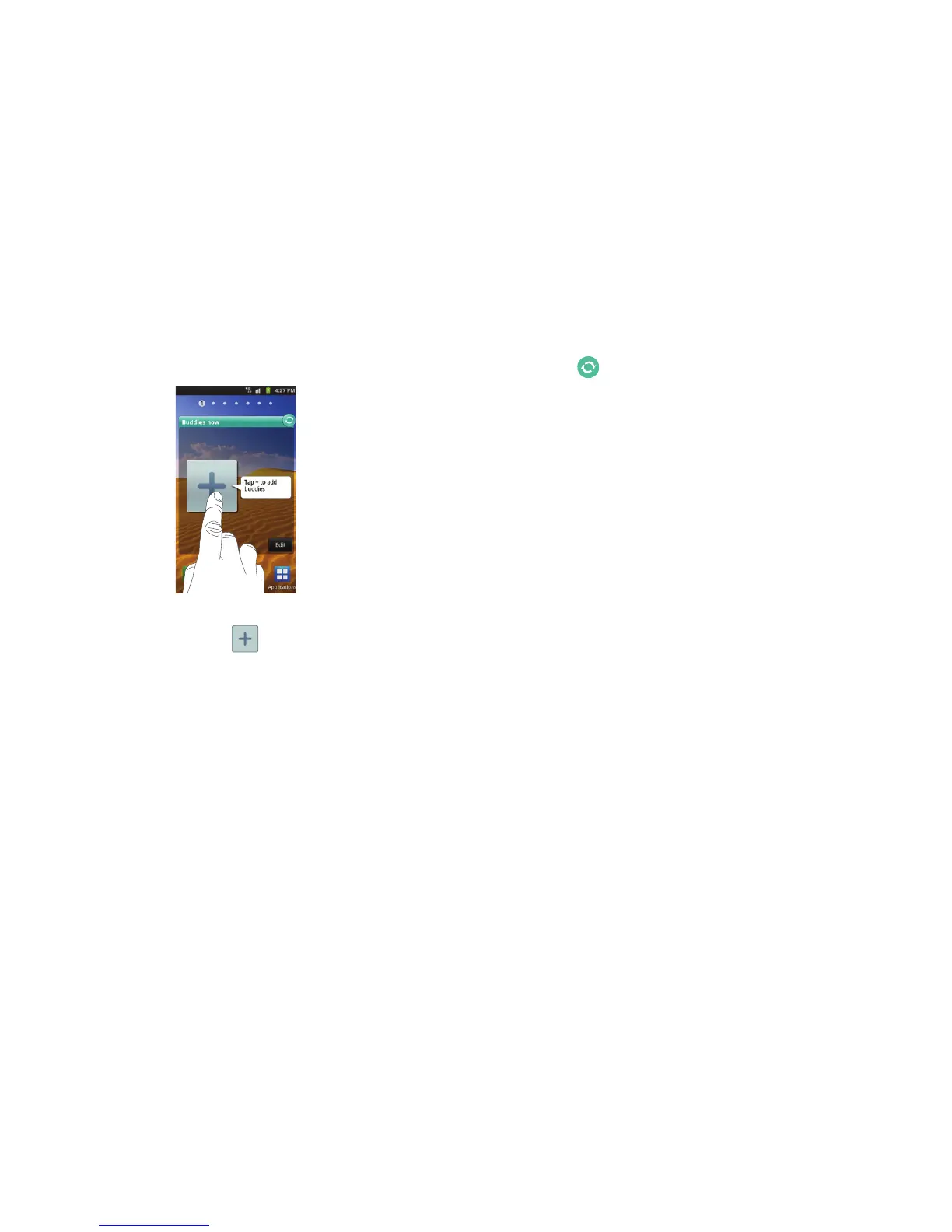
Buddies now
. The Buddies now screen will be displayed
on the selected Home screen.
Adding Buddies
1. Tap the add symbol ( ) as shown in the above diagram.
2. Tap a contact from the Contact list to add to the Buddies
now list.
The contact will appear in your Buddies now list.
3. To add more contacts, sweep the rolodex display up or
down until the add symbol is displayed again. Repeat steps
1
and
2
.
Using Buddies now
1. Tap in the top right corner of the Buddies now screen to
automatically refresh your social networking feeds and
content.
2. Sweep the rolodex display until the desired Buddy appears.
3. Tap
Message
to send a message to you contact's social
networking application.
4. Tap
Call
to call the contact.
5. Tap the contact photo or image to display the contact’s
information.
Removing Buddies
To change or remove a contact from the Buddies now list:
1. Tap
Edit
on the Buddies Now screen.
2. Scroll to the Buddy you want to delete and tap
Remove
.
3. To remove a Buddy and replace with another, tap
Change
and then select another contact from the Contact list.
4. Tap
Done
when you are finished.












 To Next Page