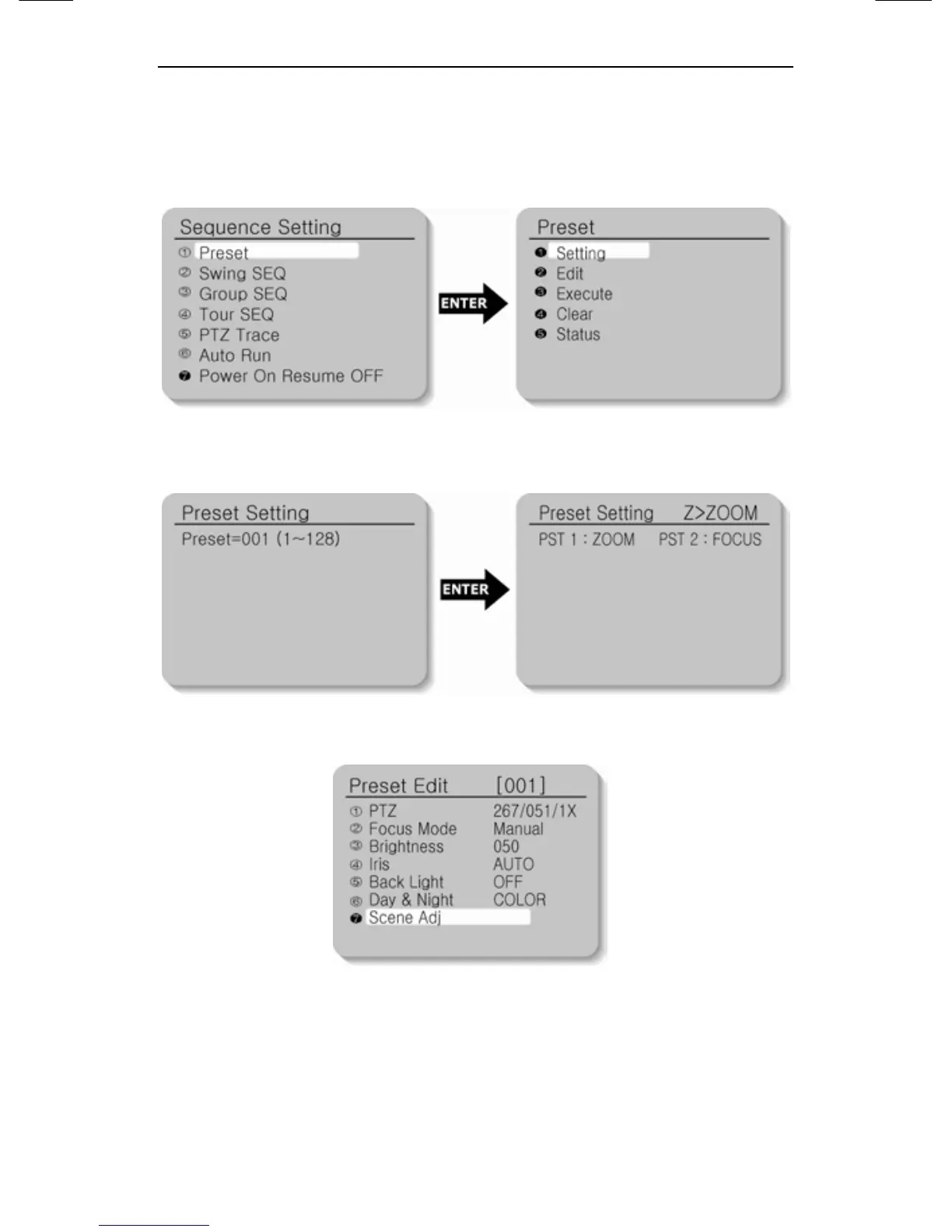
Preset Menu Setting
1. Select the Preset item on the Sequence Setting Menu.
2. Select the Setting item.
3. Select the Preset number.
4. Set up the Zoom and Focus.
5. If you want to edit the camera function setup items, go to each
item and select it.
6. If you select the Scene Adj. item, such items as Shutter, AGC,
SSNR, Sens-Up and White Balance can be set up differently in
every Preset item.





 To Next Page