10
English
Energy-Saving Operation
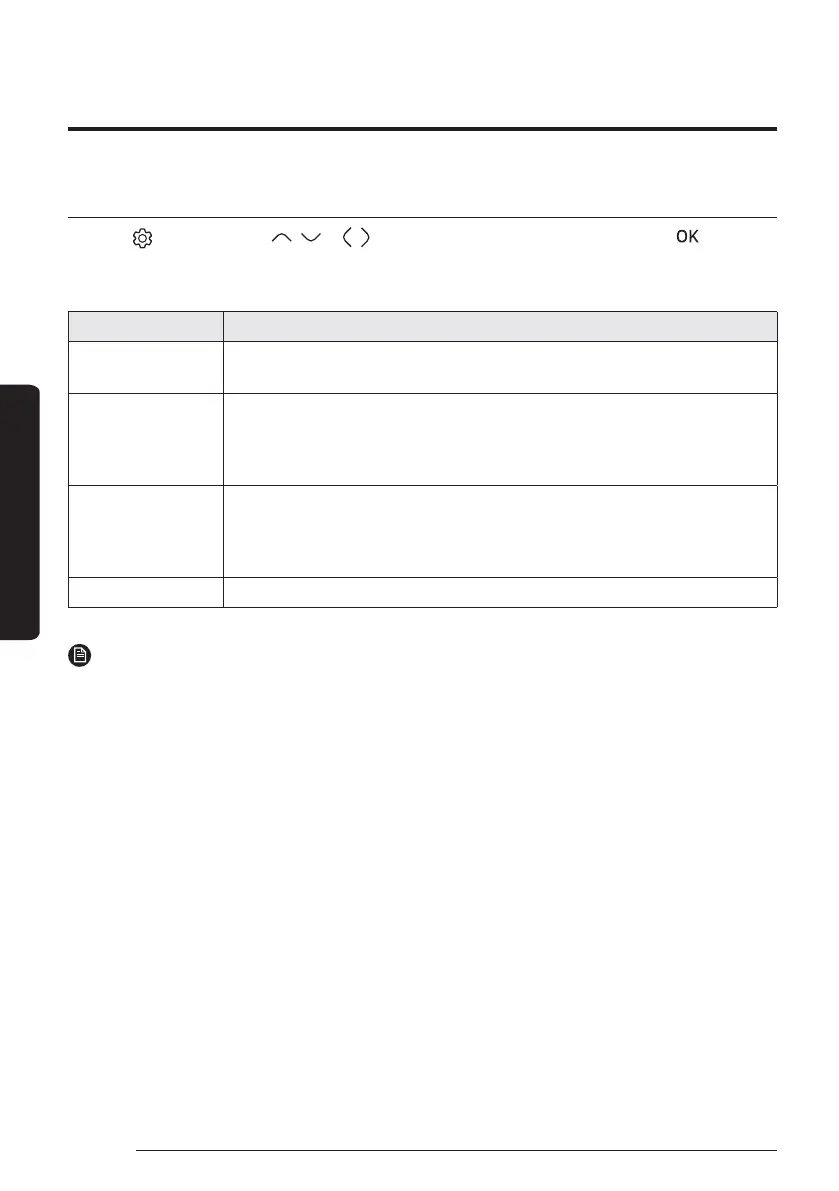
Setting schedule
Press the
button, press the , or , button to select Schedule, and then press the
button.
When you select Add a schedule, you can configure settings for Daily schedule, Weekly schedule, Yearly
Schedule, and Holiday.
Type Description
Daily schedule
࡙ Can set the Quiet mode or hot water status in the preset time.
࡙ AɇϑʪϩЇΧϩͱߩϑʀ˵ʪʒЇʪϑࢋ
Weekly schedule
࡙ Can set the operation for the desired units in the scheduled day and time.
ࣕ The scheduling is possible on the weekly basis. You can set the values for
day, time, operation On/Off, scheduled units, operation state (operation
mode, desired temperature).
Yearly Schedule
࡙ Can create a group for the month to schedule and assign scheduling to the
group on the weekly basis.
ࣕ Yearly scheduling is possible and the scheduling can be assigned to up to
ߩ˝θͱЇΧϑࢋ
Holiday ࡙ Can set not to run the weekly and yearly schedules on holidays.
NOTE
࡙ Weekly and Yearly Schedule can cover settings up to 49.
The product provides functions that allow you to reduce electricity consumption.
Energy-Saving Operation





 To Next Page