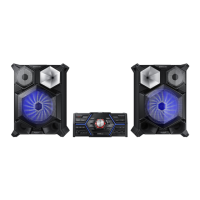
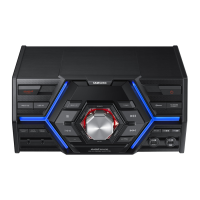
Rear Panel
1
POWER
•
Insert only the provided power cable.
2
FM Antenna Terminals
1. Connect the FM antenna to the FM
antenna connector terminal.
2. Slowly move the antenna wire until
you find a location where reception
is good, then fasten it to a wall or
other rigid surface.
3
AUX IN 2 Terminals
1. Use an Audio Cable (not supplied)
to connect AUX IN 2 on the main
unit to Audio Out on an external
analog output device.
•
Be sure to match connector colors.
•
If the external analog output device
has only one Audio Out jack, connect
either left or right.
•
Press the AUX 1/2 button to select
AUX 2.
•
If the product is in AUX mode for
more than eight hours and no
buttons on the front panel or remote
are pushed, the system will turn off.
4
AUX IN 1 Terminals
1. Use to connect an external device
such as an MP3 player.
•
Connect AUX IN 1 on the rear panel
of the main unit to the Audio Out of
an external device/MP3 player.
•
Press the AUX 1/2 button to select
AUX1.
5
LED Terminals for Speaker Beat Waving.
6
ONLY FOR SERVICE
•
This jack is for testing only. Please do
not use.
7
Cooling fan
•
The fan operates while the unit is
powered on.
If you set the unit to the minimum
volume, the fan won't operate.
Secure a minimum 6 inches (15 cm)
of clear space on all sides of the fan
when installing the main unit.
8
4.2 CH Speaker Terminals
1. To achieve the correct sound quality,
when you connect the speakers,
match the color of the speaker plugs
to the color of the speaker jacks. See
below.
•
LEFT channel (marked
, White/
Purple).
•
RIGHT channel (marked
, Red/
Purple).
•
MID / TW channel (marked , WHITE)
•
MID / TW channel (marked
, RED)
•
Don't force the Purple SUBWOOFER
connector into the White or Red
speaker jack.
8 English
MID / TW


 To Next Page