ENG - 16
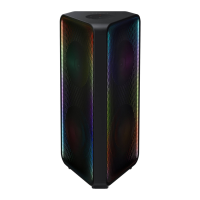
If Sound Tower connected with Samsung TV via Bluetooth, Sound Tower can be controlled by TV UI.
(Volume +/-, Mute On/Off and Power On/Off)
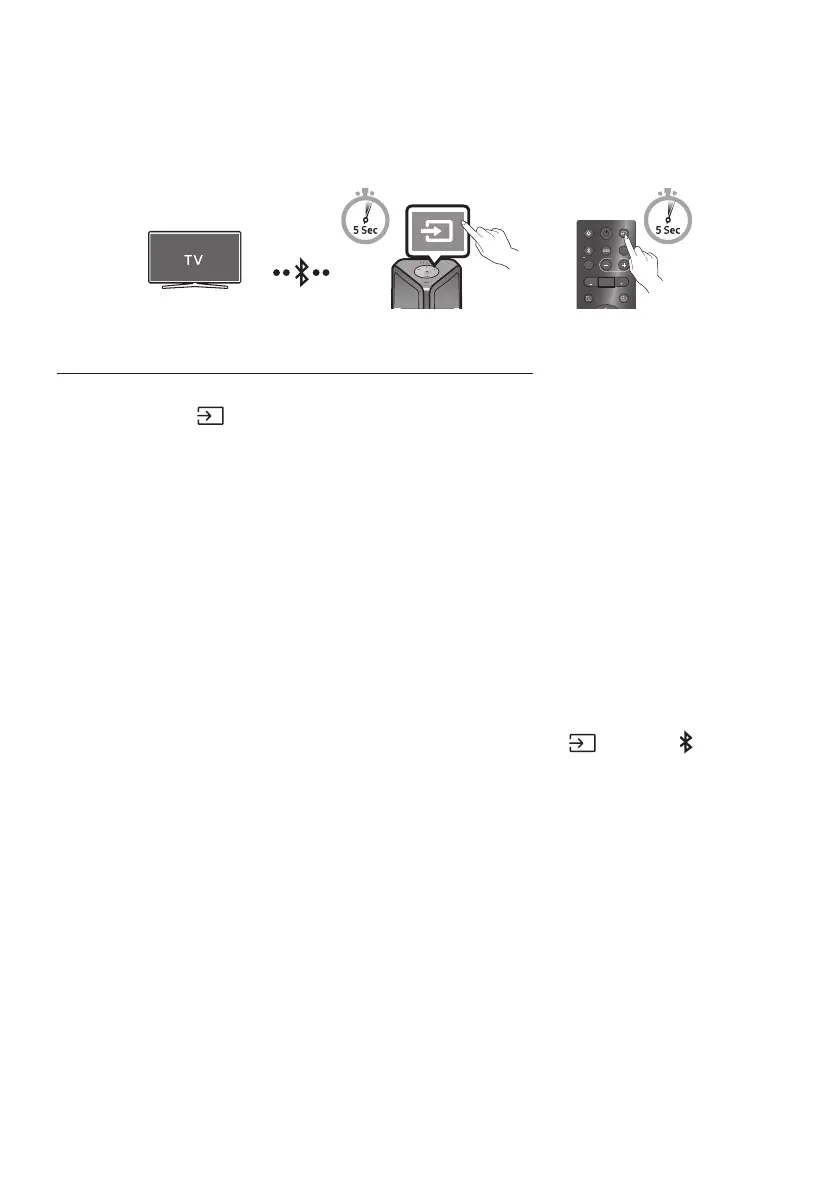
Sound Tower has “” mode for easy connect with Samsung TV.
Press and hold bottom for more than 5 seconds on remote control or top panel then
Sound Tower will start to search Samsung TV. Lighting bar will blink white once and then blink
cyan, The back plane “PAIRING” LED will be slow blink. (Or, when the wired Stereo Group mode
connection is complete, the “” mode is automatically activated.)
If Samsung TV support easy connection, connection popup will be displayed on TV.
If Samsung TV has connected with Sound Tower before, Samsung TV will be connected without
popup.
If Sound Tower can not nd any Samsung TV within 5 minutes, Sound Tower will terminate
“” mode and turn to “” mode. If nd any Samsung TV, Sound Tower will
request connection to those TV.
• While in wireless Group Play mode, searching TV is not available.
• To stop searching Samsung TV, turn off the Sound Tower or press the or
button.
• Sound Tower does not support multi connection if Samsung TV is connected.
• While Samsung TV is connected, Sound mode is and button is not available.
• While Samsung TV is connected, Sound Tower APP can not connect with Sound Tower.
• Connection popup may not be displayed according to TV spec.
• You can select and connect directly from the Bluetooth speaker list on your TV when the
connection pop-up does not appear on your TV.
• When the Sound Tower is connected to your TV by Bluetooth connection, the video on the TV and
audio from the Sound Tower may not be synchronized because the distance between the Sound
Tower and the TV is too far. It is recommended to move the Sound Tower closer to your TV within 3.3 ft
(1 meter).


 To Next Page