4
Select an icon to choose the network
location and enter the location name
(for example, “Home”) and click Next.
5
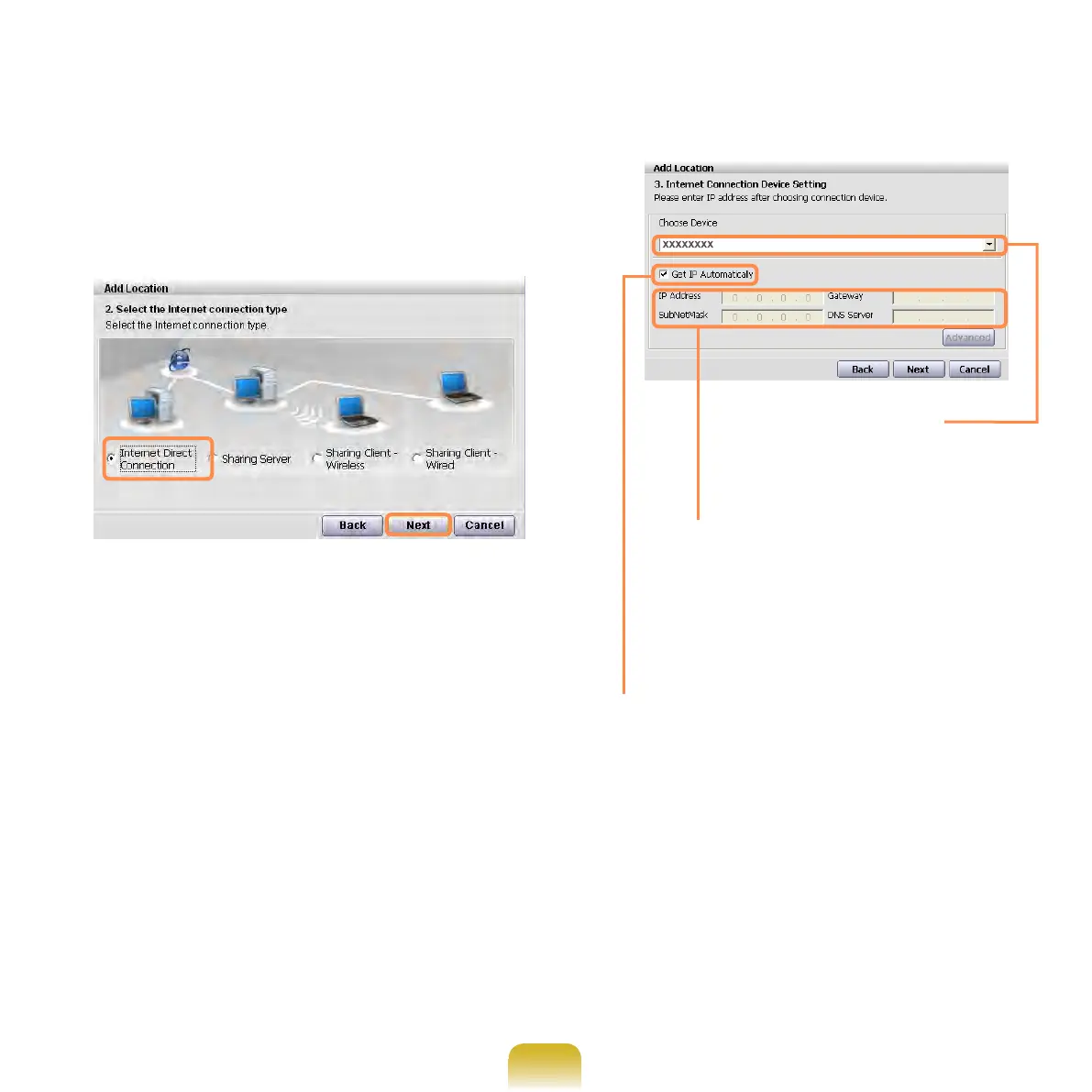
Select Internet Direct Connection
and click Next.
6
Select a device and congure IP
settings. Then, click Next.
Choose Device
Select between wired
LAN and wireless LAN.
IP Settings
Contact the network
administrator and enter the IP
information if the IP is not an
automatic IP.
Get IP Automatically
Select this option and perform
automatic IP settings if you use DHCP.



 To Next Page