148
1
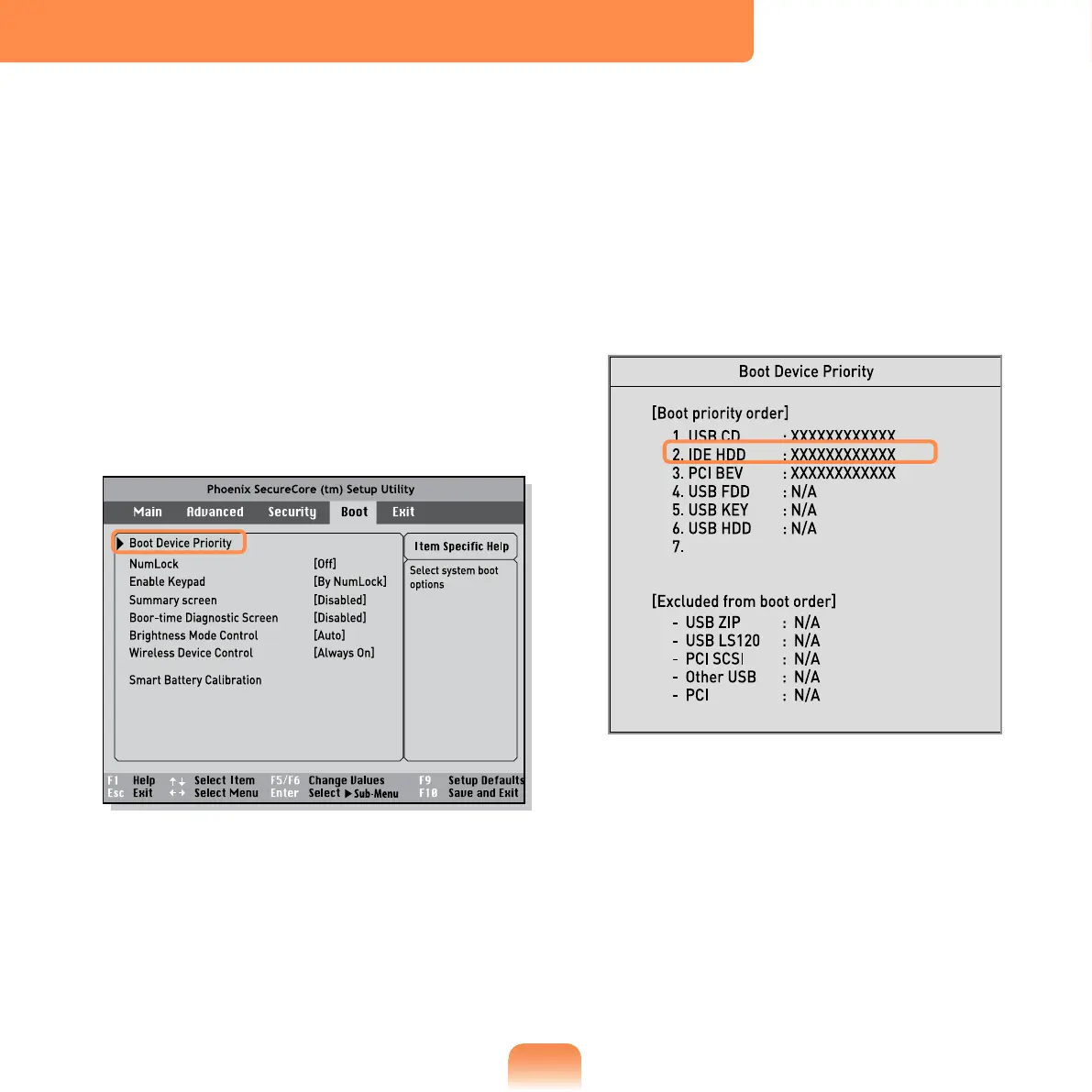
Select the Boot menu in the BIOS
Setup.
2
Press <Enter> on the Boot Device
Priority item.
3
Press the down key (↓) to move to the
IDE HDD itemand press the F6 key to
move up to the top item.
4
Press the F10 key to save the settings
and exit Setup.
The highest boot priority device is
now set to the Hard Drive.
Changing the Boot Priority
This computer is congured to boot from an external-type ODD rst.
This chapter describes how to change the boot priority so that the computer boots from
the hard disk drive rst.



 To Next Page