139
LCD Brightness Control
You can adjust the LCD brightness in 8 levels.
Adjusting LCD Brightness Using
Keyboard
Press the Fn+ or Fn+ to adjust
the brightness of LCD.
The LCD brightness has eight levels of
degree.
By pressing the Fn+ , the LCD gets
brighter by one level of degree.
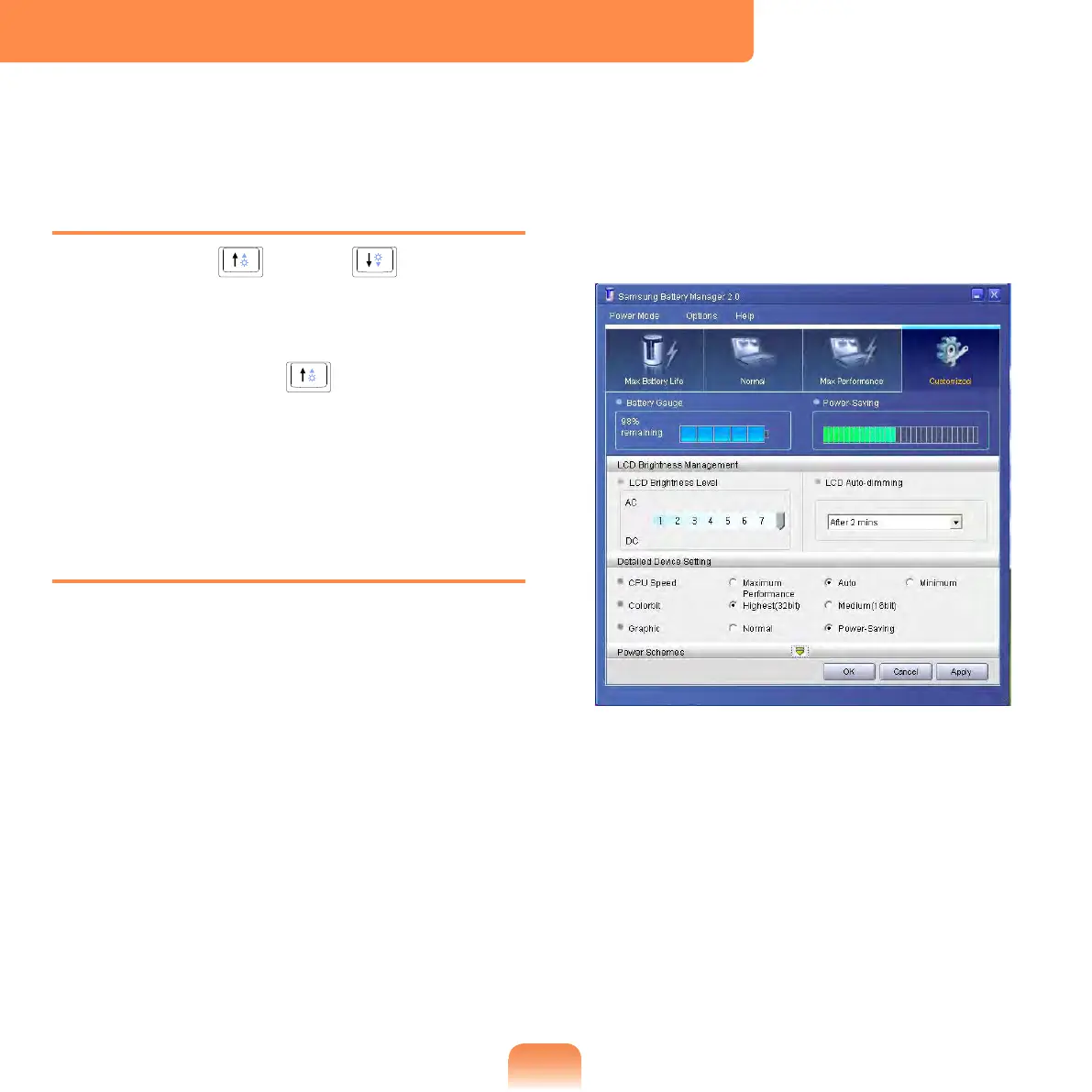
Adjusting LCD Brightness Using
Samsung Battery Manager
Appropriate LCD brightness is set
for each mode in Samsung Battery
Manager. In user settings mode, you can
select the brightness level.
Click Start > All Programs > Samsung
> Samsung Battery Manager >
Samsung Battery Manager.
(for example, in Customized mode)
In this mode, you can change the
brightness and device setting details.



 To Next Page