145
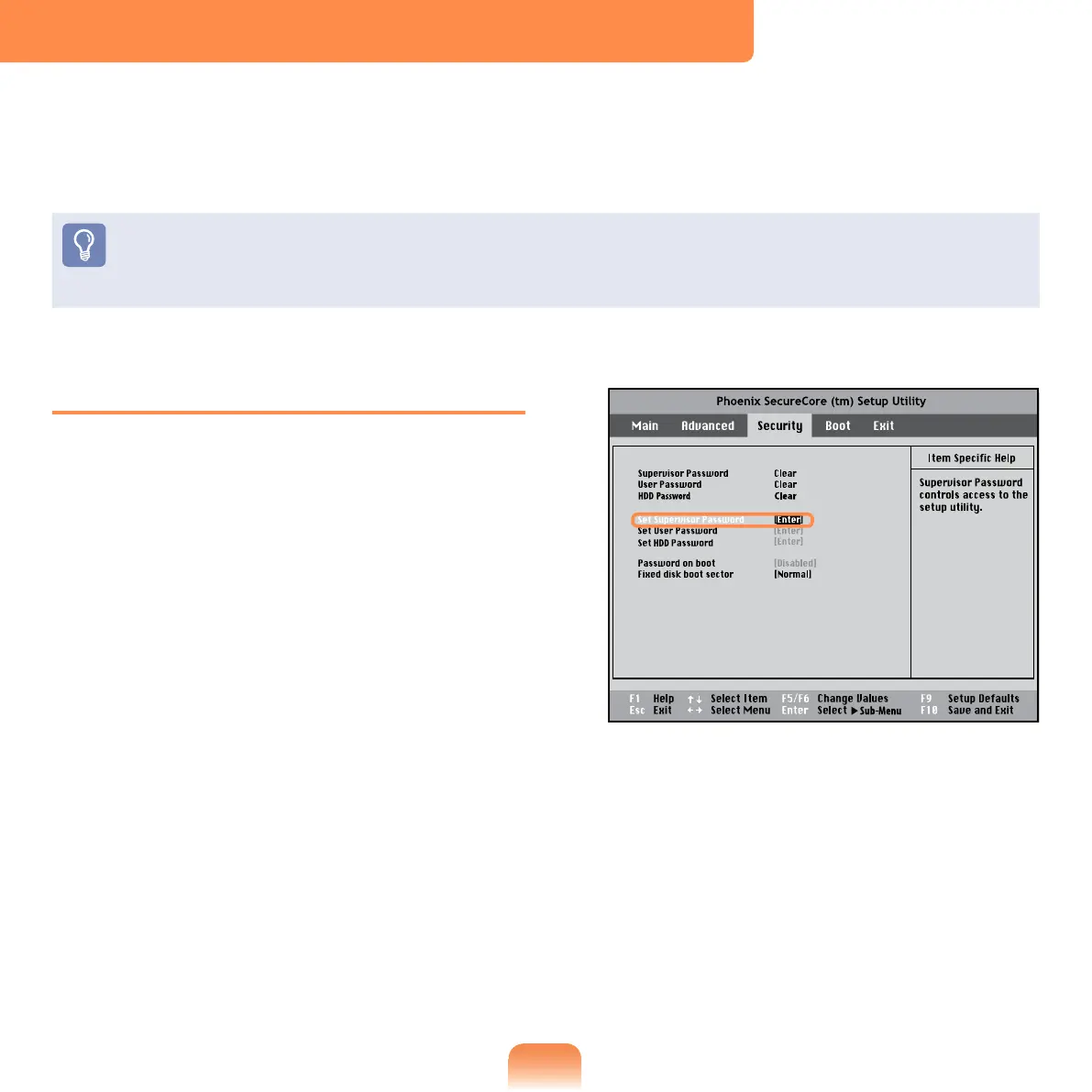
Setting a Supervisor Password
A Supervisor Password is required to turn
the computer on or to start the System
Setup.
When setting a Supervisor Password,
users other than a supervisor cannot use
the computer.
1
Select the Security menu in the BIOS
Setup.
2
In the Set Supervisor Password
item, press <Enter>.
Setting a Boot Password
When setting a password, you have to enter a password to use the computer or enter
the BIOS Setup.
By conguring a password, you can restrict system access to authorized users only and
protect data and les saved on the computer.
Do not lose or forget your password.
If you have forgotten your password, contact a Samsung service center. In this case, a
service fee will be charged.



 To Next Page