146
3
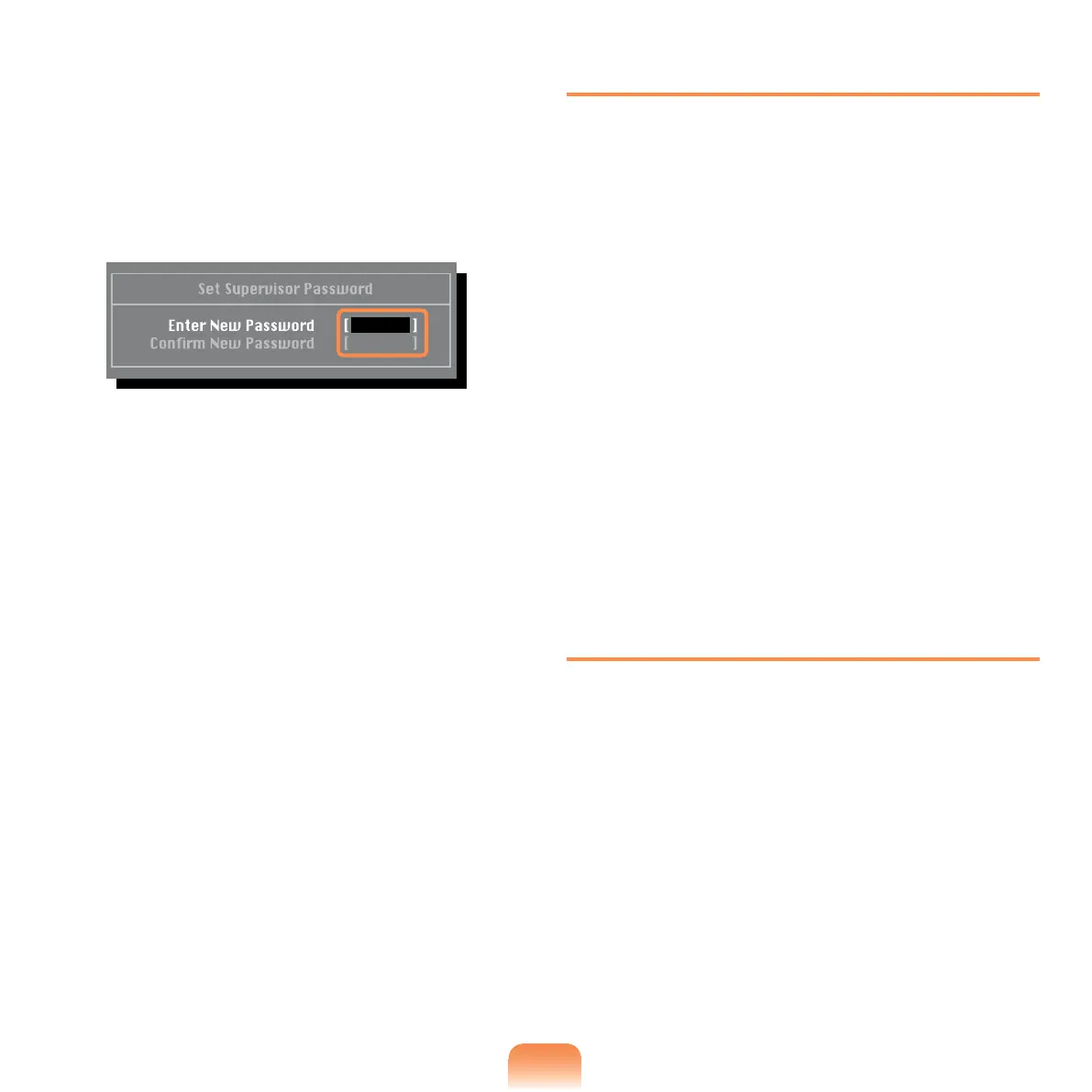
Enter a password, press <Enter>, re-
enter the password for conrmation,
and press <Enter> again.
The password can be up to 8
alphanumeric characters. Special
characters are not allowed.
4
When a message conrming the
password conguration appears in
the Setup Notice window, press
<Enter>.
The supervisor password has been
set.
The supervisor password is required
to turn the computer on or to enter the
BIOS Setup.
Setting a User Password
The User Password restricts access
to the computer or for conguring the
BIOS Setup, like a Supervisor Password.
However, the Setup items that can
be congured with a User Password
are restricted, unlike for a Supervisor
Password.
Before conguring a user password, a
supervisor password must have been
congured. Deactivating the supervisor
password also deactivates the user
password.
In the Set User Password item, press
<Enter> and complete the procedures
from Step 3 of Setting a Supervisor
Password.
Setting Up a Boot Password
To setup a boot password, the
administrator password (Set Supervisor
Password) should be set in advance.
Set the Password on boot item to
Enabled.
Once a boot password is set, you have
to enter a password to boot up the
computer.



 To Next Page