152
2
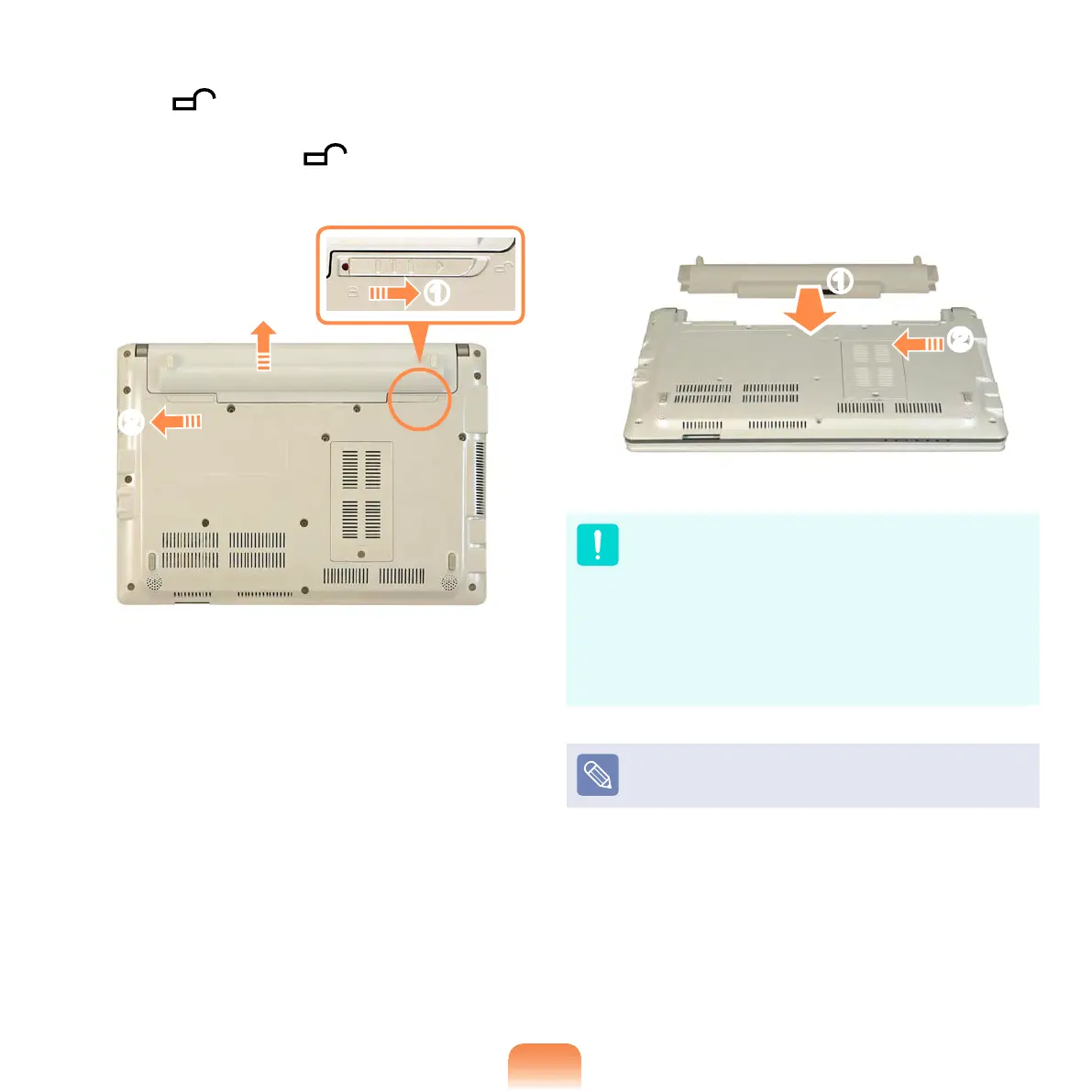
Slide the right battery latch to the
OPEN position and remove the
battery while holding the left battery
latch to the OPEN position.
x
z
c
3
To install the battery again, slide the
battery into the system.
Slide and x the right battery latch to
the CLOSE (inside) position so that
the battery is xed.
z
x
If the right battery latch is not in the
CLOSE (inside) position, there is
a danger of data loss because the
battery may become separated.
Slide and x the latch to the CLOSE
position so that the red circle mark is
hidden.
Check if the battery latch has been
moved inwards.



 To Next Page