157
Using the Battery Calibration
Function
When charging/discharging the battery
repeatedly for a short time only, the
battery usage time may be reduced by
the difference between the actual battery
charge and the remaining charge display.
In this case, the actual battery charge
and the remaining charge display will
be the same by discharging the battery
completely using the Battery Calibration
function, and then recharging it again.
1
Disconnect the AC power adapter
after turning off the computer.
2
Restart your computer and press the
F2 button when the Samsung logo
appears, to start the BIOS Setup.
3
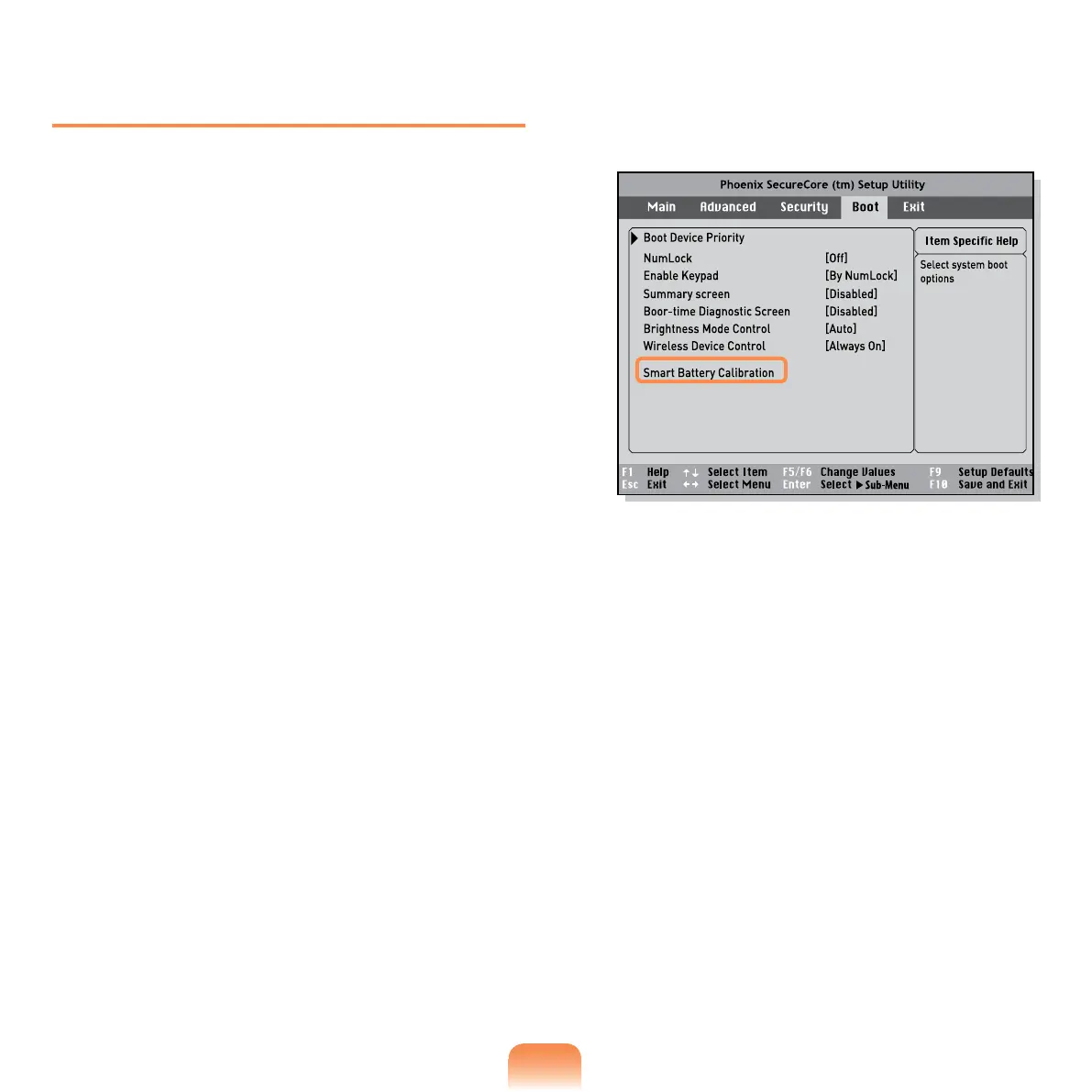
Move to the Boot > Smart Battery
Calibration item using the direction
keys and press <Enter>.
4
Highlight Yes in the Battery
Calibration Conrmation window
and press <Enter>.
The Battery Calibration function is
activated and the battery is forcefully
discharged. To stop the operation,
press the <Esc> button.
This operation requires 3~5 hours
depending on the battery capacity
and the remaining battery charge.


 To Next Page