91
5
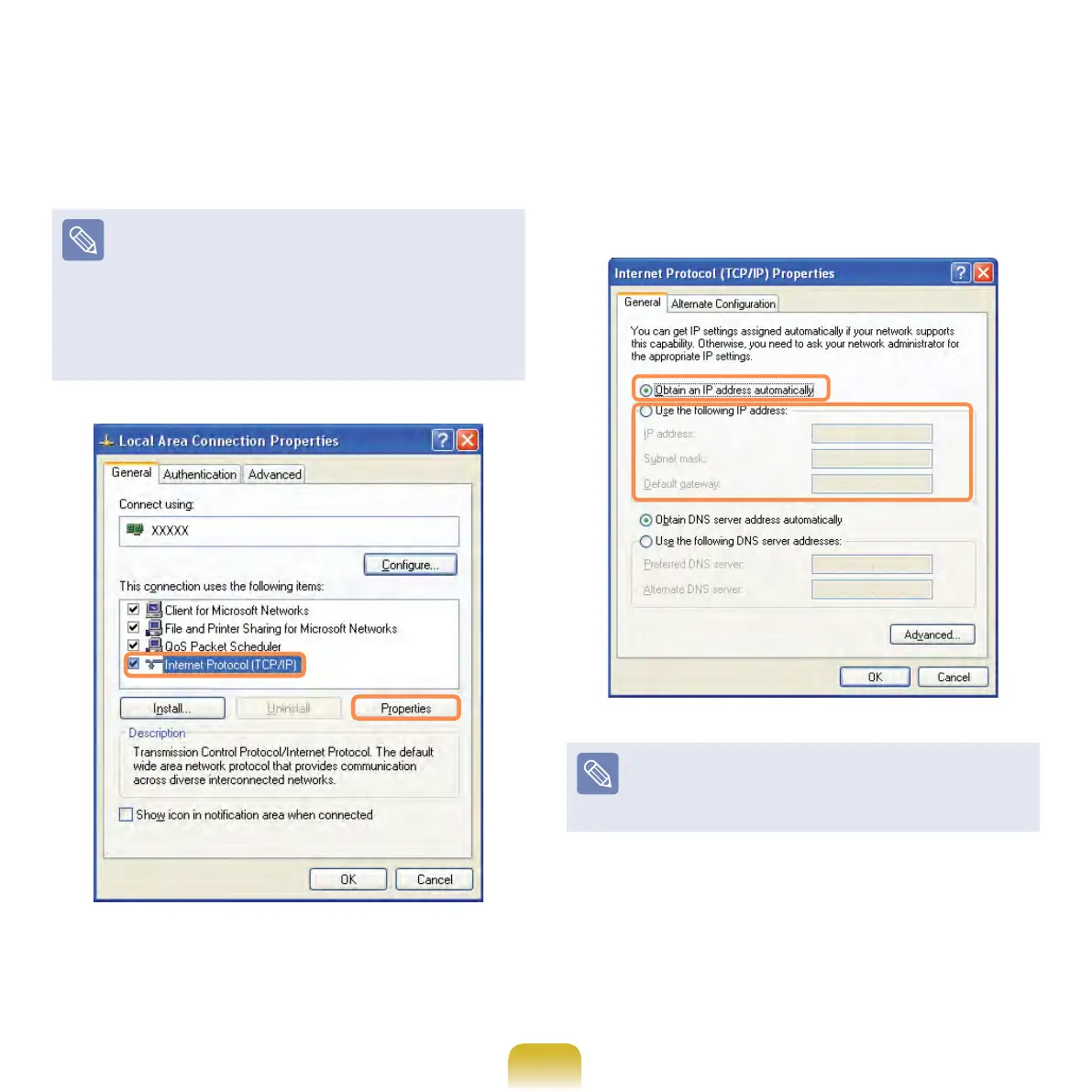
Click General tab and select a LAN
driver from Connect using:. Select
Internet Protocol(TCP/IP) and click
Properties.
The displayed LAN driver may vary
depending on the LAN device type.
Click Install to add a network
component as shown in the gure
below: You can add a client, a
service, or a protocol.
6
Congure IP settings.
Select Obtain an IP address
automatically when using DHCP. If
you use a static IP, select Use the
following IP address and enter the
values.
If the IP of your computer is not
automatically assigned, contact the
network administrator.
7
If all settings are made, click OK. Now
the network conguration is nished.



 To Next Page