PCB Diagram
9-4 Samsung Electronics
Function Key. Located on the side of the unit.
No Loc. No. Description
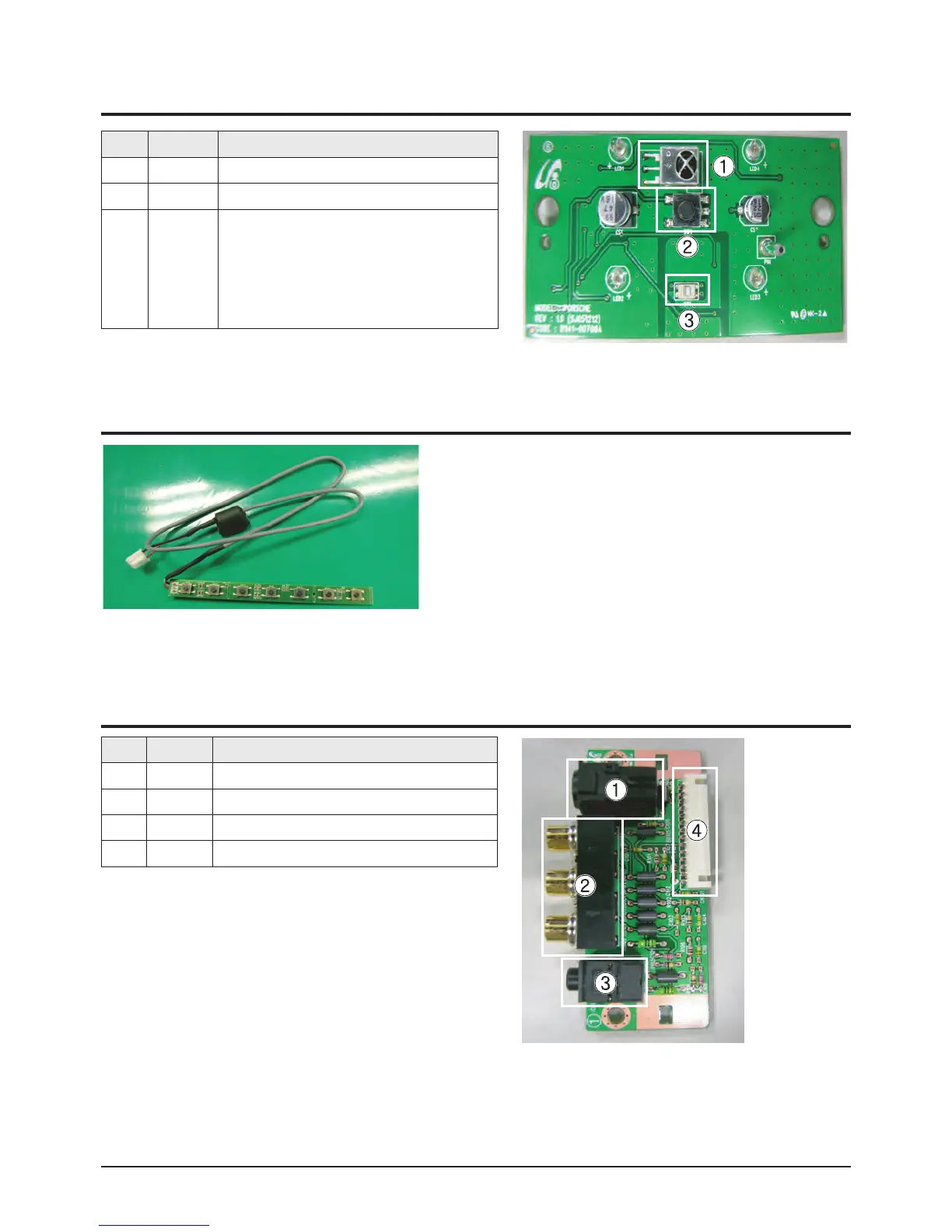
①
RM1 Remote Control Sensor
②
SW1 Power Button
③
OP1
The Illumination sensor that senses the
quantity of light. It senses the illumination and
automatically adjusts the screen brightness
according to the surrounding brightness when
the Power Saving Mode of the User menu is
set to Auto.
No Loc. No. Description
①
CN102 S-VIDEO2 Input Jack
②
CN103 AV2 Input Jack
③
CN104 Earphone Jack
④
CN105 Side AV Connector
9-2 Power & IR Board
9-3 Function Board
9-4 Side AV Board









 To Next Page