LG_MULTI_F_3828A20097W_1[1]
4-1-1-1. How to Enter the TEST MODE
4-1-1-1-1. For Models with Electronic Displays
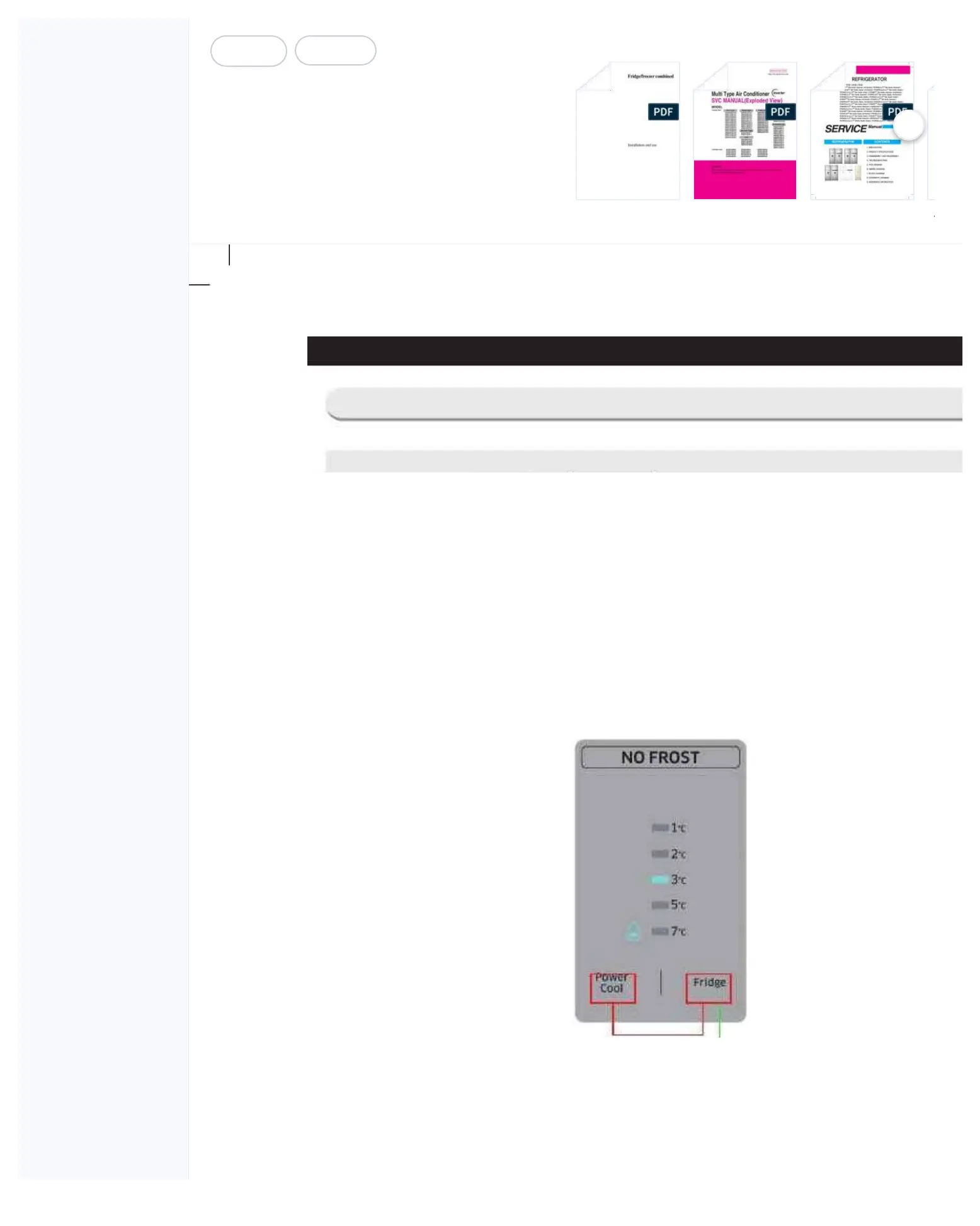
1. When pressing the "Fridge" and the "Power Cool" buttons on the PANEL PCB at the same time for more
than 4 seconds, the PANEL DISPLAY will be on and off with an interval of 0.5 second for about 4 seconds.
At this time, release the "Fridge" and the "Power Cool" buttons, and press the "Fridge" button. Then, it will
2. At the Test mode, all th
e display buttons will work as the Test
3. Each time the Test button
is pressed, it will change in the
following order.Forced Operation → Forced
F-Defrost → Cancellation (Normal Operation)
4. It is recommended that the unit be re-plugged in to terminate the operation of the Test function.
① Press the "Power Cool" and the "Fridge" buttons at the same time for 4
Mode, press the "Fridge" button once.
4-1. Check-List before Trouble-Shooting



 To Next Page