System Menu Setting
I ENGLISH I
+ Before you begin: Make Surethat there is notape inserted in the Camcorder.(see page 36)
+ Demonstration automaticallyshows you the majorfunctions that are included with your
Camcorder so that you may use them more easily.
+ The Demonstrationfunction may only be used in the Camera mode without a tape inserted in
the Camcorder.
+ The Demonstration operates repeatedly until the Demonstration mode switched Off.
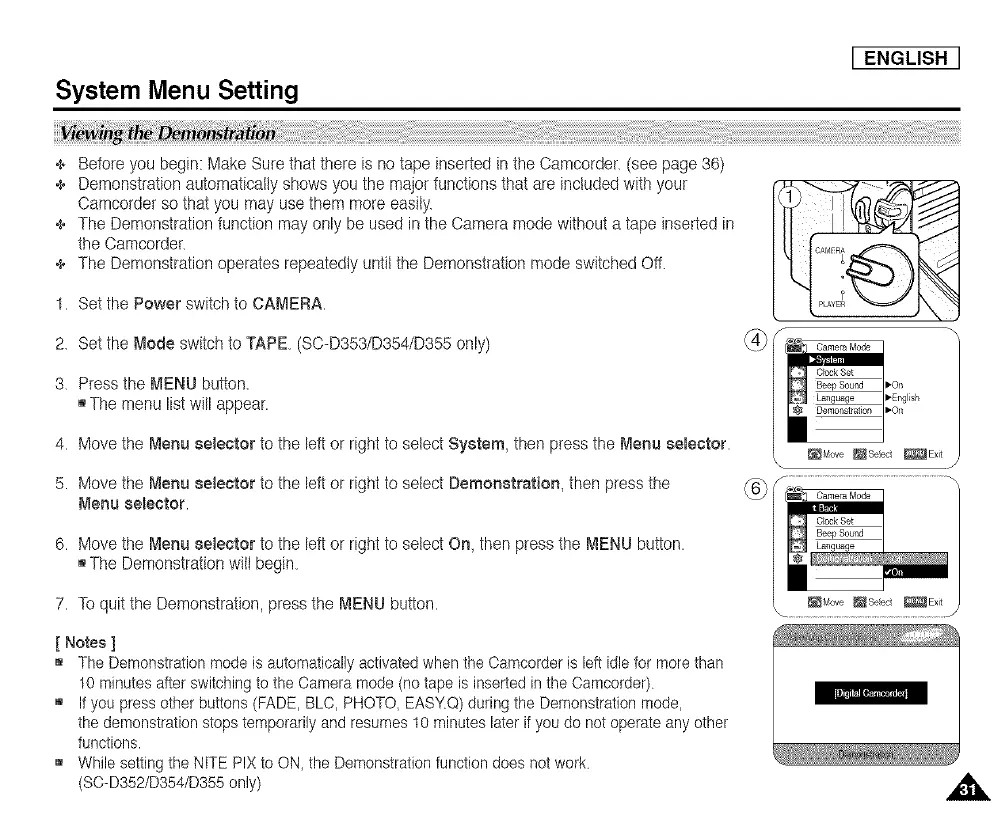
1. Set the Power switch to CAMERA.
2. Set the Mode switch to TAPE. (SC-D353/D354/D355 only)
3. Press the MENU button.
[]The menu list will appear.
4. Move the Menu selector to the left or right to select System, then press the Menu selector.
5. Move the Menu selector to the Idt or right to select Demonstration, then press the
Menu selector.
6. Move the Menu selector to the Idt or right to select On, then press the MENU button.
[]The DemonstrationwitI begin.
7. Toquit the Demonstration, press the MEhlU button.
[ Notes ]
[] The Demonstration mode is automatically activated when the Camcorder is left idle for more than
10 minutes after switching to the Oamera mode (no tape is inserted in the Oamcorder).
[] If you press other buttons (FADE, BLC, PHOTO, EASY.Q) during the Demonstration mode,
the demonstration stops temporarily and resumes t0 minutes later if you do not operate any other
functions.
[] While setting the ['4tTEPIX to ON_the Demonstration function does not work.
(SO-D352/D354/D355 only)














 To Next Page