Alignment and adjustment
Samsung Electronics 5-23
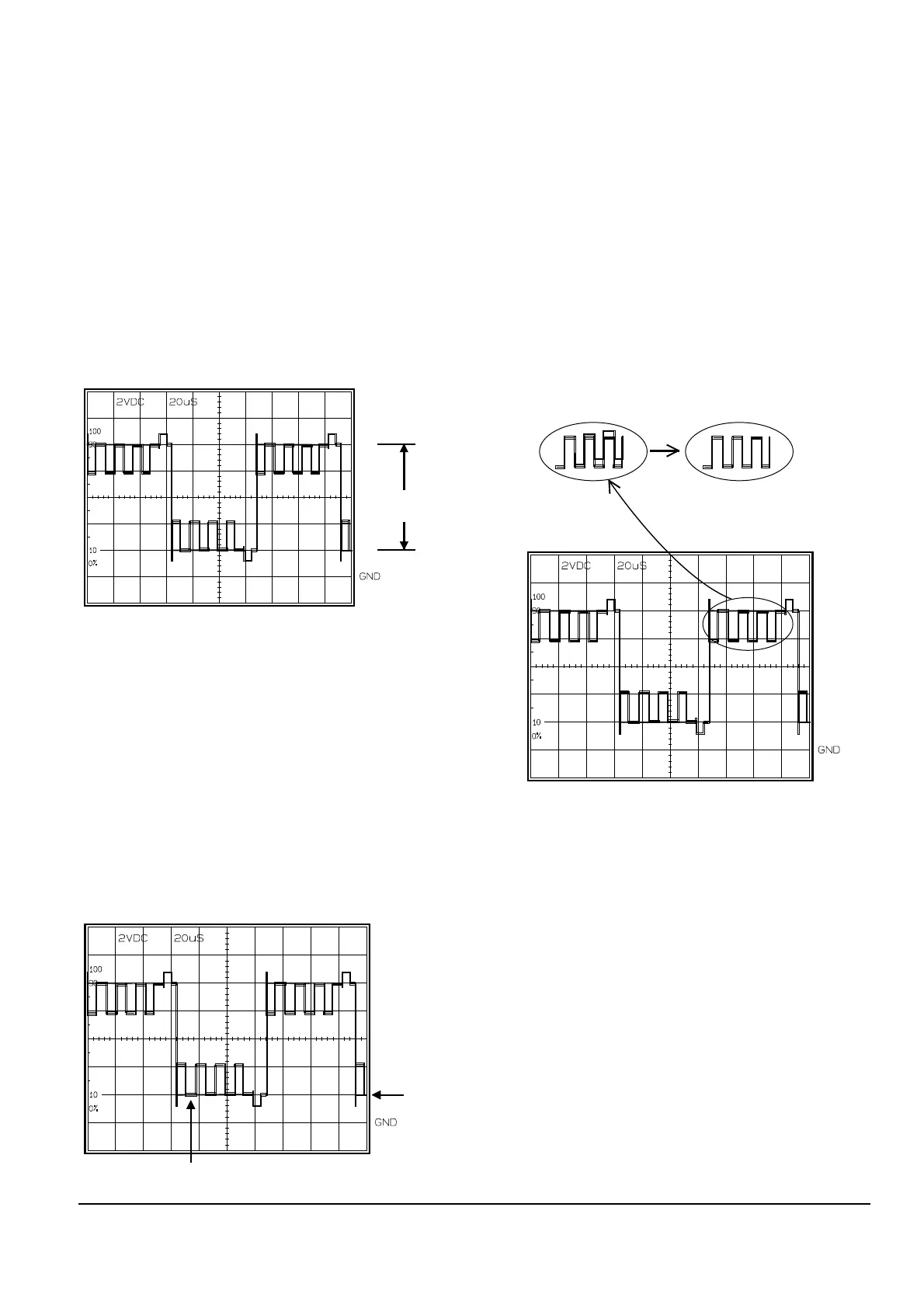
5. Color
1) VCR ÒPBÓ, Color bar (SP).
2) B-OUT and EVR.
3) Connect an oscilloscope probe to B-OUT.
4) Press the ÒBLC (MODE UP/DOWN)Ó button so
that the OSD state is Ò01 COLOR EPR:XX
EVR:XXÓ.
5) Adjust the ÒD.ZOOM+/- (DATA UP/DOWN)Ó
button so that the Yellow level is equal
to the pedestal line.
6) Be sure to press the ÒDISPLAY(CONFIRM)Ó
button to memorize setting.
7) The OSD shows ÒCONFIRM !Ó.
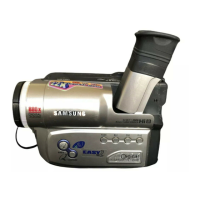
6. HUE
1) VCR ÒPBÓ, Color bar (SP).
2) B-OUT and EVR.
3) Connect an oscilloscope probe to B-OUT.
4) Press the ÒBLC (MODE UP/DOWN)Ó button so
that the OSD state is Ò00 TINT EPR:XX
EVR:XXÓ.
5) Adjust the ÒD.ZOOM+/- (DATA UP/DOWN)Ó
button so that the dual waveforms are
superimposed.
6) Be sure to press the ÒDISPLAY(CONFIRM)Ó
button to memorize setting.
7) The OSD shows ÒCONFIRM !Ó.
DUAL WAVEFORMS ARE SUPERIMPOSED.
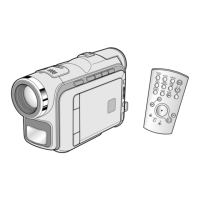
4. B-Sub Brightness
1) VCR ÒPBÓ, Color bar (SP).
2) B-OUT and EVR.
3) Connect an oscilloscope probe to B-OUT.
4) Press the ÒBLC (MODE UP/DOWN)Ó button so
that the OSD state is Ò05 B BUB EPR:XX
EVR:XXÓ.
5) Adjust the ÒD.ZOOM+/- (DATA UP/DOWN)Ó
button so that B OUT(Blue) level is 8.0Vp-p.
6) Be sure to press the ÒDISPLAY(CONFIRM)Ó
button to memorize setting.
7) The OSD shows ÒCONFIRM !Ó.



 To Next Page