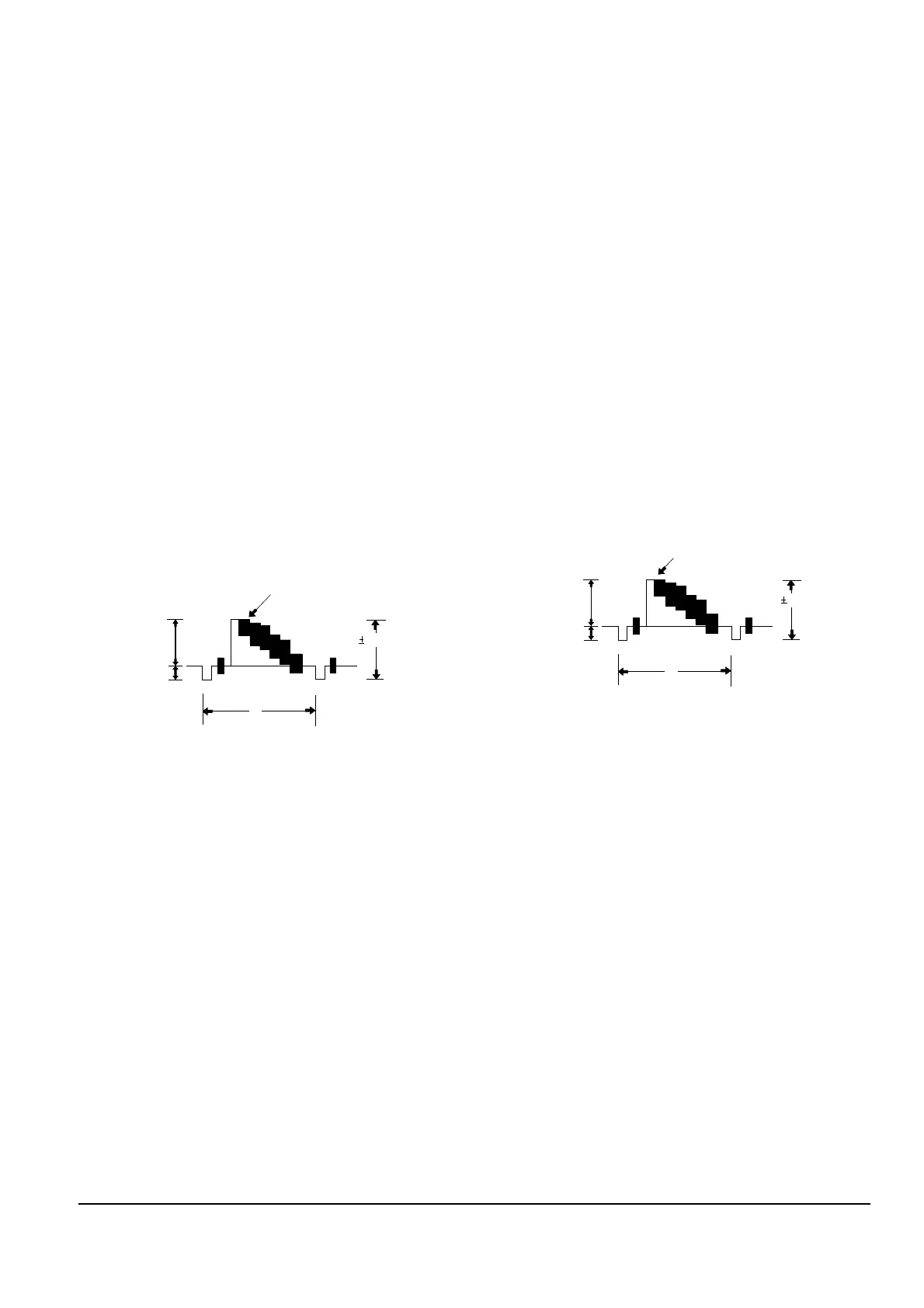
3. Y-FM Deviation (Video block)
Note : Confirm that ÒY-FM Carrier FrequencyÓ
and ÒPB Output LevelÓ adjustment have
been completed.
1) Rec PB, 100% color bar signal.
2) TP203 and EVR.
3) Record the color bar signal at adjustment mode.
4) Turn power off/on and then playback the recorded
signal.
5) Confirm the playback output of TP203.
(Specified value: 1.0 ± 0.05Vp-p)
6) If the specified value is not satisfied, repeat above
three steps.
- When larger than specified value :
press the Ò+ (DATA UP)Ó and then
press the ÒDISPLAY (CONFIRM)Ó button.
- When smaller than specified value :
press the Ò- (DATA DOWN)Ó and then
press the ÒDISPLAY (CONFIRM)Ó button.
4. REC Y Level (Video block)
Ò4. REC YÓ Adjustment is fixed to EVR data B4.
5. PB Output Level (Video block)
1) PB, color bar tape.
2) TP204 and EVR.
3) Confirm the Ò5. PB YÓ mode by pressing the
ÒBLCÓ (MODE CHANGE) button of remote
control.
4) Connect an oscilloscope to TP204.
5) Press the Ò- (DATA DOWN)/+ (DATA UP)Ó
button so that the TP204 is 1.0 ± 0.05Vp-p from
SYNC to peak level.
6) Be sure to press the ÒDISPLAY (CONFIRM)Ó
button on unit to memorize setting.



 To Next Page