English-19
OTHERS03
Troubleshooting
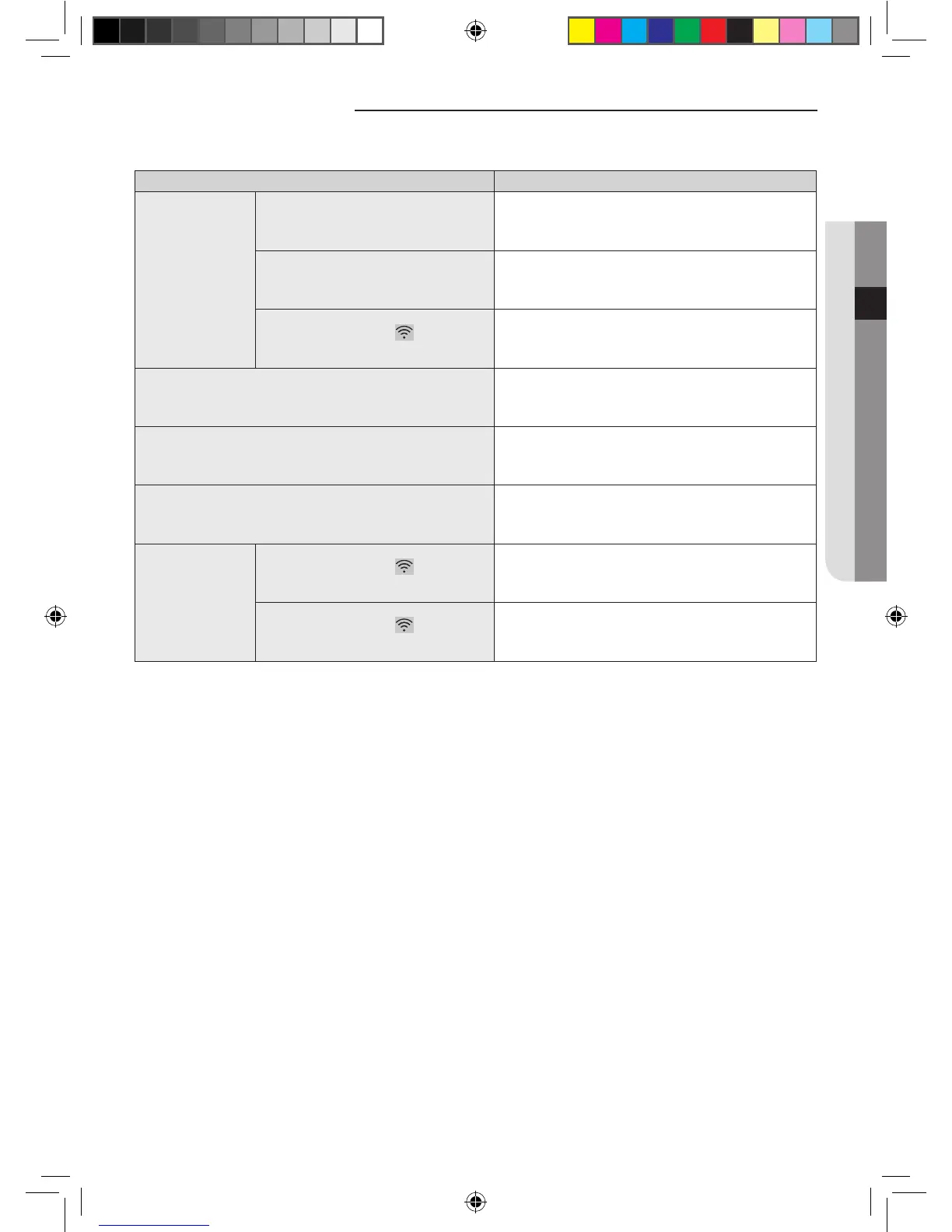
Before you make a call to a service center, please check the items in the table below.
Check point Solution
Air conditioner
cannot be found
at Smart A/C
application.
Check whether the Wi-Fi of the Smart phone
is activated.
Activate the Wi-Fi connection of the Smart phone.
Check whether the Smart phone and the
air conditioner are connected to dierent
wireless routers
The Smart phone and the air conditioner should be
connected to the same wireless router.
Check whether the Wi-Fi( ) light on the
display is on.
Check whether the air conditioner is correctly connected to
a wireless router.
The Smart phone is connected to the air conditioner correctly but it
does not work.
Restart the Smart A/C application or reconnect the Smart
phone with the wireless router.
When selecting In-home function of the Smart A/C application,
multiple appliances are searched.
Select the air conditioner whose device number is the same
as your air conditioner on the list.
I don’t have ID and Password to log in to Out-of-home of Smart A/C
application.
Join the membership at Samsung Smart appliance website
(http://www.samsungsmartappliance.com) and register your
air conditioner.
Out-of-home
function of Smart
A/C application does
not work.
Check whether the Wi-Fi( ) light on the
display is on.
Check whether the air conditioner is connected to the
wireless router correctly.
Check whether the Wi-Fi( ) light on the
display blinks at an interval of 0.5 sec.
Check whether the wireless router is connected to internet
correctly.
A3050 ET WiFi APP_IB_04209A-00_EN.indd 19 2013-10-11 14:49:49



 To Next Page