EasyManua.ls Logo

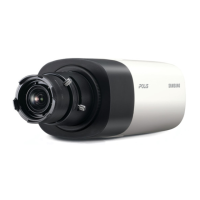
Samsung SNB-5000 - User Manual

Samsung SNB-5000
144 pages
Print Icon
To Next Page IconTo Next Page
Loading...
NETWORK CAMERA
User Manual
SNB-5000/SND-5080/
SND-5080F/SNV-5080

Table of Contents

Questions and Answers

  • A
    Anthony JonesAug 21, 2025
    How to fix Samsung SNB-5000 Security Camera when I can't access it from a web browser?
    • B
      brian68Aug 21, 2025
      To address the issue of being unable to access the Samsung Security Camera from a web browser, verify the camera's network settings are correct. Ensure all network cables are properly connected. If using DHCP, confirm the camera obtains dynamic IP addresses without issues. For DDNS URL connections, double-check the MAC address entry. Also, if the camera connects through a router, confirm that port forwarding is correctly configured.
  • G
    George DavisSep 4, 2025
    Why can't I connect to the Samsung SNB-5000 Security Camera system using a tab browser in Internet Explorer 7.0?
    • L
      laurenjamesSep 4, 2025
      When connecting to the Samsung Security Camera system using a tab browser, the same cookie information is shared, causing connection errors. Instead of using a tab browser, open a new browser window to connect to the system.
  • S
    Sharon NelsonSep 2, 2025
    Why doesn't the SD memory indicator turn on when I insert an SD card into my Samsung Security Camera?
    • S
      Shelby BarrSep 3, 2025
      If the SD memory indicator does not turn on even when the SD memory card is inserted into your Samsung Security Camera: * Check if the memory card is defective. * Check if the Record option is selected in the Setup > Event > SD Record menu.
  • C
    Christopher SuttonSep 1, 2025
    Why can't my Samsung SNB-5000 Security Camera record into the SD memory card?
    • K
      Kathryn BlackwellSep 1, 2025
      If your Samsung Security Camera cannot record into the SD memory card: 1. Check if the memory card is defective. 2. Check if the write protection tab of the memory card is set to 'Lock'.
  • C
    Christopher WilsonAug 30, 2025
    Why does no image appear on my Samsung SNB-5000 Security Camera?
    • J
      Jenny GardnerAug 30, 2025
      If no image appears on your Samsung Security Camera, and the transmission method is set to multicast, check whether there is a router that supports multicast in the LAN to which the camera is connected.
  • A
    adamhuntAug 29, 2025
    What to do if my Samsung Security Camera does not operate properly after inserting an SD memory card?
    • J
      Joseph RivasAug 29, 2025
      If the SD memory card is inserted but the Samsung Security Camera does not operate properly: * Check if the memory card is inserted in the proper direction. * Note that the operation of a memory card formatted by other devices is not guaranteed with this camera unit. * Format the memory card again in the Setup > Event > SD Record menu.
  • M
    Melanie VanceAug 27, 2025
    Why do images overlap on my Samsung SNB-5000?
    • C
      Connor YorkAug 27, 2025
      If images overlap on your Samsung Security Camera, check if multiple cameras are set to a single multicast address instead of different addresses. Using a single address for multiple cameras can cause image overlap.
  • J
    James SmithAug 27, 2025
    Why is no JPEG file transferred via e-mail from my Samsung SNB-5000 when an intelligent video analysis event occurs?
    • K
      kristi65Aug 27, 2025
      If no JPEG file is transferred via e-mail when an intelligent video analysis event occurs on your Samsung Security Camera, even with the IV analysis function enabled, verify the following settings in sequence: A. Check the Data & Time settings. B. Ensure the IV analysis function is enabled. C. Confirm that Alarm Video Transmission is enabled.
  • J
    James ReedAug 25, 2025
    Why does my Samsung SNB-5000 Security Camera viewer get disconnected during monitoring?
    • M
      Melissa GrahamAug 25, 2025
      If the viewer gets disconnected during monitoring with your Samsung Security Camera, consider these points: Viewer disconnections can occur when camera or network configurations change. Ensure all network connections are stable. If the camera uses a PPPoE network, poor network conditions might cause disconnections.
  • S
    Steven MillerAug 23, 2025
    What to do if Samsung SNB-5000 is not detected in the IP installer program?
    • M
      michaelandersonAug 23, 2025
      If your Samsung Security Camera connected to the network is not detected in the IP installer program, turn off the firewall settings on your PC and then search for the camera again.

Summary

OVERVIEW

Important Safety Instructions

Read and follow all safety instructions to prevent hazards and ensure proper operation.

INSTALLATION & CONNECTION

Camera Installation Procedures

Step-by-step guide for installing the camera on various surfaces.

NETWORK CONNECTION AND SETUP

Connecting to Local Area Network

Steps to connect the camera to a local PC via the LAN.

Modem Connectivity Setup

Guides for connecting the camera to DHCP or PPPoE based modems.

Broadband Router Configuration

Configuring network settings when connecting via a broadband router.

IP Address Configuration

Detailed steps for setting static and automatic IP addresses for the camera.

Port Forwarding Setup Guide

Instructions for configuring port range forwarding on a broadband router.

SETUP SCREEN

Network Configuration Settings

Setup for IP addressing, ports, DDNS, SSL, 802.1x, QoS, and SNMP.

APPENDIX

Troubleshooting Common Issues

Solutions for common problems encountered during setup and operation.

Samsung SNB-5000 Specifications

General IconGeneral
BrandSamsung
ModelSNB-5000
CategorySecurity Camera
LanguageEnglish

Related product manuals