EasyManua.ls Logo

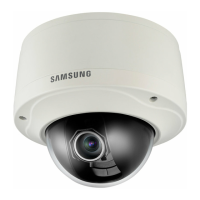
Samsung SNV-7080R - User Manual

Samsung SNV-7080R
109 pages
Print Icon
To Next Page IconTo Next Page
Loading...
NETWORK CAMERA
User Manual
SNV-7080R

Table of Contents

Questions and Answers

  • G
    Gary CrawfordAug 12, 2025
    How to fix Samsung SNV-7080R when I can't access it from a web browser?
    • S
      Shirley JohnsAug 12, 2025
      If you're unable to access your Samsung Security Camera from a web browser, ensure the camera's network settings are correct. Verify that all network cables are properly connected. If using DHCP, confirm that the camera obtains dynamic IP addresses without issues. For DDNS URL connections, check that the MAC address is entered correctly. If the camera connects to a broadband router, ensure port forwarding is configured properly.
  • J
    jamescainAug 16, 2025
    What to do if Samsung SNV-7080R Security Camera is not detected in the IP installer program?
    • T
      Terry TaylorAug 16, 2025
      If your Samsung Security Camera isn't detected in the IP installer program, try turning off the firewall settings on your PC and then search for the camera again.
  • C
    Christopher Long MDAug 19, 2025
    Why does Samsung SNV-7080R viewer disconnect during monitoring?
    • R
      Richard JonesAug 19, 2025
      If your Samsung Security Camera viewer disconnects during monitoring, check all network connections. Also, if the camera is connected over a PPPoE network, the viewer might disconnect under poor network conditions.
  • M
    michael82Aug 25, 2025
    What to do if Samsung SNV-7080R Security Camera does not recognize SD memory card?
    • V
      Victor LopezAug 25, 2025
      If your Samsung Security Camera doesn't recognize the SD memory card, first check if the memory card is inserted in the proper direction. If it is, try formatting the memory card again via the Setup ? Event ? SD Record menu.
  • A
    Alejandro NealAug 27, 2025
    Why Samsung SNV-7080R Security Camera cannot record into the SD memory card?
    • M
      Margaret PayneAug 27, 2025
      If your Samsung Security Camera cannot record into the SD memory card, check if the memory card is defective. Also, verify that the write protection tab on the memory card is not set to 'LOCK'.
  • K
    Kristina PowellAug 31, 2025
    How to fix image overlapping on Samsung SNV-7080R?
    • M
      Megan NguyenAug 31, 2025
      If you're experiencing image overlapping with your Samsung Security Camera, check whether two or more cameras are set to a single multicast address instead of different addresses.
  • D
    David TorresSep 3, 2025
    What to do if no image appears on Samsung SNV-7080R?
    • M
      Michael MoralesSep 3, 2025
      If no image appears on your Samsung Security Camera, and the transmission method is set to multicast, check whether there is a router that supports multicast in the LAN the camera is connected to.
  • C
    Christian JonesSep 7, 2025
    What to do if I cannot format the SD memory card for my Samsung SNV-7080R?
    • T
      Terry GarciaSep 8, 2025
      If you cannot format the SD memory card for your Samsung Security Camera, check if the write protection tab of the memory card is set to 'LOCK'.

Samsung SNV-7080R Specifications

General IconGeneral
ModelSNV-7080R
TypeNetwork Camera
Image Sensor1/2.8" CMOS
ResolutionUp to 1920 x 1080
Lens TypeVarifocal
Max. Aperture RatioF1.2
Night VisionYes
IR DistanceUp to 30m
Video CompressionH.264, MJPEG
Ingress ProtectionIP66
Focal Length2.8mm ~ 12mm
ApertureAuto
Day/NightICR
Min. IlluminationColor: 0.3 Lux, B/W: 0 Lux (IR LED on)
Wide Dynamic Range120dB
Max. Frame Rate30fps @ 1080p
Ethernet10/100BASE-T
Network InterfaceRJ-45
Power SupplyPoE (IEEE 802.3af)
Power ConsumptionMax. 7.5W
Operating Temperature-10°C ~ +55°C

Related product manuals