EasyManua.ls Logo

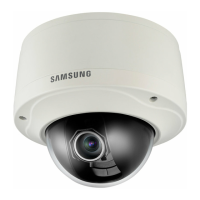
Samsung SNV-6013 - User Manual

Samsung SNV-6013
140 pages
Print Icon
To Next Page IconTo Next Page
Loading...
NETWORK CAMERA
User Manual
SNV-6013

Table of Contents

Other manuals for Samsung SNV-6013

Questions and Answers

  • R
    Richard Ruiz Jr.Jul 30, 2025
    Samsung SNV-6013 motion detection is enabled, but no notification e-mail reaches me, what to do?
    • T
      Taylor GrayJul 30, 2025
      Verify the settings in the following sequence: 1. Check settings. 2. The should be set to . 3. Check if the option of menu is checked to use.
  • D
    darryljohnsonAug 4, 2025
    What to do if Samsung Security Camera viewer got disconnected during monitoring?
    • A
      Annette WhitakerAug 4, 2025
      If your Samsung Security Camera viewer gets disconnected during monitoring, start by checking all network connections. The disconnection may occur because connected viewers become disconnected upon any change to camera or network configurations. Also, if the camera is connected over a PPPoE network, viewer disconnection can occur under poor network conditions.
  • D
    danielbeckerAug 7, 2025
    Why does my Samsung Security Camera report that NAS setting has failed?
    • C
      Christina MyersAug 7, 2025
      If your Samsung Security Camera reports that the NAS setting has failed, confirm that the IP address and ID/password of the NAS are valid. Also, verify that you can access the default folder using the NAS ID and that the NAS SMB/CIFS items are unchecked. Ensure that the NAS IP address and the camera IP address are in the same format. Finally, check whether you tried to access as another user without formatting the default folder saved or used and confirm that you used recommended NAS equipment.
  • A
    amandaknightAug 11, 2025
    Samsung SNV-6013: camera connected to the network is not detected in the IP installer program, what to do?
    • A
      Ashley SullivanAug 12, 2025
      If the camera connected to the network is not detected in the IP installer program for your Samsung Security Camera, turn off the firewall settings on your PC and then search for the camera again.
  • K
    kiddannaAug 16, 2025
    Why Samsung SNV-6013 images overlap?
    • P
      Pamela SandersAug 16, 2025
      If images overlap on your Samsung Security Camera, check whether two or more cameras are set to a single multicast address instead of different addresses. If a single address is used for multiple cameras, the images may overlap.
  • N
    Natalie SmithAug 20, 2025
    Samsung Security Camera: Micro SD memory card is inserted but the camera does not operate properly, what to do?
    • T
      Timothy WheelerAug 20, 2025
      If your Micro SD memory card is inserted but the Samsung Security Camera does not operate properly, check if the memory card is inserted in the proper direction. Operation of a memory card that is formatted by other devices is not guaranteed with this camera unit. Also, format the memory card again in the ? ? menu.
  • E
    Elizabeth MurphyAug 25, 2025
    Samsung Security Camera: cannot connect to the system using a tab browser of Internet Explorer 7.0, what to do?
    • C
      Craig FarrellAug 25, 2025
      To resolve the issue of not being able to connect to the system using a tab browser of Internet Explorer 7.0 with your Samsung Security Camera, do not use a new window or tab, select “File ? New session.” An error may be generated when connecting with a new window or tab since the cookie data are shared.

Summary

NETWORK CAMERA User Manual

IMPORTANT SAFETY INSTRUCTIONS

Critical safety guidelines to follow before and during product use.

Installation Procedures

Step-by-step instructions for mounting and connecting the camera.

Camera Direction Adjustment

How to adjust the camera's pan, tilt, and rotation for optimal monitoring.

Network Connection and Setup

Steps for configuring the camera's network settings.

Initial Network Connections

Connecting via LAN, DHCP, PPPoE, and Broadband Routers.

IP Addressing Configuration

Setting static/dynamic IPs and using the IP installer.

Advanced Network Settings

Configuring port forwarding, DDNS, IP filtering, and security protocols.

Password and Login Management

Instructions for setting passwords and logging into the camera system.

Troubleshooting Common Issues

Solutions for common problems encountered during operation and setup.

Samsung SNV-6013 Specifications

General IconGeneral
CategorySecurity Camera
ModelSNV-6013
Image Sensor1/2.8" CMOS
Max. Resolution1920 x 1080
Lens TypeFixed
Focal Length3.6mm
Aperture RatioF2.0
Wide Dynamic Range120dB
Video CompressionH.264, MJPEG
Audio InBuilt-in microphone
EthernetRJ-45 (10/100BASE-T)
Power ConsumptionMax. 6.5W
Ingress ProtectionIP66
Min. IlluminationB/W: 0 Lux (IR LED on)
Day & NightICR
Digital Noise ReductionSSNRIII
Frame Rate30fps @ 1080p
Audio CompressionG.711, G.726
PowerPoE (IEEE802.3af)

Related product manuals