EasyManua.ls Logo

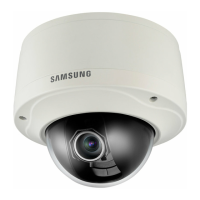
Samsung SNV-7080 - User Manual

Samsung SNV-7080
106 pages
Print Icon
To Next Page IconTo Next Page
Loading...
NETWORK CAMERA
User Manual
SNV-7080

Table of Contents

Questions and Answers

  • E
    Emma McgeeSep 10, 2025
    How to fix Samsung Security Camera when I can’t access it from a web browser?
    • W
      Wesley TuckerSep 10, 2025
      If you cannot access the Samsung Security Camera from a web browser, ensure the camera's network settings are correct and all network cables are properly connected. If using DHCP, confirm the camera obtains dynamic IP addresses without issues. For DDNS URL connections, verify the MAC address is entered correctly. If connected to a broadband router, check that port forwarding is properly configured.
  • R
    Richard AndersonAug 23, 2025
    What to do if Samsung SNV-7080 Security Camera does not recognize SD memory card?
    • K
      Katherine OlsonAug 23, 2025
      If your Samsung Security Camera does not recognize the inserted SD memory card, check if the memory card is inserted in the proper direction. You can also format the memory card again in the ? ? menu.
  • K
    Kelly JonesAug 25, 2025
    How to connect to Samsung SNV-7080 using a tab browser of Internet Explorer 7.0?
    • K
      klittleAug 25, 2025
      Instead of using a tab browser, open a new browser window to connect to the system.
  • M
    Mark ContrerasAug 26, 2025
    How to fix Samsung IP Camera when I can’t access it from a web browser?
    • D
      Denise WoodAug 26, 2025
      If you're having trouble accessing your Samsung IP Camera through a web browser, here are a few things to check: * Ensure the camera's network settings are correctly configured. * Verify that all network cables are properly connected. * If using DHCP, confirm the camera obtains dynamic IP addresses without issues. * When using a DDNS URL, double-check that the MAC address is entered accurately. * If the camera connects through a broadband router, make sure port forwarding is set up correctly.
  • G
    Gina HudsonAug 27, 2025
    Why does my Samsung IP Camera viewer get disconnected during monitoring?
    • J
      John HuangAug 28, 2025
      If your Samsung IP Camera viewer disconnects during monitoring, here are some potential reasons: * First, check all network connections to ensure they are stable. * If your camera is connected over a PPPoE network, poor network conditions can cause disconnections.
  • S
    Stephanie WrightAug 29, 2025
    What to do if Samsung IP Camera connected to the network is not detected in the IP installer program?
    • B
      Brianna JacksonAug 29, 2025
      If your Samsung IP Camera isn't detected in the IP installer program, try turning off the firewall settings on your PC and then search for the camera again.
  • P
    Paul SweeneySep 18, 2025
    How to connect to Samsung SNV-7080 Security Camera using Internet Explorer 7.0?
    • D
      Dylan CruzSep 18, 2025
      Instead of using a tab browser, open a new browser window to connect to the Samsung Security Camera system.
  • C
    Christopher WhiteSep 12, 2025
    What to do if Samsung SNV-7080 Security Camera viewer got disconnected during monitoring?
    • W
      wilkinsamandaSep 12, 2025
      If your Samsung Security Camera viewer gets disconnected during monitoring, first check all network connections. If the camera is connected over a PPPoE network, disconnections can occur under poor network conditions.
  • H
    harrisondebraSep 8, 2025
    How to fix Samsung IP Camera when I cannot format the SD memory card?
    • M
      Matthew GrahamSep 8, 2025
      If you are unable to format the SD memory card for your Samsung IP Camera, check if the write protection tab of the memory card is set to “LOCK.” If it is, switch it to the unlocked position.
  • A
    adamstimothySep 5, 2025
    Why Samsung IP Camera images overlap?
    • E
      Elizabeth JohnsonSep 5, 2025
      If you're experiencing overlapping images with your Samsung IP Camera, check if multiple cameras are set to the same multicast address instead of unique addresses.

Samsung SNV-7080 Specifications

General IconGeneral
ModelSNV-7080
Camera TypeNetwork Camera
Image Sensor1/2.8" CMOS
Focal Length2.8 ~ 12mm
Digital Zoom16x
PoEYes (IEEE802.3af)
Ingress ProtectionIP66
Resolution1920x1080 (Full HD)
Lens TypeVarifocal
Day/NightYes (ICR)
Wide Dynamic RangeDWDR
Video CompressionH.264, MJPEG
Max Frame Rate30fps @ 1920 x 1080
AudioTwo-way audio support
Ethernet10/100BASE-T
WirelessNo
Local StorageSD/SDHC memory slot
Operating Temperature-10°C ~ +50°C (14°F ~ 122°F)
Power SupplyDC 12V, PoE (IEEE 802.3af)
DimensionsØ132mm

Related product manuals