32_ menu setup
menu setup
QUICK SETUP
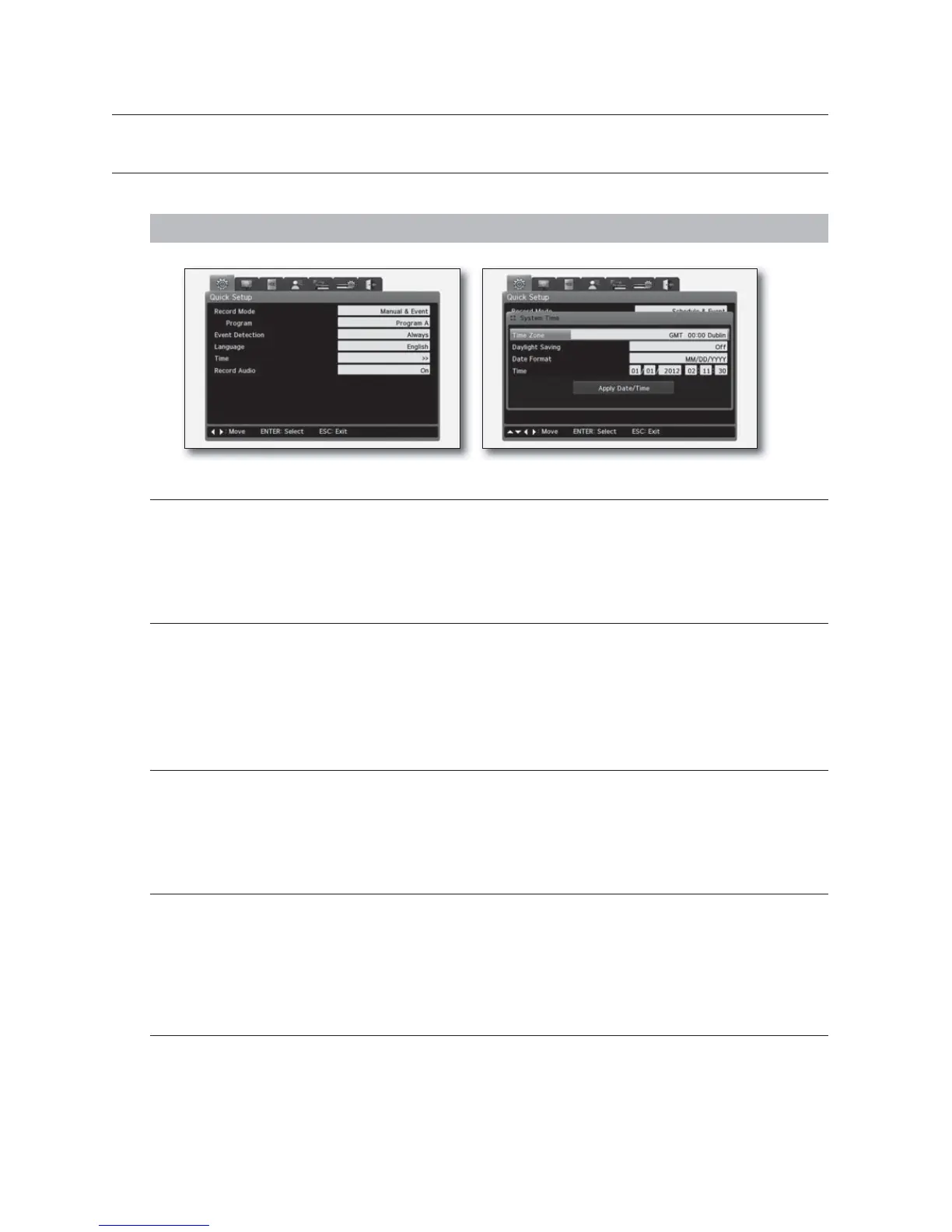
The Quick Setup menu is a collection of only key functions of the DVR for you to access with ease.
MENU - ENTER - ▼ - ▼ - ENTER
Record Mode
It sets recording method.
M
For more information, refer to “Record Settings”. (page 34)
Event Detection
Select an event application option from: <Always>, <Off> and <Schedule>.
Application details can differ depending on the option.
M
For more information about event recording, refer to "Event Setting". (page 38)
Language
Select a preferred OSD language.
M
For more information, refer to "System Setting". (page 48)
Time
It sets the time applied to the system.
M
If you change the time during recording, you may have redundant data.
For time settings, refer to "To specify the time". (page 49)
Audio Recording
Specify the use of audio recording.
M
For more information about audio recording, refer to "To configure the audio settings". (Page 37)
menu setup



 To Next Page