92_ web viewer
web viewer
VIEWER SETUP
You can configure the DVR settings remotely on the network.
To configure the DVR settings, click <Setup>.
System
You can configure the various settings of the DVR system.
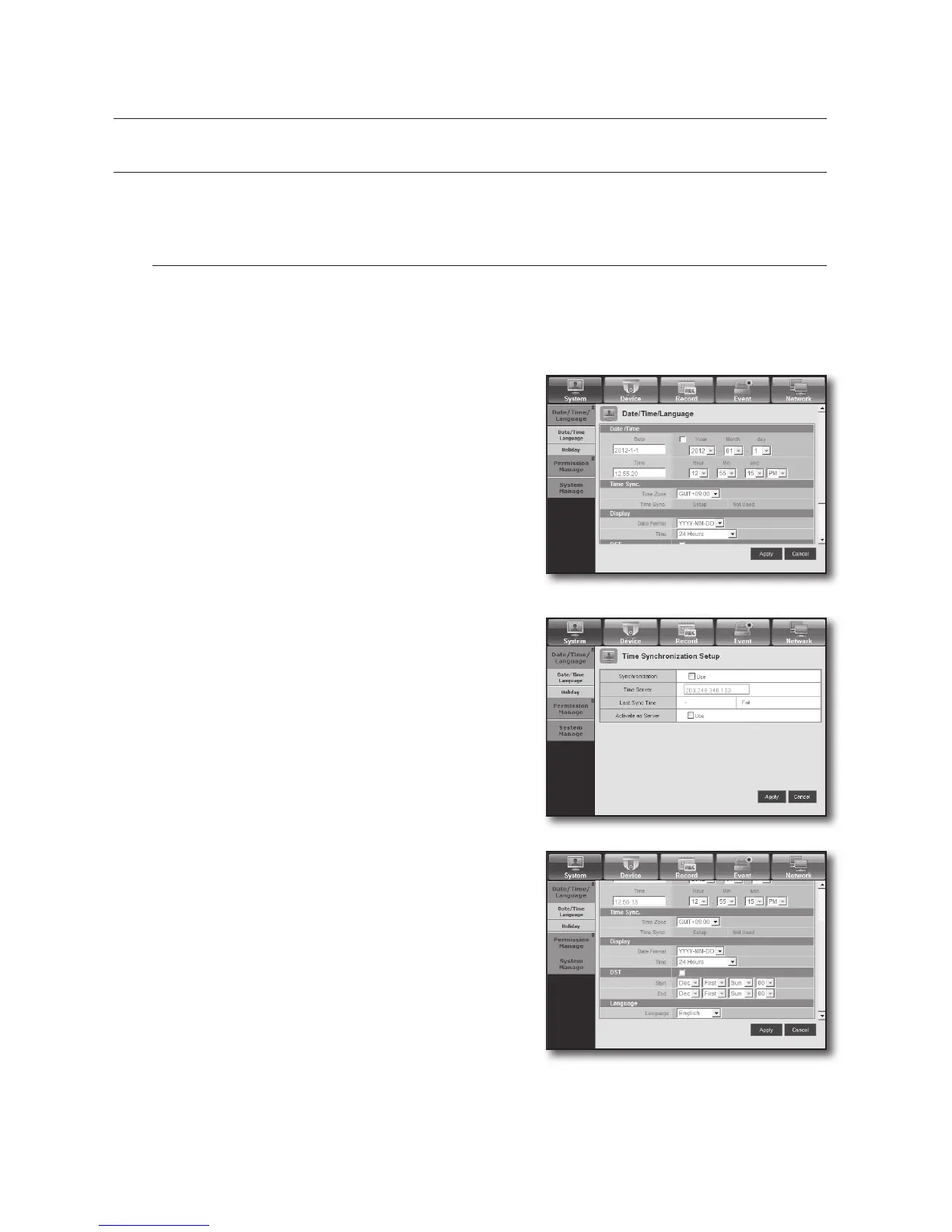
Date/Time/Language
For more information, refer to <Date/Time/Language> in the <System Setup> menu. (Page 38)
1. Select <Date/Time/Language> in the System menu.
2. Configure the DVR settings according to your system
environment.
• Date/Time
Set the date and time.
• Time Synchronization Setup
Set the time synchronization.
• Display
Date Format : Set the date type.
Time : Select a time format to display on the screen.
• DST (Daylight Saving Time)
DST is displayed an hour ahead of the standard time of the
time zone.
• Language
Select a preferred language for the DVR.



 To Next Page