English _97
WEB VIEWER
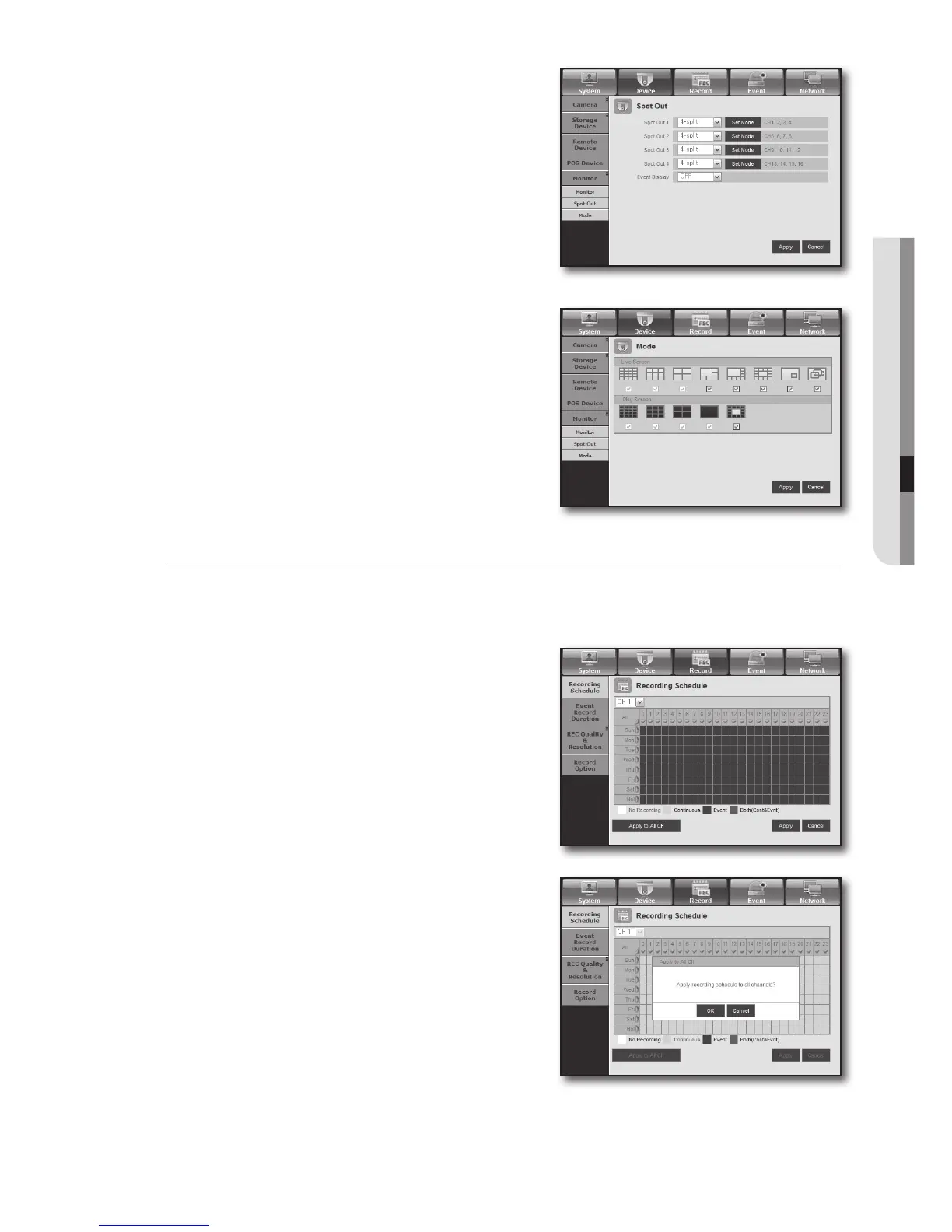
• Spot Out
If an event occurs such as sensor, motion or alarm from the
Spot Out port in connection with a monitor, you can select a
output screen mode.
M
The number of Spot Out terminals differs according to the
model.
• Mode
You can switch between live mode and play mode.
Record
For more information, refer to <Setting the Recording>. (Page 56)
Recording Schedule
If you set a recording schedule for a specific date and time,
the recording will start at that specific time.
- Apply to All CH : Click <Apply to All CH> to display the
confirmation window.



 To Next Page