English _23
● CONNECTING WITH OTHER DEVICE
Connecting POS Device
You can connect a POS device to the RS-232C port on the product’s rear side when you connect it directly
with a RS-232C cable.
Connection setup for the RS-232C port is available in “Main Menu > Device > POS Devices”, press the
<POS Device Setup> button and set <Baudrate, Parity, Data, Stop
bit>. (Page 57)
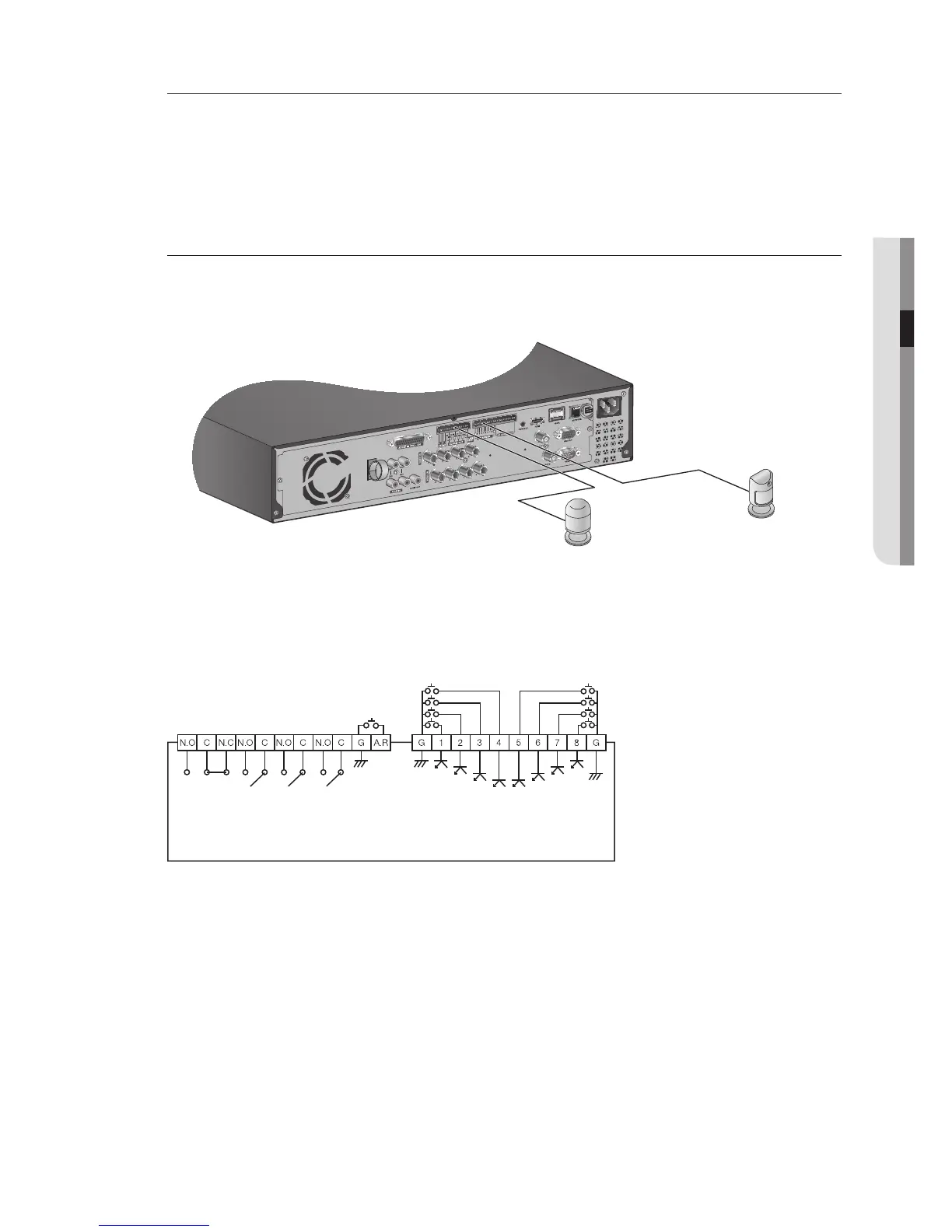
Connecting the Alarm Input/Output
The Alarm In/Out port at the back is composed of the following.
SRD-873D
• ALARM IN 1 ~ 8 : Alarm Input Port
• ALARM RESET : On receiving an Alarm Reset signal, the system cancels the current Alarm Input and
resumes sensing.
• ALARM OUT 1 ~ 4 : Alarm Output Port



 To Next Page